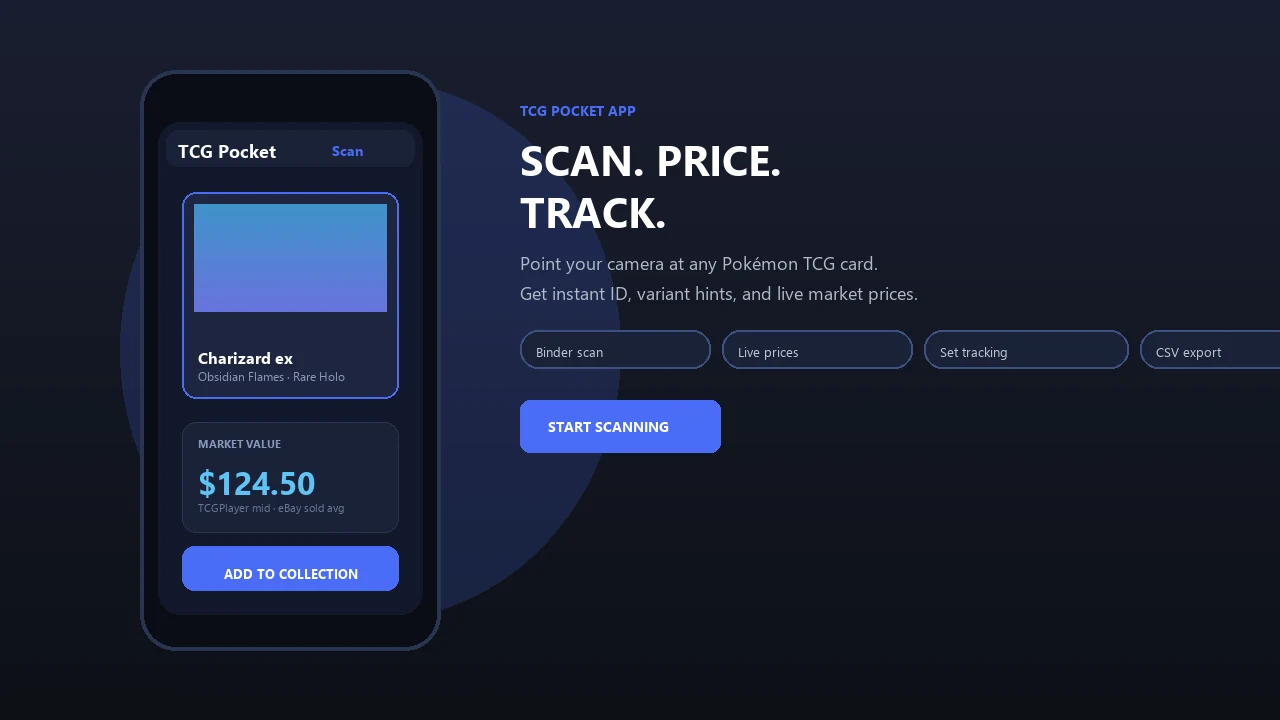
Take a photo of a physical Pokemon card to identify it, check current price references, and add it to your collection. Pokemon Card Scanner gives collectors a quick way to research card values on iOS and the web.
Pokemon Card Scanner runs on iOS and web. Get pokemon card value app when you are ready to scan.
What Is a Pokemon Card Value App?
A Pokemon card value app identifies physical trading cards and provides current market price references. Instead of manually searching by card name, set, card number, and rarity, you can photograph a card and let Pokemon Card Scanner narrow down the likely match.
The main purpose is speed. A collector sorting a binder, evaluating a recent pull, or checking cards at a shop can move from identification to price research in a few steps. The scanner also helps distinguish cards with similar artwork by using visible details such as the card number and set information.
Pokemon Card Scanner combines three useful tasks in one place: scan, price, and track. It is available through iOS and the web, so you can check a card from your phone or manage your collection from a larger screen.
Scan a Card and Check Its Price
Start by placing the card on a plain, well-lit surface. Capture the entire front of the card, keeping the name, artwork, set symbol, and collector number visible. Clear photos improve identification and reduce the chance of matching the wrong printing.
- Open the scanner on iOS or the web.
- Photograph or upload the front of the card.
- Review the suggested card match and set details.
- Check the available market price references.
- Save the confirmed card to your collection.
A scan can reduce repetitive typing, but the result should still be verified. Confirm the set, card number, rarity, finish, and language before using a displayed price to make a buying or selling decision.
Understand What a Pokemon Card Is Worth
A card does not have one fixed value. Prices can vary by condition, edition, language, print variation, grading status, and marketplace demand. A useful value app gives you a current reference point, while you decide how closely the compared cards match your copy.
Marketplace sources serve different purposes. TCGplayer market pricing can help show broader trading card market activity, Cardmarket is relevant to many European collectors, and eBay sold or completed sales can indicate what buyers recently paid. Open listings are asking prices, not proof that a card sold at that amount.
- Compare the exact set and collector number.
- Separate raw cards from professionally graded copies.
- Check whether the card is standard, reverse holo, or another variant.
- Look at several recent references rather than one unusually high sale.
Displayed values are estimates for research and are not guaranteed sale prices or formal appraisals.
Check the Set, Rarity, and Card Variant
Correct identification is essential because two cards featuring the same Pokemon can have very different values. Reprints may reuse similar artwork, while promotional cards, alternate illustrations, stamped cards, and parallel finishes can belong to separate listings.
After scanning, compare the suggested result with the details printed on your card. The collector number usually appears near the bottom edge, and the rarity mark or set information helps confirm the printing. Also check whether the surface has a holofoil pattern and whether that pattern matches the selected variant.
Language matters as well. English, Japanese, and other regional printings may have different demand and sales histories. If the card has been graded by PSA, CGC, or BGS, compare it with sales for the same grading company and grade. Do not apply a graded price to an ungraded card simply because the card itself appears clean.
Track Cards and Collection Value
A Pokemon card value app is useful beyond a single price check. Saving confirmed scans creates a collection record that can help you organize cards, review estimated value, and avoid buying duplicates.
Collection tracking is particularly helpful when you collect complete sets or manage cards stored in several binders and boxes. Add accurate versions and quantities so your records reflect what you actually own. You can then revisit important cards as market prices change.
- Organize cards by set or personal collection goals.
- Record multiple copies of the same card.
- Keep valuable pulls easy to find.
- Create a watchlist for cards you may buy or sell.
- Review price movement before making a marketplace decision.
Market value can change quickly, so a collection total should be treated as a current estimate rather than a guaranteed cash value.
Use Pokemon Card Scanner on iOS and the Web
Pokemon Card Scanner supports two practical workflows. Use the iOS experience when you are opening packs, visiting a card shop, or sorting physical cards away from your desk. Use the web version when you want more screen space to compare results and review your collection.
For the most reliable scan, remove the card from reflective packaging when it is safe to do so, avoid glare, and keep the camera parallel to the card. Sleeves and top loaders can remain in place if the printed details are clear and reflections do not cover the artwork or collector number.
Before relying on any result, inspect the physical card for wear, creases, whitening, dents, scratches, or surface damage. A scanner can help identify the printing and provide price references, but condition still requires careful human judgment. Start with one card, confirm the match, and save it when the details are correct.