
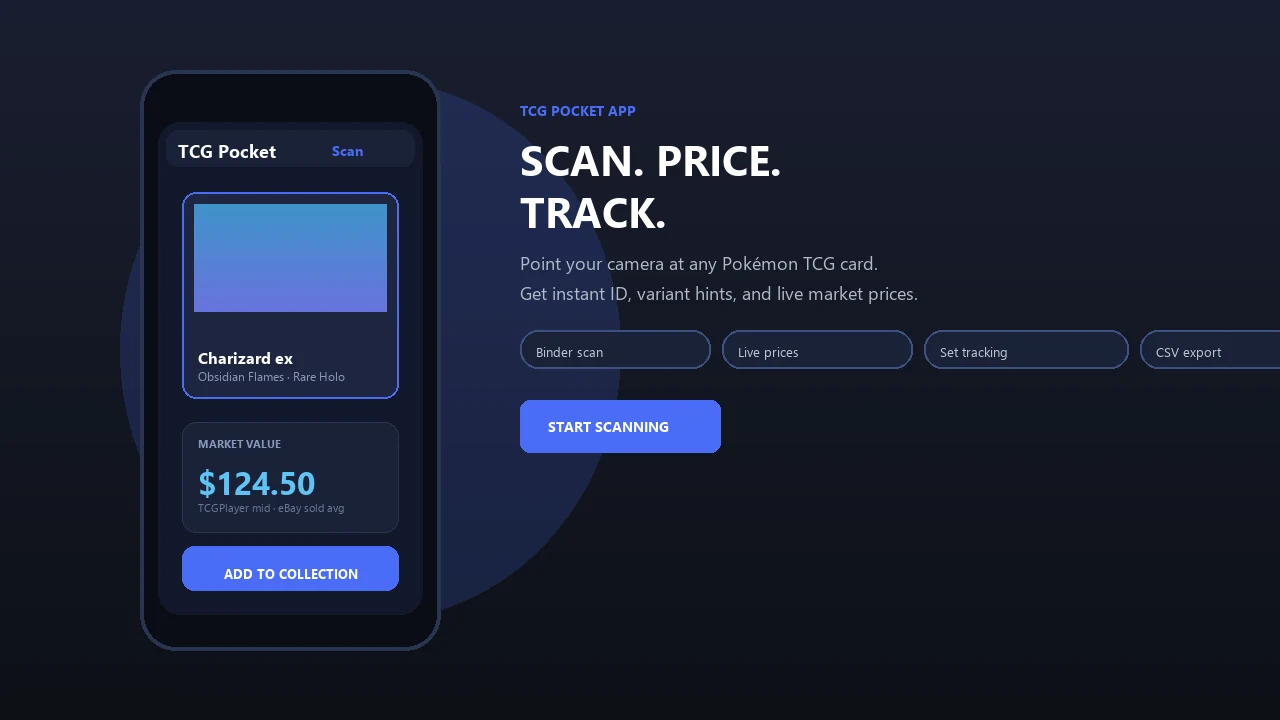
Turn a box, binder, or resale stockroom into an organized card catalog. Pokemon Card Scanner helps collectors and sellers identify physical Pokémon cards, record inventory details, and maintain a practical reference for pricing, sales, and insurance documentation on iOS and web.
Pokemon Card Scanner runs on iOS and web. Get pokemon card inventory when you are ready to scan.
What Is a Pokemon Card Inventory App?
A pokemon card inventory app is a digital catalog for physical trading cards. Instead of relying on memory, handwritten lists, or scattered spreadsheets, you can identify cards and create structured records containing the set, card number, variant, condition, quantity, value, and storage location.
Pokemon Card Scanner supports a scan-first approach on iOS and web. Start by scanning a card to identify it, confirm the result, and add the information needed for your collection or resale inventory. This is useful for individual collectors, online sellers, card-show vendors, and anyone managing cards stored across several binders, boxes, or display cases.
Seller-focused services such as InventoryTCG and InVelocity also emphasize photo identification and structured inventory fields. That broader industry pattern shows why scanning has become a practical starting point for cataloging large Pokémon card collections.
Create SKU-Style Records for Singles and Stock
SKU-style inventory treats each distinct card and variant as a record that can be counted, located, priced, and updated. A useful record should distinguish cards that look similar but have different set numbers, finishes, languages, or conditions.
- Record the card name, expansion, collector number, rarity, and variant.
- Separate standard, reverse holo, promotional, and other printings.
- Assign a condition such as Near Mint, Lightly Played, or Moderately Played.
- Enter the number of available copies instead of creating unnecessary duplicate notes.
- Add a location label such as Binder A, Showcase 2, Box 14, or Online Stock.
This structure helps prevent listing the wrong printing or selling a copy that cannot be found. PokéCardex similarly highlights version, condition, quantity, language, and binder organization, reflecting the level of detail collectors often need when managing physical cards.
Track Quantities, Conditions, and Locations
Quantity and location fields become important once a collection grows beyond a single binder. If you own five copies of the same card, a quantity count is easier to maintain than five disconnected entries. When one sells, trades, or moves into a personal collection, the count can be adjusted.
Consistent location tags also reduce fulfillment time. Create a short naming system before cataloging, then apply it across your inventory. For example, use BIN-01 for bulk storage, BINDER-V for vintage cards, CASE-A for higher-value singles, and SHIP for orders awaiting dispatch.
Condition should be recorded at the same time as location. Two copies of the same card may have different resale values if one is Near Mint and the other has edge wear. For graded cards, note the grading company, numerical grade, certification reference, and exact storage position. DeckTradr and InVelocity both recognize graded-card details as part of dealer-oriented inventory management.
Use Marketplace Prices as References
An inventory value should be based on a clearly identified card and variant. Marketplace references can then provide context, but no single price represents every possible sale. Condition, language, grading, recent demand, shipping costs, and seller reputation can all affect the final amount.
- TCGplayer provides Market Price, Listed Median, and Most Recent Sale information for cards in its ecosystem.
- eBay sold listings show completed transactions and can be more informative than unsold asking prices.
- Cardmarket can provide useful international and European market comparisons.
Dex references pricing from TCGplayer, Cardmarket, CardTrader, and eBay, while PokéCardex cites Cardmarket and TCGplayer. These examples support comparing more than one marketplace when valuing resale stock. Record the date and source of a valuation so an older estimate is not mistaken for a current offer.
Build a Reseller Inventory Workflow
A repeatable workflow keeps purchasing, listing, storage, and fulfillment connected. Begin by sorting cards into manageable batches, then scan and verify each identification before adding commercial details.
- Scan the card and confirm its set, number, and printing.
- Inspect condition under consistent lighting.
- Enter quantity, acquisition cost, and storage location.
- Review relevant marketplace prices before setting a list price.
- Update the quantity after every sale, trade, or restock.
- Periodically audit physical stock against the recorded inventory.
Active dealers may also track fees, shipping, purchase cost, and realized sale price to calculate profit or loss. InventoryTCG, DeckTradr, and InVelocity promote ROI or sales analytics as part of their dealer workflows. TCGplayer supports list exports and seller inventory imports for eligible sellers, while InVelocity promotes synchronization with eBay. Pokemon Card Scanner can serve as the identification and cataloging starting point for an organized iOS or web workflow.
Prepare Card Records for Insurance Documentation
A card inventory can support insurance discussions by showing what you own and how it was organized at a particular time. It is not an appraisal or a guarantee of coverage, so ask your insurer what evidence, valuation method, limits, and documentation they require.
For higher-value cards, keep clear front and back photographs, purchase receipts, grading certificates, condition notes, storage locations, and dated market references. Record sealed products separately from individual cards, and identify graded cards by certification number where appropriate.
Update the catalog after major purchases, sales, trades, or grading submissions. Consider storing copies of receipts and inventory exports away from the physical collection. A current, itemized record is more useful than a single total value because it helps distinguish specific cards, variants, quantities, and supporting evidence. Use Pokemon Card Scanner on iOS and web to begin documenting the physical cards in your collection.