
> Definition: CSV export is a feature that converts your digital Pokémon card collection into a plain-text, comma-separated file (.csv) readable by Excel, Google Sheets, or any database tool.
Why Pokémon Card Collectors Need CSV Export Backups
A Pokémon card CSV backup protects your collection data from phone loss, app shutdowns, and platform changes. It also turns scanned cards into a file you can sort, share, insure, and rebuild from later.
- Data ownership: A CSV gives you a local copy of your inventory, instead of leaving every entry inside one account.
- Insurance records: A dated export can support a pokemon card collection insurance inventory when paired with photos, receipts, and condition notes.
- Seller and trade lists: Buyers prefer exact set names, collector numbers, and counts over screenshots from a phone.
- Grading prep: Exported rows can help organize raw versus graded candidates before PSA, BGS, or CGC submission work.
- Backup habits: A 2023 Statista survey reported that 76% of U.S. adults used cloud storage, so saving a CSV fits a backup habit many collectors already know (https://www.statista.com/statistics/1370506/cloud-storage-usage-united-states/).
At a card show, a slab case clicking on the counter changes the mood fast. You want the list, not a memory.
What TCG Pocket App CSV Export Does
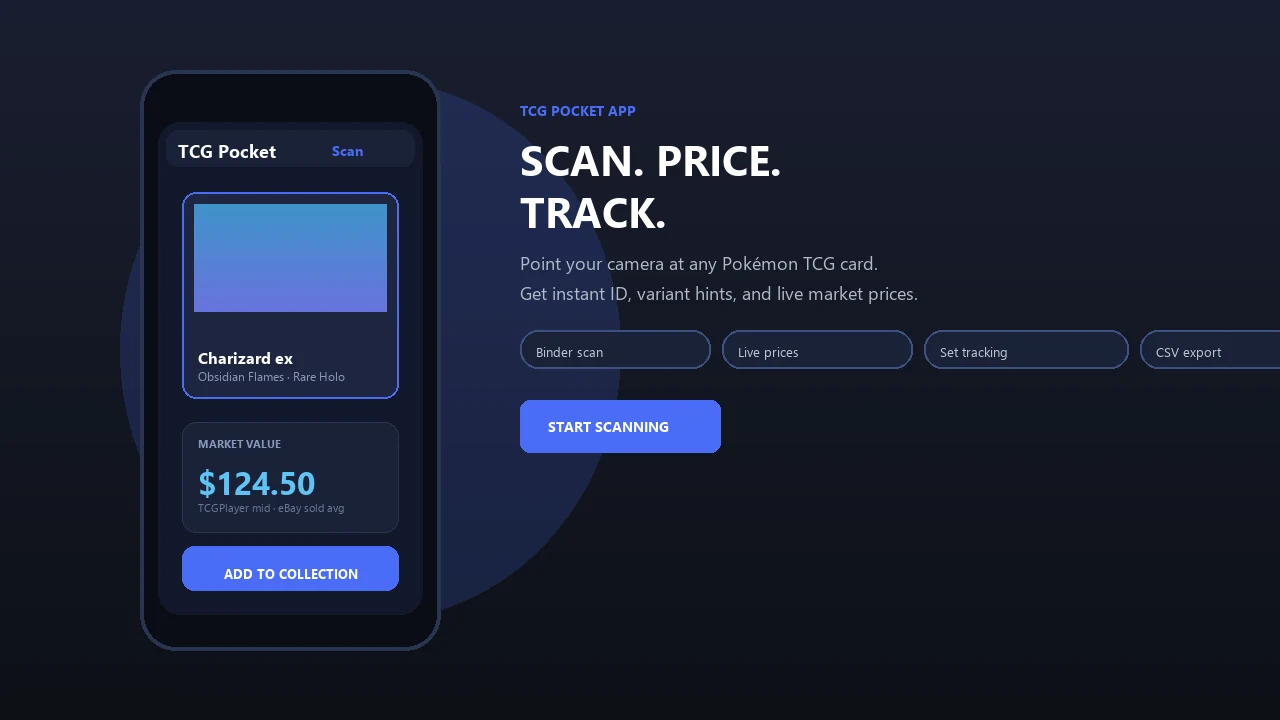
A CSV export turns your scanned Pokémon card collection into a portable ownership, pricing, and backup file. In TCG Pocket App, that means your collection can leave the phone as a spreadsheet-ready record instead of staying locked inside an app view.
The export maps card identity details into columns that tools like Excel and Google Sheets can read cleanly. A scanned entry becomes fields such as card name, set, collector number, rarity, count owned, market price, and total value. That structure supports real collector jobs: building a seller list before a local meetup, documenting inventory for insurance, moving data into another collection tool, or saving a dated backup after a big sorting session.
A practical CSV routine looks like this:
- Scan and verify the cards so names, sets, and numbers match the actual prints.
- Export the collection when counts and prices are in a state worth saving.
- Store the file in a safe folder, cloud drive, or email archive.
- Use the rows for selling, insurance notes, migration, or backup checks.
- Repeat the export after major trades, sales, or new scans.
The file is a snapshot, not live syncing. If your binder changes tomorrow, yesterday’s CSV will not update itself.
How Pokémon Card CSV Export Files Work
A Pokémon card CSV export works by reading the collection database, then writing each card entry as one spreadsheet row. Each attribute becomes a column, such as card ID, name, set, rarity, count, market price, and total value.
The file is plain UTF-8 text with comma delimiters. That means no card images, no binder-page layout, and no rich formatting. It is portable because spreadsheet tools and databases understand the structure. It is limited for the same reason.
NumberOwned = 0 rows are useful when a collector wants a missing-card checklist. A completed page of matching slots feels good, but the filtered empty rows are what tell you what to hunt next.
Good ai-powered pokémon tcg card scanner, live market prices, and pocket-sized collection management app workflows deliver structured card data, not a guaranteed appraisal or live spreadsheet feed.
For collectors managing binder scans, the practical win is turning verified scans into exportable rows with card identity, count, and price fields in the same collection data export.
How To Export Your Pokémon Card Collection As CSV
To export your Pokémon card collection as CSV, open your saved collection, choose the export option, select CSV, then save the file somewhere you control. Re-export after major scans, trades, or price refreshes because the file is a snapshot.
- Open TCG Pocket App and navigate to your collection.
- Tap the export or share icon from the collection view.
- Select CSV as the file format.
- Choose columns such as names, sets, prices, counts, and total value.
- Save or share the.csv file to cloud storage, email, or your local device.
When the issue is keeping a clean backup after late-night pack logging, a one-tap CSV workflow tied to the saved collection keeps the file current.
Re-exporting matters. The price beside a near-mint copy in a top loader can change before your spreadsheet does.
Pokémon Card CSV Export Columns And Fields
A quality pokemon card csv export should include identification fields, ownership counts, and valuation fields. Clean column names matter because messy set codes make filtering, pivot tables, and app imports harder.
| Field type | Example columns | Why it matters |
|---|---|---|
| Essential identity | Card ID, card name, set, collector number, rarity | Confirms the exact card before pricing or trading |
| Ownership | Number owned, duplicates, missing flag | Supports set completion and duplicate tracking |
| Value | Market price, total value, price source date | Separates current estimate from older exports |
| Collector notes | Condition, custom tags, pack origin | Adds context for binder, bulk, or grading decisions |
| Advanced analysis | Release date, set code, rarity label | Helps with pull-rate modeling, dashboards, or ML projects |
Trading-card collecting has also become a mainstream resale category; eBay reported major growth in trading-card sales during the collectibles boom, which is one reason collectors expect sortable inventory data (https://www.ebayinc.com/stories/news/the-state-of-trading-cards/).
Collectors looking for cleaner duplicate counts can pair exports with a tool that can track pokemon card duplicates.
5 Uses For Pokémon Card CSV Data
Pokémon card CSV data is most useful when you need your collection outside the original app. Once it is in a spreadsheet, you can filter, calculate, share, and archive without waiting on a special interface.
- Build missing-card checklists by filtering NumberOwned = 0.
- Calculate total collection value in Google Sheets or Excel.
- Share accurate inventory with buyers, trade partners, or grading services.
- Create dashboards with pivot tables that compare set value over time.
- Rebuild in another app if you switch platforms later.
A parent sorting a mixed pile may squint at a rarity mark, then find a bent common card in the junk pile. The CSV won’t fix condition, but it keeps the count honest.
For collectors building a sale list, AI-scanned entries are useful because they can be exported into spreadsheet rows instead of retyped from binder pages.
Set builders can also compare exports with an app that tracks pokemon set completion.
CSV Export In TCG Pocket App vs Other Collection Tools
Not every Pokémon collection tool offers full CSV export. Some tools export only partial fields, while others keep data inside a proprietary account view.
| Tool or format | Export behavior | Collector concern |
|---|---|---|
| TCG Pocket App | Exports AI-scanned card data with live market price columns | Good for backups, seller lists, and spreadsheet analysis |
| TCGplayer | Strong marketplace data, but export workflows can vary by account use | May require cleanup before personal tracking |
| ManaBox | Collection tools with different field naming | Column mapping may be needed |
| Eyevo | Scanner-focused workflows may use different export structures | Confirm which columns leave the app |
| Proprietary-only tools | Limited or no usable.csv file | Harder to migrate if you switch platforms |
Before migrating, check each tool’s current help docs or export settings because CSV availability, included fields, and account requirements can change; for example, TCGplayer’s collection tools and marketplace workflows are documented separately at https://help.tcgplayer.com/.
Column-name differences are not cosmetic. “Set,” “Expansion,” and “Series” may describe related data, but import tools often treat them as separate fields.
If you want a portable file first, TCG Pocket App has the advantage because the collection export is built around standard spreadsheet use. The broader workflow is covered in our tool to export pokemon card collection CSV.
Related TCG Pocket App Collection Features
CSV export works better when the collection data is clean before it leaves the phone. Clean inputs usually come from AI card scanning, live market price tracking, a collection dashboard, and set completion views.
A binder-friendly scan can still need verification. Ring-light glare bouncing off a reverse holo through a nine-pocket binder page can trick any scanner, especially on similar prints. Check the set number in the lower-left corner before trusting a variant match.
Collectors looking for fast intake should start with the app to scan pokemon card collection workflow, then export once the list is checked.
If your main goal is inventory control, use a repeatable routine: scan, verify, log, compare, export.
Limitations
CSV export is useful, but it is not a live database, appraisal report, or secure vault. Treat the app result as a starting point, not the final word.
- CSV is a snapshot, so prices and counts go stale unless you re-export after scans, trades, or price updates.
- Flat text cannot store card images, rich notes, binder layouts, or complex deck and trade relationships.
- Export accuracy depends on the source data; mis-scans, wrong conditions, and outdated prices carry over.
- Large collections with thousands of rows can feel awkward on mobile. Desktop Excel, Google Sheets, or database tools handle them better.
- Column names differ across apps, so imports from getcollectr.com, pokellector.com, or pricecharting.com may require cleanup.
- CSV files do not auto-sync when new cards are added. Manual re-export is required.
- CSV has no built-in encryption, so valuation files should be stored in a secure folder or trusted cloud account.
Simple file. Real responsibility.