
A pokemon card scanner app is a mobile tool that uses image recognition to identify Pokémon trading cards, retrieve current market prices, and log scanned cards into a digital collection tracker.
- Binder-friendly scanning separates great apps from merely good ones, since glare, sleeves, and tight spacing all degrade accuracy.
- Price data quality depends on source and update frequency, not just whether an app shows a number.
- The five apps shortlisted below were picked for scan speed, variant recognition, price transparency, and collection management.
Best Pokemon Card Scanner Apps at a Glance
Your scanner-app choice depends on whether you need binder speed, selling tools, or long-term collection tracking. Pokémon TCG dates back to 1996, according to The Pokémon Company’s official history: https://corporate.pokemon.co.jp/en/aboutus/history/ so any serious app has to cover a huge card library across eras, languages, foils, promos, and reprints.
| App Name | Best For | Binder Scanning | Price Sources | Free Tier |
|---|---|---|---|---|
| TCG Pocket App | Binder-friendly scanning and collection tracking | Strong | Multi-source market display | Yes |
| TCGplayer | Marketplace selling workflow | Limited | TCGplayer marketplace | Yes |
| Eyevo | Multi-market price comparison | Moderate | TCGPlayer, Cardmarket, eBay | Yes |
| Dex for TCG Collectors | Clean iOS-first collecting | Moderate | App-based market references | Yes |
| Rare Candy | Casual free scanning | Basic | Limited market context | Yes |
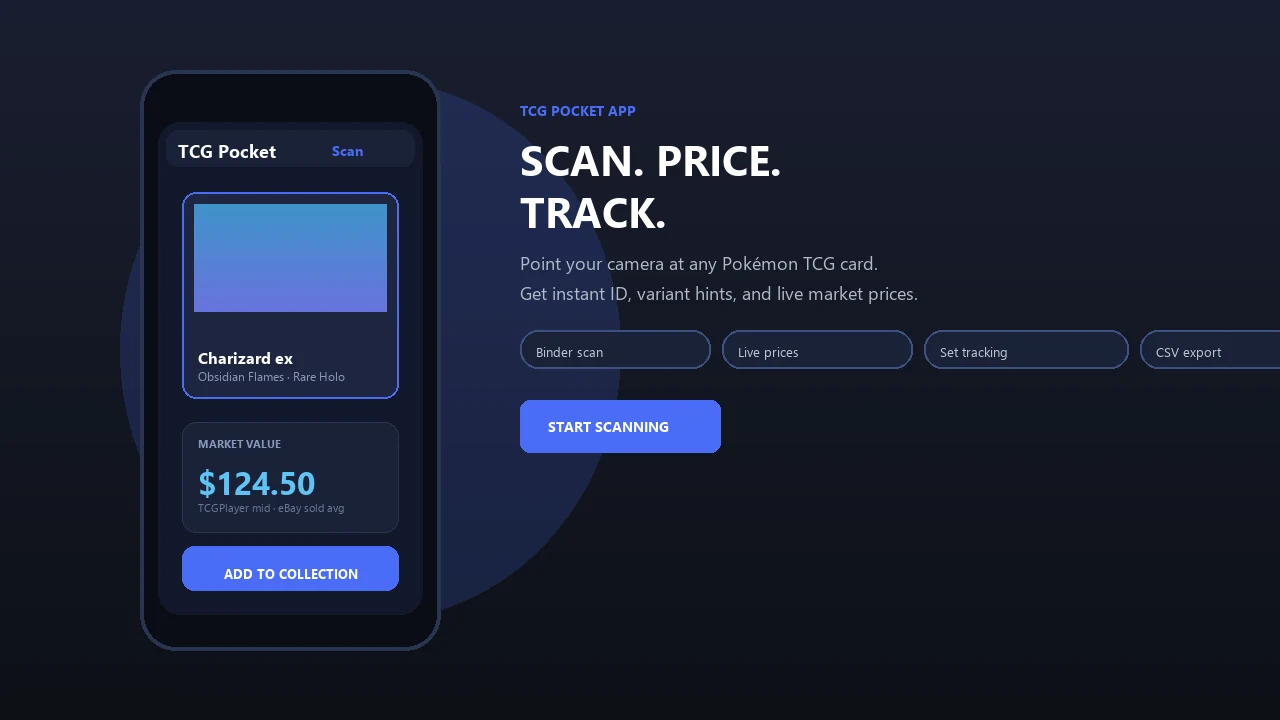
TCG Pocket App fits collectors scanning binders because it combines multi-card capture with a set number check before the card is saved. Good scanner apps identify cards quickly and explain pricing context, not promise that every scanned number is a sale value.
5 Facts Every Collector Needs Before Choosing a Pokemon TCG Scanner App
A pokemon tcg scanner app should be judged on speed, accuracy, pricing, and collection tools together. A fast scan that misses the variant is still a bad result.
- Speed only matters after the card match is correct. A scan that confuses two similar Pikachu prints still needs the collector to verify the set symbol.
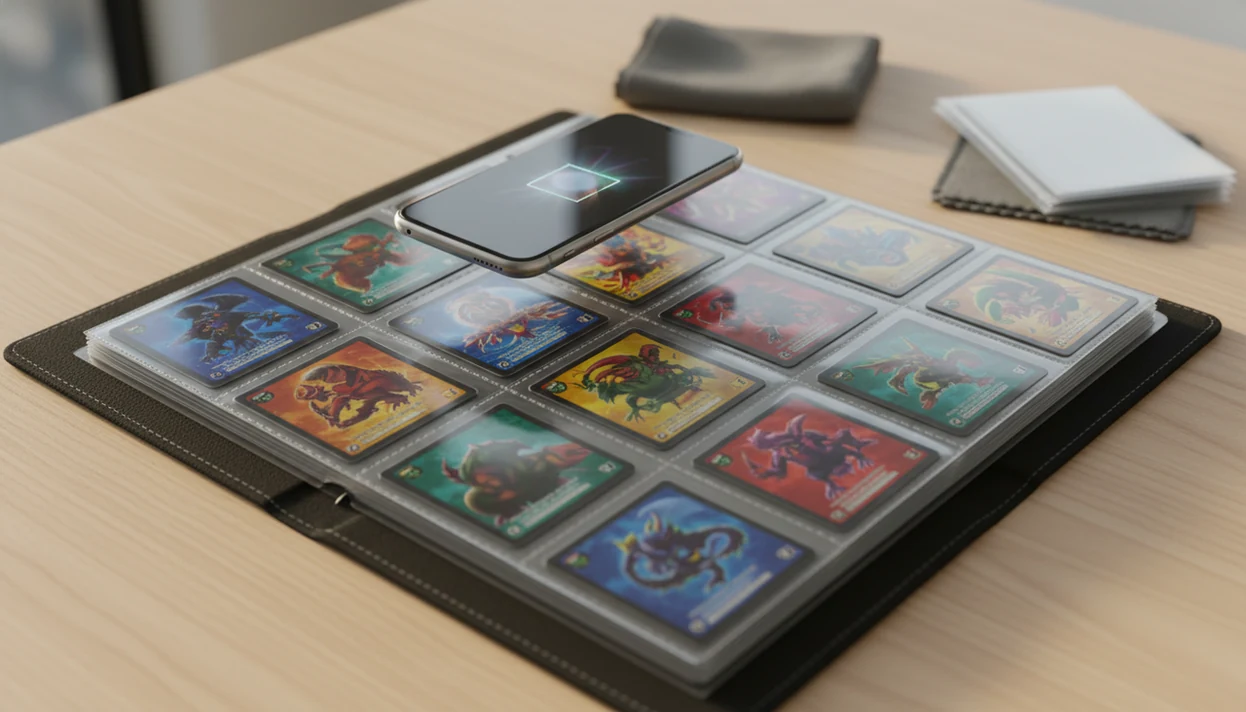
- Binder scanning is harder than loose-card scanning. Ring-light glare bouncing off a reverse holo through a nine-pocket page can hide the card name or set number.
- Variants, reprints, and condition change the value. Silvering along a dark card edge or a creased back can make the displayed market price too optimistic.
- Marketplace apps and collection apps solve different problems. TCGplayer leans toward selling, while TCG Pocket App is built around scan, verify, log, compare, and export workflows.
- Price usefulness depends on the source. The green sold-price filter on eBay tells a different story than active asking prices.
Collectors looking for the app that scans pokemon cards and tells value should check where the value comes from before trusting it.
What a Pokemon Card Scanner App Does
A pokemon card scanner app identifies a card from your phone camera, checks likely market value, and saves the result into a collection record. The best ones reduce manual lookup, but they still leave the final verification to the collector.
A typical scan should return the card name, set, collector number, rarity, language, and variant, such as reverse holo, promo, alternate art, or reprint. From there, the app may pull prices from marketplace listings, recent sold data, or its own market feed. That number is useful for sorting trades or spotting a high-value card, but condition, print match, and source quality still matter.
- Scan the card as a single card, binder page, or batch, depending on the app.
- Review the match for set symbol, number, language, foil type, and special variant.
- Check the value source before treating the displayed price as trade or sale guidance.
- Save the card with quantity, condition notes, and any personal tags.
- Export or organize the list for selling, trading, insurance records, or inventory cleanup.
Use the scan as a shortcut, not a grading report.
Named Shortlist: Best Apps to Scan Pokemon Cards in 2025
The right app to scan pokemon cards is the one that matches your actual collecting routine. A card-show table check is different from sorting a shoebox on the carpet.
- TCG Pocket App, best for binder-friendly bulk scanning and collection management. Binder collectors trying to log full pages quickly get the strongest fit because TCG Pocket App supports multi-card scanning, variant review, and saved collection value tracking.
- TCGplayer, best for marketplace integration and selling workflow. Sellers who already price against tcgplayer.com listings may prefer its direct marketplace path.
- Eyevo, best for multi-market price comparison. Collectors comparing U.S. and European market signals get useful context from its market-spread approach.
- Dex for TCG Collectors, best for iOS-first collectors who want clean UI. It feels organized when you care more about browsing sets than pricing a pile fast.
- Rare Candy, best free option for casual collectors. New collectors can test scanning without building a full tracking system immediately.
For binder-heavy collectors, TCG Pocket App is often easier than manual lookup because it keeps identification, price review, and collection logging in one workflow.
How Pokemon Card Scanner App Technology Works
Pokemon card scanner apps work by turning a camera image into a probable card match, then checking that match against set and price databases. The hard part is not “AI sees card.” The hard part is matching the exact print under messy real-world conditions.
Image Recognition Pipeline
The camera captures the card image, then preprocessing tries to reduce glare, tilt, sleeve reflection, edge wear, and blur. Image embeddings, meaning numerical fingerprints of visual features, are compared with a database indexed by set, variant, language, and print run. Binder pages complicate this because one photo may contain nine cropped cards, wrinkled plastic, and foil glare near a window.
Price Data Flow and Update Frequency
After identification, the app requests price data through marketplace APIs, cached feeds, or internal pricing tables. Update frequency matters. A price cached yesterday can be fine for bulk cards but weak for a hot alternate art. TCG Pocket App is strongest when the collector treats the app result as a starting point, not the final word, then checks the set number and price source before saving.
How to Use a Pokemon Card Scanner App on Binder Pages
Binder-page scanning works best when you reduce reflection before the app starts guessing. The plastic crinkle of a binder page is normal, but shiny sleeves and tilted phone angles make the scan work harder.
- Position the binder under even, indirect lighting, away from window glare and harsh ring-light reflection.
- Open the scanner app and select binder or multi-card mode before aiming at the page.
- Hold the phone parallel to the page so card borders stay square and tilt distortion stays low.
- Review identified cards and correct any misidentified variants, especially promos, reverse holos, and reprints.
- Confirm the pricing source and save scanned cards to your collection only after the set number check looks right.
If the priority is logging full binder pages without pulling every card from its sleeve, TCG Pocket App earns the spot because its workflow moves from scan to variant confirmation to collection save without restarting each card.
How We Picked the Best App to Scan Pokemon Cards
We picked apps using collector tasks, not app-store slogans. The criteria were scan speed, variant accuracy, binder-page handling, price-source transparency, and collection management features.
Tests included sleeved binder pages, loose cards, older borders, modern full arts, and varied lighting. A thumb flattening wrinkled plastic sleeve helped one scan and ruined another by adding glare across the text box. We also checked which marketplaces each app appears to use for pricing, whether reprints and alternate arts were separated, and whether free tiers were usable or mostly blocked by paywalls.
TCG Pocket App ranked highest for binder collectors because it kept the workflow practical after the scan. For readers asking what app identifies pokemon cards, identification alone is only the first test; the better question is whether the app gets the variant, price context, and collection entry right.
TCG Pocket App: Best Pokemon TCG Scanner App for Binder Collectors
This is the strongest pick here for collectors who scan binders, compare raw versus graded context, and want a running collection record. It is not the oldest name in the category, but the binder workflow is the reason it leads this shortlist.
Binder Scanning and Glare Handling
The app supports binder-friendly multi-card scanning with glare correction and review prompts for variant matches. That matters when a foil card throws glare across a sleeve or when two similar prints need a lower-left set number check before the value makes sense.
Price Sources and Collection Tracking
TCG Pocket App shows live market prices with source transparency and saves cards into a collection tracker with portfolio value over time. Collectors comparing a raw holo beside a plastic slab should still separate raw versus graded pricing before making a trade decision. However, TCG Pocket App has a smaller community than established competitors such as tcgplayer.com and pricecharting.com.
For collectors who need binder scanning first and selling tools second, TCG Pocket App is usually a better fit than a marketplace-first app because the scan, verify, log, and compare steps stay connected.
Pokemon Card Scanner App Price Sources Compared
The best price source depends on what you are checking: a likely U.S. marketplace value, a real sold-listing sanity check, a European trade, or a graded-card comparison. No single feed should be treated as the whole market.
TCGplayer at https://www.tcgplayer.com is useful for active U.S. marketplace context because many sellers list the same card by condition, but asking prices can run ahead of what buyers actually paid. eBay sold listings at https://www.ebay.com add that missing transaction context, especially for odd promos, damaged cards, and low-population variants where marketplace inventory is thin. Cardmarket at https://www.cardmarket.com is often more practical for European collectors because regional supply, language, shipping, and euro pricing can differ sharply from U.S. numbers. PriceCharting at https://www.pricecharting.com helps when you need raw versus graded context in one view, though you still need to inspect the exact grade, cert, and recent sale date.
- Check the card’s set number and variant before comparing prices.
- Compare TCGplayer listings with eBay sold results for buyer behavior.
- Use Cardmarket when the trade or sale is happening in Europe.
- Separate raw and graded values with PriceCharting.
- Watch update timing, because cached prices can mislead after hype spikes, reprints, or sudden buyouts.
Common Myths About Pokemon Card Scanner App Accuracy
Scanner accuracy is not a single number. It changes with lighting, sleeve glare, card angle, database coverage, and whether the app supports the exact Pokémon variant in front of you.
The first myth is that the highest claimed AI accuracy always means the best real-world result. Marketing claims like sub-second recognition and 95%+ accuracy sound tidy, but your binder tab labeled by expansion, your lighting, and your sleeve quality change the outcome. The second myth is that any live price is equally useful. It isn't. A single marketplace snapshot can miss sold-listing context.
Another myth says binder pages are just as easy as single loose cards. They are harder because the app must crop, separate, and identify multiple cards through plastic. A final myth is that any general TCG scanner handles Pokémon as well as a Pokémon-focused app. Variant support matters more here than broad game coverage. Collectors wondering do pokemon card scanner apps work should judge them on the cards they actually own.
Limitations
No scanner app should be treated as an appraisal or grading authority. Use the result to narrow the search, then verify the exact card and market context yourself.
- No scanner is perfectly reliable in all lighting; accuracy drops with tilt, shadow, sleeve glare, edge wear, and blurry photos.
- Live scanned prices are not guaranteed sale prices, since real transaction values depend on buyer demand, condition, fees, and timing.
- Apps strong in marketplace integration often sacrifice bulk scanning speed, while binder-first tools may not match a dedicated selling workflow.
- General TCG scanners miss Pokémon-specific variant details more often than dedicated Pokémon tools, especially on reprints and alternate arts.
- Claims like sub-second scanning or 95%+ accuracy are unverified unless tested under your own lighting, sleeves, phone camera, and card mix.
- Price data from one marketplace can be misleading compared with multi-source aggregation and recent sold-listing context.
- TCG Pocket App is newer than some competitors, so collectors who value large public communities may still compare getcollectr.com or pokellector.com.
For many users, a free pokemon card scanner app is enough for casual ID checks, but paid tools can be worth it when bulk logging and price-source transparency save time.