
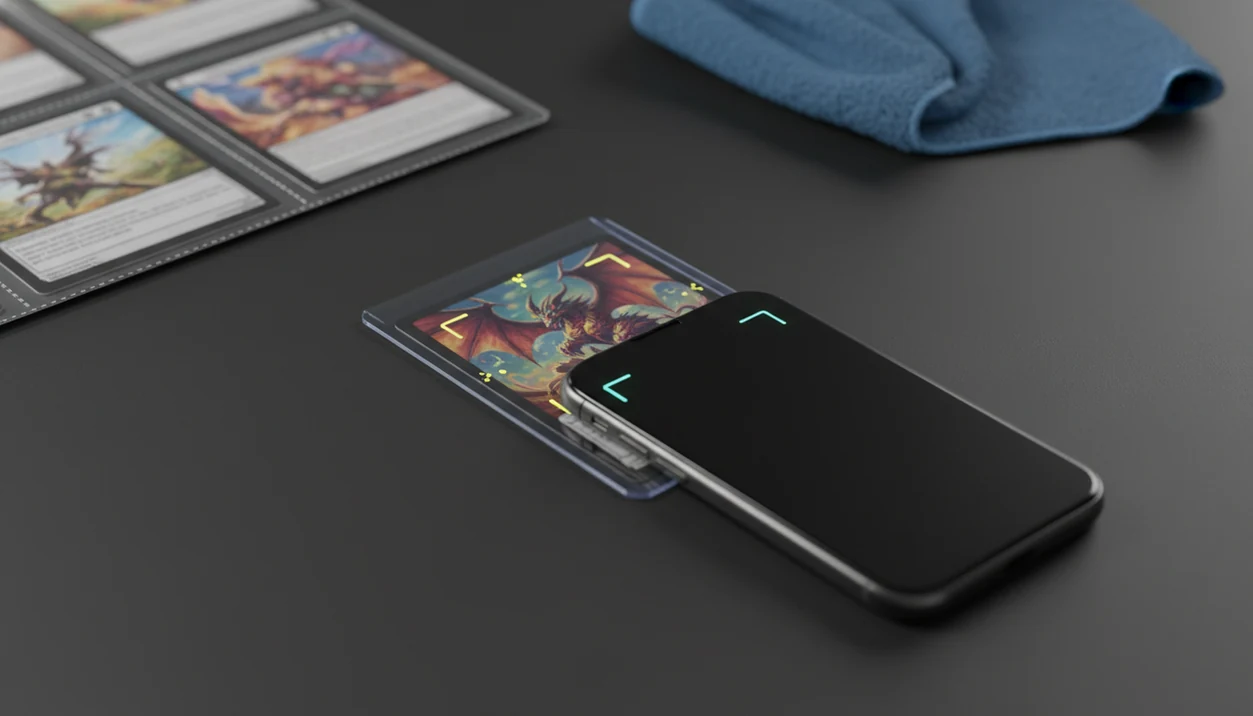
> Definition: A pokemon card identification app is a mobile tool that uses camera-based image recognition to match a physical Pokémon TCG card against a database and return its precise set, print, rarity, foil variant, and current market value.
- Card identification, including set number, variant, language, and foil type, must happen before pricing. Different prints of the same Pokémon can differ by hundreds of dollars.
- Scanner accuracy is highest with clean framing, even light, and an unobstructed card face; if you publish a 90%+ benchmark, cite the test methodology inline before using that number.
- TCG Pocket App combines scan-based identification, multi-market price feeds, and collection management in one workflow.
At a Glance: What a Pokemon Card Identifier App Does
A pokemon card identifier app turns a camera scan into a card record: name, set code, collector number, rarity, variant, and language. That record is the prerequisite for a useful price check, because a wrong variant match makes the price almost meaningless.
Most tools combine image recognition with OCR, then compare the scan against a Pokémon TCG database. The workflow fits how collectors already shop. Pew Research found that about 63% of smartphone owners used a phone to look up product information while in a store source.
A stronger identifier workflow is useful for collectors who need a fast binder-friendly scan because it returns the card identifiers before showing market data. We still check the lower-left set number before trusting a price.
Small print matters.
Five Facts Every Collector Should Know About Pokemon Card Identification Apps
- A pokemon card identification app uses image recognition and OCR to match artwork, card text, set symbols, and collector numbers against a Pokémon TCG database.
- Same artwork does not mean same card. Set, print run, promo stamp, rarity mark, and holo pattern can change value sharply, especially in holo vs reverse holo pokemon cards.
- In good lighting, modern scanner tools often identify cards in 1 to 3 seconds and report 90%+ accuracy. Ring-light glare bouncing off a reverse holo through a nine-pocket binder page can still confuse the match.
- Integrated tools layer live market feeds and collection management on top of the scan. The best fit is a workflow that can scan, verify, log, compare, and export in one routine.
- Misreads happen with damaged corners, foreign-language cards, reflective foils, special-art layouts, and partial obstructions. Treat the app result as a starting point, not the final word.
Anyone dealing with duplicate rows, mixed eras, or a shoebox lot gets more value from this kind of workflow because duplicate tracking and binder-style collection records keep the scan tied to a saved card entry.
How a Pokemon Card Scanner Identifier Works Behind the Scenes
A pokemon card scanner identifier works by turning a camera frame into ranked card candidates. The app crops the card, de-skews the image, normalizes lighting, and compares visual features against a card image database.
The image model looks at artwork, borders, layout, and symbols. OCR reads text signals such as the card name, set symbol, and collector number. Then a matching algorithm ranks possible cards by confidence score. The database lookup returns metadata, including set code, rarity symbol, variant flag, and language.
Good ai-powered pokémon tcg card scanner, live market prices, and pocket-sized collection management app workflows deliver faster identification and cleaner records, not a substitute for collector verification.
Image Recognition vs. OCR Text Reading
Image recognition compares visual patterns. OCR reads printed text. A strong pokemon card scanner identifier uses both, because a slightly bowed card in sleeve may hide the number but still show enough artwork to suggest candidates.
The global mobile AR market is forecast to reach $184.6 billion by 2031, according to Allied Market Research source. That growth helps explain why camera-recognition workflows are spreading beyond games into collectible identification.
How to Use a Pokemon Card Identification App Step by Step
Use a pokemon card identification app as a scan-first workflow, then verify the identifiers before accepting the price. TCG Pocket App works best when the card is flat, evenly lit, and checked against the visible set number.
- Open the camera scanner in the app and place one card in view.
- Frame the card flat under even lighting, avoiding sleeve glare and cropped corners.
- Confirm the matched set, collector number, language, rarity, and variant on screen.
- Review the live market price across feeds before treating the number as usable.
- Add the card to your digital collection or export the record as CSV or JSON.
For collectors who need portable records after a show, TCG Pocket App fits because CSV/JSON export lets you back up scans or analyze them outside the phone.
When to Use a Pokemon Card Identifier App vs. Manual Lookup
Use a pokemon card identifier app when speed matters: binder runs, bulk lots, shop checks, trade meetups, or flea market tables. A phone scan is much faster than typing card names from hundreds of loose cards, especially when duplicate cards are lined in rows.
Roughly 79% of smartphone owners have used phones for shopping-related activity such as price comparison or product research source. That habit maps neatly to card shows, where crowd noise and convention glare make manual searching slower.
If the priority is fast triage, a scan-first workflow earns the spot because one-tap scanning separates “research later” cards from ordinary bulk. Manual lookup still wins for misprints, signatures, custom alters, and high-value singles. For those, verify the scan against how to identify pokemon card set number before pricing.
What Card Identification Looks Like in TCG Pocket App
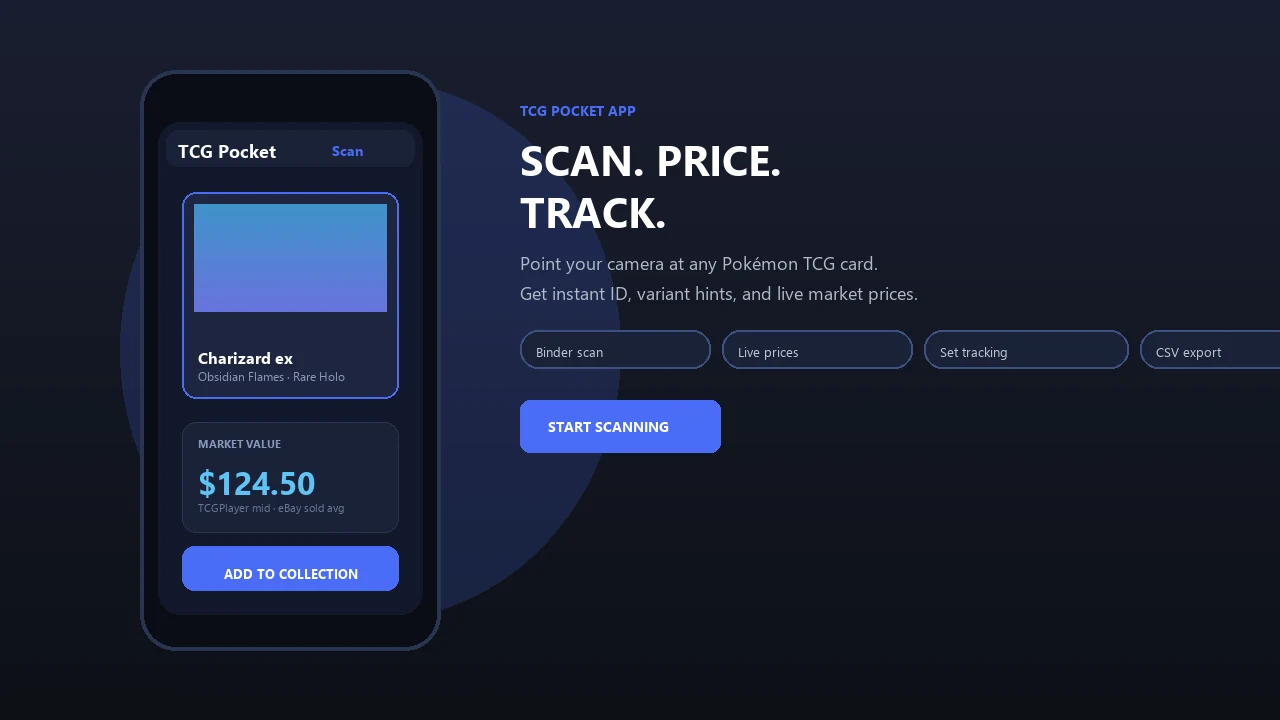
TCG Pocket App moves from identification to pricing in one flow: scan the card, review set and variant details, compare market feeds, then save the record. A one-tap scan returns set, number, rarity, foil variant, and language.
The price view can compare TCGplayer, Cardmarket, and eBay context, which reduces single-marketplace bias. We like checking the green sold-price filter on eBay separately when a card looks unusually high, because active asking prices can drift far above real sold-listing context.
Collectors who scan binders after sorting fresh sleeves beside rows can use the saved-record workflow to auto-add cards into a binder-style digital collection. Duplicate tracking, portfolio value monitoring, and CSV/JSON export help keep collection records useful after the first scan. For deeper variant issues, pokemon card variant detection covers the checks that matter most.
Pokemon Card Identifier App vs. Alternative Scanner Tools
A pokemon card identifier app should be judged by scan speed, match quality, pricing transparency, collection depth, and export control. Multi-market feeds usually beat single-source pricing because Pokémon card demand varies by region, condition, and marketplace.
| Tool | Scan speed | Price sources | Collection management | Data export | Notes |
|---|---|---|---|---|---|
| TCG Pocket App | Fast | TCGplayer, Cardmarket, eBay context | Binder-style tracking, duplicates, portfolio value | CSV/JSON | Strong fit for scan-to-record workflows |
| Dragon Shield | Fast | Marketplace-based | Collection tools | Varies | Popular among multi-TCG collectors |
| TCGplayer scanner | Fast | TCGplayer focused | Selling-oriented | Limited by workflow | Useful when TCGplayer is the main reference |
| PokeScope | Fast | App-dependent | App-dependent | App-dependent | Worth comparing for simple scans |
The global digital collectibles market is projected to reach about $16.3 billion by 2031, according to Allied Market Research source. That growth explains why scanner tools are proliferating, but more tools also mean more price-source differences.
For collectors who compare raw versus graded values, A scan-to-record app handles the everyday identification layer because it keeps variant match, market feed, and saved collection record together.
Limitations
Pokemon card scanner identifier apps are fast, but they are not grading services, counterfeit labs, or final appraisal tools. Use automation to narrow the answer, then spot-check important cards.
- They cannot replace professional grading from PSA, BGS, or CGC for condition assessment.
- Live prices depend on third-party feeds, which can lag or lack volume in some regions.
- Misprints, signed cards, custom alters, and rare promos may return weak or no matches.
- Camera quality, thick sleeves, glare, and blocked corners can reduce accuracy sharply.
- Free apps may pull from different price indices, causing inconsistent valuations.
- Large collection imports can accumulate silent errors if no one reviews outliers.
- Similar Pikachu prints can scan alike until the set symbol and collector number are verified.
- Condition caveats still matter. A scanner cannot feel surface dents or edge wear.
Before selling or grading, compare the scan result with what happens when you scan the wrong variant, especially on cards with close reprints.