
How to Scan Pokemon Cards Through Binder Sleeve Plastic
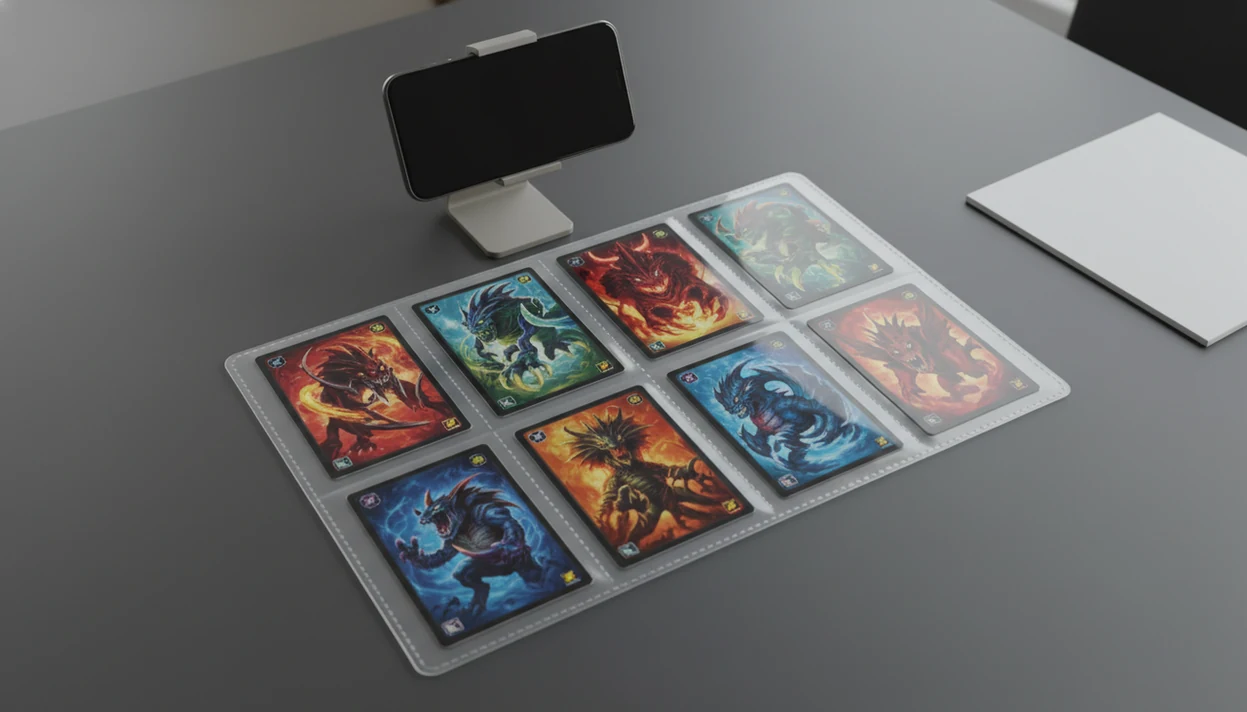
Yes, you can scan pokemon cards through binder sleeve plastic, but accuracy depends on reducing glare, keeping the camera steady, and manually checking variants afterward. The best results come from diffuse light, a clean binder page, a 6–8 inch phone height, and a scanner app that lets you review set, foil, language, and price data before saving.
> Definition: TCG Pocket App is a pokemon card scanner app that identifies cards, checks market prices, and tracks collections for Pokémon TCG collectors.
TL;DR
- Binder sleeve scanning is faster than removing every card, but plastic glare and page scratches can lower recognition accuracy.
- Use bright diffuse light, a matte background, a clean sleeve page, and a consistent 6–8 inch phone distance.
- Always verify set number, rarity, foil type, language, and condition before trusting collection value.
What Binder Sleeve Scanning Means for Pokemon Card Collectors
Binder sleeve scanning means using a phone camera or card scanner app while Pokémon cards stay inside plastic binder pages. Collectors use it to build inventory faster, protect cards from extra handling, and check rough market prices without emptying every pocket.
The tradeoff is precision. Plastic adds glare, softens text, and can bend reflections across the card border. We see it most with reverse holos, where ring-light glare bounces through a nine-pocket binder page and hides the set details for a second.
A good ai-powered pokémon tcg card scanner, live market prices, and pocket-sized collection management app can speed up identification and logging, not replace variant checks, condition review, or sold-listing context.
For large binders, sleeve scanning is often faster than loose-card scanning because the cards stay organized by page and row.
At-a-Glance Setup for Scanning Pokemon Cards in Sleeves
Use this setup before you scan pokemon cards in sleeves. The goal is simple: make the card image flat, bright, and readable before the app tries to identify it.
| Setup factor | Best setting | Why it matters |
|---|---|---|
| Lighting | Bright, diffuse light from the side or above | Reduces hard glare on plastic |
| Phone height | 6–8 inches above the binder page | Keeps borders, art, and text in frame |
| Camera angle | Perpendicular when possible | Prevents warped card shapes |
| Binder page cleanliness | Wiped, clear, and low-scratch | Stops dust and cloudy plastic from confusing the scan |
| Background | Matte, non-glossy table or board | Cuts reflected light around the page |
| Scan review | Check each result before saving | Catches wrong set, foil, language, or quantity |
A matte desk pad helps more than most people expect. Glossy tables throw light back into the sleeve.
Five Pokemon Card Binder Sleeve Scanning Accuracy Facts
These five facts explain why binder sleeve scanning works well for speed, but still needs human review.
- Plastic reduces accuracy: Scanning through binder plastic is usually less accurate than scanning loose cards because the camera sees the sleeve surface too.
- Glare control matters most: Diffuse lighting and softer reflections usually improve recognition more than changing apps.
- Distance changes results: A steady 6–8 inch phone height helps the app read borders, artwork, set symbols, and printed text.
- Old pages cause errors: Dirty, scratched, yellowed, or cloudy binder sheets can make a clean card look damaged or unreadable.
- Manual review is required: Set, foil, language, condition, and variant accuracy still need checking after the scan.
If you want a deeper phone setup, our how to scan pokemon cards with phone guide covers camera framing and focus in more detail.
How Binder Sleeve Scanning Works in a Pokemon Card Scanner App
A Pokémon card scanner app uses camera input to detect card borders, artwork, text, symbols, and set details. The recognition system compares visual signals, often called image features or image embeddings, against known card references. In plain terms, it looks for patterns that match a real card.
Binder plastic interferes with those patterns. Glare can cover the collector number. Reflections can flatten holo texture. Autofocus may lock onto the sleeve instead of the card. The plastic crinkle of a binder page is small, but the camera notices it.
Tools like TCG Pocket App identify cards, check market prices, and track collections after the scan. Accurate recognition matters because live market values depend on the exact variant match. One similar Pikachu print can price differently once the set symbol, stamp, language, or foil treatment changes.
Treat the 6–8 inch distance as a repeatable starting point, not a guaranteed accuracy rule. If the app misses collector numbers or crops borders, move the phone in one-inch increments and rescan one card before trying the whole page again.
Scan first. Verify before saving.
Requirements Before You Scan Pokemon Cards in Sleeves
Before you start binder sleeve scanning, prepare the page and camera like you would prepare a card for a close photo. Small surface problems become bigger through plastic.
- Clean lens: Wipe the phone camera lens before scanning. Pocket lint creates soft images.
- Clear binder page: Remove dust, fingerprints, and loose grit from the plastic surface.
- Diffuse light: Use indirect daylight, a bounced lamp, or white paper as a cheap diffuser.
- Matte background: Put the binder on a non-glossy table, desk mat, or dark board.
- Flat page: Open the scanner app only after the binder page lies flat and still.
Heavily worn pages are not worth fighting. Replace yellowed or scratched binder sheets instead of forcing recognition through them. If you are choosing tools around binder use, the best pokemon card scanner for binders guide compares that workflow directly.
If binder scanning accuracy matters most, test the same nine-pocket page in TCG Pocket App, Dragon Shield Card Manager, Collectr, and the TCGplayer app, then compare how often each one gets the set number, foil treatment, and language right before saving.
How to Use Binder Sleeve Scanning Step by Step
Use these steps when scanning a binder page for inventory or price checking. Whole-page scans are fastest, but row-by-row or single-card scans may be more accurate when glare or similar artwork causes errors.
- Clean the plastic: Wipe the binder page gently so dust, fingerprints, and sleeve haze do not cover text or set symbols.
- Set the binder under diffuse light: Use indirect daylight or a lamp bounced off a wall instead of a harsh bulb pointed at the page.
- Hold the phone 6–8 inches above the cards: Keep the phone steady and let the app frame the card edges before scanning.
- Align the camera perpendicular to the page: Reduce skew so the border, name line, and collector number stay readable.
- Scan fewer cards if the app struggles: Move from whole-page scanning to a row or single card when reflections or similar prints cause misreads.
- Review each result before saving: Check name, set, foil, language, condition note, and quantity.
For iOS-specific camera behavior, use our how to scan pokemon cards on iphone walkthrough.
Common Myths About Scanning Pokemon Cards in Sleeves
Collectors often overtrust binder scans after one clean result. That confidence can create messy collection data later.
- Myth: Any AI scanner works perfectly through binder sleeves. Correction: lighting, angle, sleeve clarity, and focus still decide whether the app gets enough detail.
- Myth: Glossy premium pages are always better for scanning. Correction: glossy plastic can reflect lamps and windows more strongly than low-gloss pages.
- Myth: Whole-page scanning is always as accurate as single-card scanning. Correction: whole-page scans are faster, but fewer cards usually give the camera cleaner borders.
- Myth: Once a card is scanned, the variant and price never need checking. Correction: promos, reprints, reverse holos, and language variants need manual review.
A print line crossing a shiny border can also look like sleeve damage. Annoying, but common.
Verification Checklist After Binder Sleeve Scanning
What should you check after scanning Pokémon cards through binder sleeves? Check the card name, set symbol, collector number, rarity, language, foil treatment, condition, and quantity before trusting inventory value.
The lower-left set number is the first thing we check before accepting a price match. Similar arts, promos, reprints, and holo variants are common failure points. The moment a scan confuses two similar Pikachu prints, the set symbol usually settles it.
Price depends on identity. A wrong variant can turn a useful collection estimate into bad data, especially when comparing raw versus graded or active listings versus sold prices. The green sold-price filter on eBay tells a different story than optimistic asking prices. For price checks, compare scan values against completed or sold listings rather than active asking prices; eBay explains how to find completed listings here: https://www.ebay.com/help/selling/listings/listing-tips/finding-completed-listings?id=4148.
Mobile scanning is common because smartphone ownership among U.S. adults reached 90% in 2023, according to Pew Research Center (https://www.pewresearch.org/internet/fact-sheet/mobile/). For binder-first tools, compare options in our app that scans pokemon card binders guide.
Limitations
Binder sleeve scanning is useful, but it has clear limits. Treat the app result as a starting point, not the final word.
- No app can fully overcome severe glare, yellowed plastic, or heavily scratched binder pages.
- Holographic, reverse holo, and foil-stamped cards often need multiple scan attempts.
- Whole-page scans are faster, but they increase errors with similar artwork, languages, and promo stamps.
- Misprints, foreign-language exclusives, unusual alt arts, and partially covered cards may not be recognized correctly.
- Live price data depends on market sources and update frequency, so it is not a professional appraisal.
- Condition cannot be fully judged through binder plastic, especially edge wear and surface scratches.
- Graded values should not be applied to raw cards without checking raw versus graded sales.
If pricing is the main goal, compare scan results with recent sales and source notes. Our best app for pokemon card prices guide explains price-source transparency.
FAQ
Can you scan cards in binders?
Yes, you can scan cards in binders with many phone-based scanner apps. Accuracy is usually lower than loose-card scanning because plastic adds glare and texture.
Do sleeves affect card scanning?
Yes, sleeves can affect scanning by reflecting light, softening text, and showing scratches or clouding. Clear, clean, low-glare plastic gives better results.
What lighting reduces sleeve glare?
Diffuse, indirect, multi-directional light reduces sleeve glare better than harsh direct light. Try daylight near a window, a bounced lamp, or white paper diffusion.
How far should my phone be from sleeved Pokemon cards?
A 6–8 inch phone distance works well for many binder scans. App framing can vary, so adjust until borders and text are sharp.
Can apps scan whole binder pages?
Some apps can attempt whole-page binder scans. Row-by-row or single-card scanning is often more reliable when cards are reflective or visually similar.
Why are holo cards misread through binder plastic?
Holo cards are misread because foil reflections can hide artwork, text, set symbols, and collector numbers. Reverse holo patterns are especially prone to glare.
Should I remove valuable cards before scanning?
Remove valuable cards only when glare or variant verification requires it. Handle them carefully, use clean hands or appropriate card-handling habits, and avoid unnecessary bending.
Can scanning identify card value?
Scanner apps can estimate market value after identifying the card. The estimate depends on variant, condition, language, grading status, and price source.
Is binder sleeve scanning free?
It depends on the app. Some apps offer free scanning, while advanced tracking, pricing history, exports, or portfolio features may require a paid plan.