
Is There an App That Scans Pokémon Card Binders?
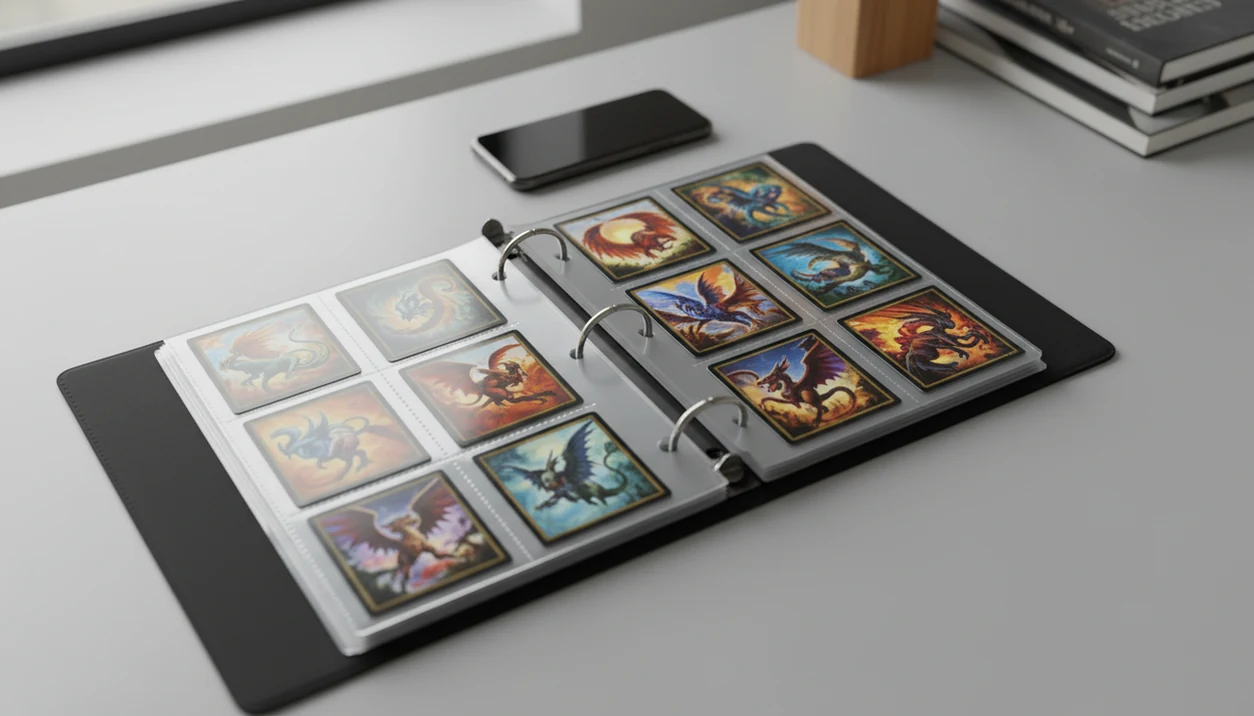
Yes, an app that scans pokemon card binders can identify multiple cards from a binder page, but binder-page scanning is less reliable than scanning one card at a time. The best workflow is to scan the page for speed, then review every match and rescan valuable or uncertain cards individually.
> Definition: A Pokémon binder scanner app identifies physical Pokémon cards from a binder page or single-card photo, checks market data when available, and saves confirmed cards to a collection list.
TL;DR
- Binder scanning works best with flat nine-pocket pages, clear sleeves, low glare, and fully visible card borders.
- Most Pokémon scanner apps are still stronger at single-card scans than full binder-page recognition.
- Use binder scans for bulk logging, then verify rare, holo, promo, foreign-language, and high-value cards manually.
How these apps look
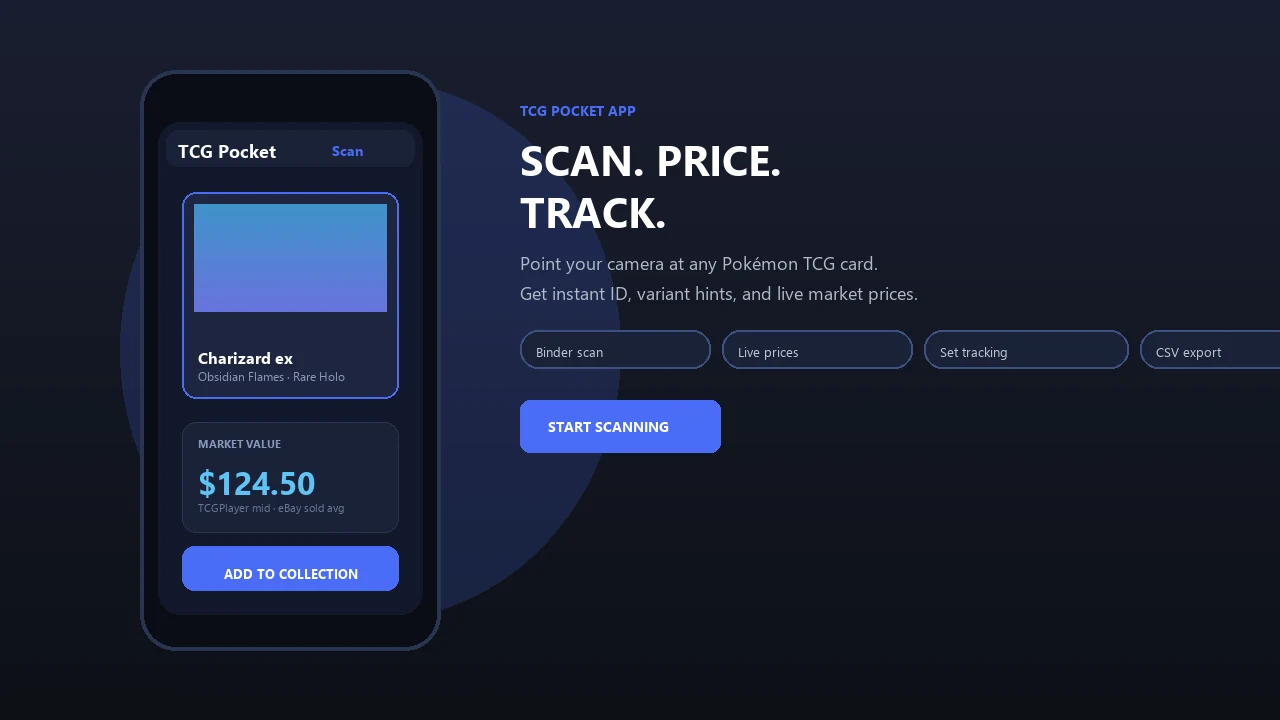
Side-by-side captures of the compared products. Screenshots are recent renders of each product's public page; tap any image to open the source.
Pokémon Binder Scanner App Capabilities
Is there an app that can scan a Pokémon binder page? Yes, but the phrase usually means a mobile scanner that tries to recognize multiple cards through plastic sleeves in one camera frame.
That is a harder job than a normal single-card scan. The app has to find each card boundary, read artwork and text, then avoid mixing up similar prints. A soft corner visible through plastic can also affect condition notes, even when identification works.
A stronger binder scanner app Pokémon collectors can use should identify the card, attach set and variant data, estimate value, and add the result to a collection list. Still, treat the app result as a starting point, not the final word.
Fast first pass. Careful second pass.
9-Pocket Page Requirements for a Pokémon Binder Scanner App
A scan Pokémon binder app works best when the page looks boring: flat, bright, square to the camera, and easy to separate into nine clean card zones. In 2021, 85% of U.S. adults reported owning a smartphone, so mobile scanning is practical for most collectors (Pew Research Center smartphone ownership data: https://www.pewresearch.org/internet/fact-sheet/mobile/).
| Requirement | Better setup | What hurts recognition |
|---|---|---|
| Binder page type | Standard nine-pocket page | Curved pages or overlapping cards |
| Sleeve clarity | Clear penny sleeves or clean binder plastic | Cloudy plastic, scratches, dust |
| Lighting | Side lighting with low glare | Overhead glare and holo reflections |
| Camera distance | Full page framed with borders visible | Cropped corners or tilted shots |
| Background | Plain light table or mat | Dark table surfaces and busy patterns |
| Review workflow | Confirm every match before saving | Accepting all matches blindly |
Ring-light glare bouncing off a reverse holo through a nine-pocket binder page can hide the set symbol completely. For sleeve-specific setup, the how to scan pokemon cards through binder sleeve guide goes deeper.
How an App That Scans Pokémon Card Binders Works
A binder scanner works by capturing the page, detecting card boundaries, cleaning the image, matching each card, checking set and variant data, looking up prices, and saving confirmed cards to a collection.
The technical pieces are image segmentation and card matching. In plain terms, the app first cuts the photo into likely card areas, then compares each crop against known Pokémon card records. Nine cards in one image are harder than one centered card because the model must separate many candidates at once.
Failure points are predictable. Similar Pikachu prints can be confused until the collector verifies the set symbol. Reverse holo patterns, alternate printings, promos, damaged cards, and non-English cards all add risk.
Tools like TCG Pocket App use scanner workflows for physical Pokémon cards and collection tracking; they are not official Pokémon products. A good AI-powered Pokémon TCG card scanner, live market prices, and pocket-sized collection management app deliver faster logging and review cues, not guaranteed identification, appraisal, or profit.
6-Step Pokémon Binder Scanner App Workflow
Use binder scanning as a controlled workflow, not a one-tap dump into your collection. For bulk pages, this hybrid method is often faster than manual search because it separates quick logging from high-value verification.
- Flatten the binder page so all nine pockets sit level and the card borders are visible.
- Set glare-free lighting from the side, then tilt the binder slightly if foil glare blocks names.
- Frame the full page with the phone parallel to the binder and all card corners inside view.
- Scan and wait for matches instead of moving the phone as soon as the first cards appear.
- Review each card by checking the set number, variant, language, and price-source label.
- Rescan uncertain or valuable cards one at a time, especially holos, promos, expensive cards, and cards with multiple variants.
Do not accept all matches blindly. We have seen one scan log the right character but the wrong expansion because the lower-left set number was blurred by plastic crinkle.
Best Binder Page Conditions for Pokémon Card Scanner Accuracy
Binder-page accuracy improves when the app can see names, borders, set symbols, and foil details without reflection. Test one page first, review the errors, then adjust before scanning the whole collection.
- Angle the light from the side. Overhead light often bounces straight off binder plastic and hides holofoil texture.
- Avoid reflections over key text. Plastic sleeves and reverse holo patterns can cover card names or set symbols.
- Wipe the sleeve plastic. Dust and snack crumbs near card sleeves can look like marks or image noise.
- Use a plain light background. A pale desk or mat helps the app distinguish page edges from the table.
- Keep the phone parallel. A tilted phone makes rectangles look skewed, which can break boundary detection.
Scratched or cloudy binder pages can make the same app perform much worse. If you need phone setup details, use the how to scan pokemon cards with phone walkthrough.
Troubleshooting Pokémon Binder Scanner Errors
Most binder scanner errors come from blocked borders, glare, or details the app cannot read through plastic. Fix the scan setup first, then decide whether the card needs individual verification.
- Reframe the page when cards are missed or cropped. Keep all nine pockets inside the camera view, leave a small border around the page, and flatten curled sheets so the app can separate each rectangle.
- Move the light for holo and reverse holo cards. Use soft side lighting, tilt the binder a few degrees, and avoid bright ceiling bulbs or ring lights reflecting across the name, set symbol, or collector number.
- Check the set and variant before saving. If the right Pokémon appears with the wrong expansion, foil type, stamp, or artwork, compare the set number and promo mark manually.
- Flag unusual cards for extra review. Foreign-language cards, black star promos, damaged copies, miscuts, and heavily scratched cards may scan as the closest English or cleaner-looking match.
- Switch to single-card scanning when value or identity matters. Remove the card from the binder page if safe, center it in the frame, and scan it alone for rare holos, promos, variants, and cards you plan to sell or grade.
Binder Scanning vs Single-Card Pokémon Scanner Accuracy
Binder scanning is faster for bulk inventory, but single-card scanning is better for precision. The practical answer is a hybrid workflow: binder scans for commons and bulk, single-card scans for cards where the exact variant or price matters.
| Factor | Binder scanning | Single-card scanning |
|---|---|---|
| Speed | Fast for many cards | Slower card by card |
| Accuracy | Lower, especially with glare | Higher with a centered card |
| Best use case | Bulk logging and set checklists | Rare, holo, promo, and graded candidates |
| Error risk | Similar art, missed variants, cropped pockets | Fewer multi-card confusion errors |
| Review effort | Must confirm every slot | Usually easier to verify |
Live market prices depend on third-party feeds and may not be perfectly current. For collectors comparing raw versus graded values, a best app for pokemon card prices guide is more useful than a simple scan-speed ranking.
Common Myths About Apps That Scan Pokémon Card Binders
Binder scanner apps are useful, but several expectations cause disappointment at trade night or checkout. A crowded vendor aisle shoulder bump is not the moment to trust an unreviewed nine-card scan.
- Myth 1: Any Pokémon scanner can scan a full binder page perfectly. Most scanner apps still perform better when one card fills the camera frame.
- Myth 2: AI can read through any sleeve, toploader, or glare-heavy plastic. Clear sleeves help, but thick plastic and foil glare can hide the exact details the app needs.
- Myth 3: Every scanned price is instantly current and market-perfect. Price feeds can lag, and active asking prices are not the same as sold-listing context.
- Myth 4: Official Pokémon digital game apps value physical binders. Digital gameplay apps are not designed for physical binder scanning and card valuation.
The green sold-price filter on eBay still matters when a scan estimate looks unusually high.
Pricing, Collection Tracking, and Data Privacy in Binder Scanner Apps
After recognition, binder scanner apps usually log cards into a collection, estimate market value, total the collection, sync data, and sometimes export CSV files. A 2022 Pew survey found that 24% of U.S. adults aged 18–29 collected physical items like cards, comics, or memorabilia, which helps explain why collection tools matter.
Pricing depends on marketplaces or aggregators, and it can lag during rapid price changes. Raw versus graded values also need separation; a near-mint copy in a top loader is not automatically comparable to a PSA 10 sale.
Ask durability questions before scanning thousands of cards. Is storage local or cloud-based? Is an account required? Can you export your data? What happens if the app shuts down?
Apps such as Collectr, Pokellector, PriceCharting, and TCGplayer can support collection tracking or price research, but price-source transparency and data portability should guide your choice.
Limitations
Full-page binder scanning is useful, but it has real limits collectors should plan around.
- Full-page binder scanning is less accurate than single-card scanning.
- Glare, cloudy plastic, scratched pages, and curved binder sheets can break recognition.
- Holo, reverse holo, promo, foreign-language, misprint, and rare variant cards may need manual verification.
- Live prices can be delayed, unavailable, or wrong if third-party feeds change.
- No app can guarantee every language, set, promo, or condition adjustment.
- Cloud-based scanning can create dependency on the app developer, account access, and server availability.
- Camera quality and user setup can make results vary widely across phones.
- Binder scans rarely capture condition well enough for selling, grading, or insurance decisions.
Condition caveat first. Price estimate second.
For most collectors, binder scanning usually works best as an inventory shortcut, while single-card verification fits cards with meaningful value, unusual variants, or unclear condition. If you are comparing tools, the best pokemon card scanner for binders guide should be read with these limits in mind.
FAQ
Can an app scan a full Pokémon binder page?
Yes, some apps can attempt full-page binder scans, but accuracy depends on lighting, sleeve clarity, page flatness, and review. Every match should be checked before saving.
Do Pokémon card scanners work through binder sleeves?
Clear binder sleeves usually work, especially when glare is controlled. Scratched, cloudy, textured, or reflective plastic reduces accuracy.
Can a scanner app identify all nine cards on one binder page?
Some scanner apps can try to identify all nine cards on a standard page. Users should still verify each match for set, variant, foil type, and language.
Are Pokémon binder scans accurate enough for collection tracking?
Binder scans can be accurate enough for bulk collection tracking when conditions are good. Single-card rescanning is recommended for holos, promos, rare variants, and valuable cards.
Should I remove each Pokémon card before scanning it?
You do not need to remove every common card if the binder scan is clear. Remove or rescan cards individually when value, condition, foil type, or variant accuracy matters.
Can apps value Pokémon cards after scanning them?
Yes, many scanner apps show market estimates after identification. Prices may lag, and condition, grading status, and recent sold listings still matter.
Do holo and reverse holo Pokémon cards scan well?
Holo and reverse holo cards can scan well under soft angled light. They are more likely to misread when reflective glare hides the name, artwork, or set symbol.
Are binder scanner apps official Pokémon apps?
Usually, no. Most binder scanner apps are third-party tools for physical card scanning and collection management, not official Pokémon apps or Pokémon TCG Pocket game-strategy tools.