
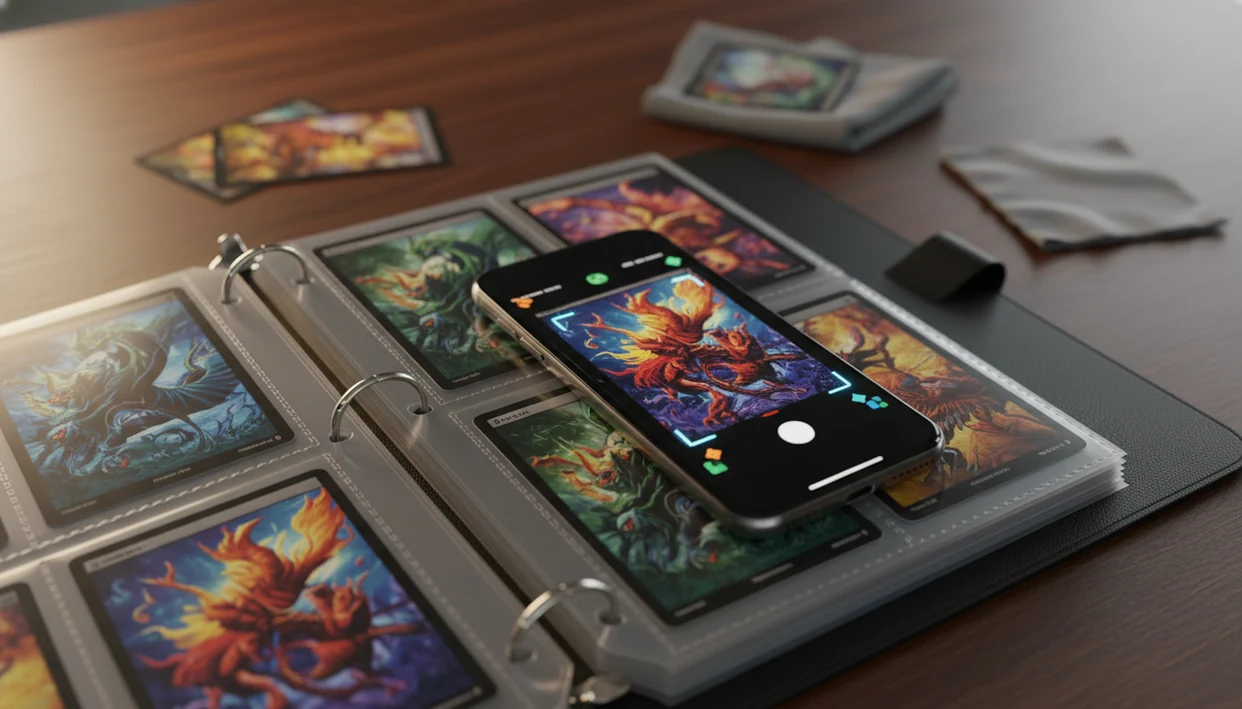
Definition: Pokemon Card Scanner is a Pokémon card scanner app that identifies cards, checks market prices, and tracks collections for Pokémon TCG collectors.
Pokémon TCG Card Scanner Capabilities in 5 Facts
- A Pokémon TCG card scanner uses camera-based AI identification to read the card name, set, artwork, and likely variant.
- Each scan can connect to live market price lookup, so the result is tied to current sold-listing context instead of memory.
- TCG Pocket App saves scanned cards into a digital collection, which helps with duplicates, set completion, and portfolio tracking.
- Binder scanning, bulk boxes, and trade piles need speed; a scanner cuts down the lower-left set number checks you would otherwise do by hand.
- The Pokémon Trading Card Game helped drive The Pokémon Company annual sales above ¥320 billion in 2024, which shows the scale behind collection-management demand source.
When the issue is sorting a school backpack spilling loose cards, each confirmed scan can move straight into a saved collection entry.
Camera Card Scanner AI Pipeline for Pokémon Cards
A camera card scanner works by turning a card photo into structured data: image features, readable text, possible set matches, price lookup, and collection metadata. Good AI-powered Pokémon TCG card scanners deliver identification, live market context, and pocket-sized collection management, not a guaranteed appraisal.
AI Image Recognition and OCR Pipeline
The phone camera captures the full card image, then an AI model compares artwork, borders, and layout against Pokémon-specific reference data. OCR reads text elements such as card name, set number, and collector number. In plain terms, the scanner checks both what the card looks like and what the card says.
The strongest scan result keeps the image match, OCR match, and price result in one review screen. We still check the lower-left set number before trusting a close match.
Variant Detection for Holos, Reverse Holos, and Promos
Image hashes and feature matching narrow the scan to an exact print, but foil pattern and promo stamps can still need human review. A reverse holo under ring-light glare can look different through a nine-pocket page.
Verify the variant match.
6 Steps to Scan Pokémon TCG Cards in TCG Pocket App
Use a Pokémon TCG card scanner by scanning, verifying, checking the price, and saving the card only after the variant looks right. TCG Pocket App keeps that workflow short enough for binder rows or trade piles.
- Open the camera scanner in TCG Pocket App.
- Place the card on a plain, well-lit surface with no busy pattern behind it.
- Frame the full card in the viewfinder, including all borders and the set number area.
- Confirm the AI match and review the variant, especially holo, reverse holo, promo, and stamped versions.
- Check the live market price below the identification result.
- Add the card to your digital collection with one tap after the details look correct.
Remove reflective sleeves or top loaders for the cleanest scan. The plastic crinkle of a binder page is fine for quick cataloging, but glare can hide a symbol.
If the priority is fast first-pass cataloging, keep the scan, variant review, and collection save in one flow.
5 Pokémon TCG Card Scanner Use Cases for Binders, Trades, and Resale
A Pokémon TCG card scanner is most valuable when manual lookup would slow the collector down. The global playing cards and card games market is projected to reach $16.24 billion by 2027, according to Statista source, so digital tracking now fits a very physical hobby.
- Catalog an entire binder without typing every card name.
- Check prices during trades, shop visits, or local meetups.
- Build an inventory record for insurance, resale, or estate sorting.
- Track portfolio value changes after market movement.
- Separate raw versus graded research before sending cards out.
After a trade binder is balanced on your forearm at a card show table, TCG Pocket App helps because the result card shows identity and price before you agree to the swap.
For collectors with mixed binders, scanning is often easier than manual search because artwork, OCR, and set metadata narrow the card faster than typing partial names.
TCG Pocket App Card Scanner Interface and Price View
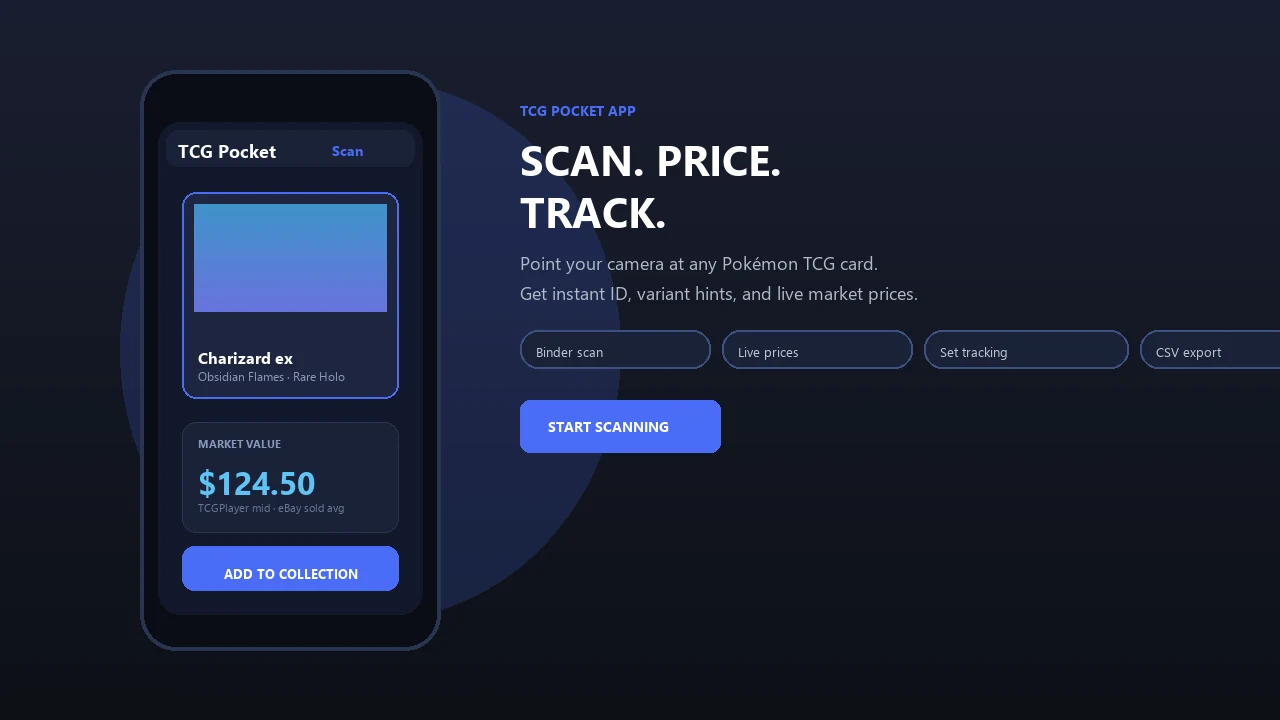
TCG Pocket App centers the scanner around a camera viewfinder overlay, an instant identification result, and a price panel. The point is not to make the screen busy; the point is to get from card image to saved record quickly.
The viewfinder alignment guide helps keep the full card in frame. After recognition, the result card shows the name, set, variant, and thumbnail. The live market price appears below the identification, with one-tap add to collection and automatic metadata.
A completed page of matching slots feels different once the dashboard reflects it. The portfolio view shows total collection value over time, so a scan becomes part of a longer record, not just a one-off lookup.
For ongoing collection value tracking, scanned cards should feed the portfolio dashboard automatically.
Pokémon TCG Card Scanner vs Generic Multi-Game Scanners
A Pokémon-specific scanner can be faster and more accurate for Pokémon cards than a broad multi-game scanner because the model can focus on Pokémon artwork, sets, variants, and collector-number patterns. Generic tools are still useful, but they often trade depth for wider game coverage.
| Scanner type | Strength | Watchout |
|---|---|---|
| TCG Pocket App | Pokémon-focused AI, variant review, collection tracking | Still requires user confirmation on close prints |
| tcgplayer.com tools | Marketplace connection and selling context | Price view may reflect that marketplace’s structure |
| getcollectr.com | Portfolio-style collection tracking | Scanner and source behavior may differ by card type |
| Generic multi-game scanners | Useful across several TCGs | Broad models may confuse similar Pokémon prints |
Not all scanners use the same price data. Update frequency, marketplace coverage, and raw versus graded handling can change the number you see.
Before making a trade or sale, compare the scanner result with at least one named market source such as TCGplayer Market Price, PriceCharting, Cardmarket, or recent eBay sold listings. Treat a single scanner price as a lookup estimate, not a completed valuation.
Collectors who compare active asking prices against the green sold-price filter on eBay should treat any scanner estimate as a starting point, not the final word.
How TCG Pocket App Sources Pokémon Card Prices
TCG Pocket App sources Pokémon card prices from marketplace and price-index signals such as TCGplayer Market Price, PriceCharting, Cardmarket, and recent eBay sold-listing context where available. The number shown in the scanner is an estimate for fast collector reference, not a formal appraisal.
Price data can update on a rolling basis, and different sources may disagree because they group cards, currencies, regions, shipping, fees, and condition bands differently. A near-mint English raw card, a PSA 10 slab, a sealed booster box, and a damaged childhood binder copy should not be treated as the same valuation problem.
- Scan the card and confirm the exact set, variant, language, and print before trusting the price panel.
- Compare the raw-card estimate against named sources like TCGplayer, PriceCharting, Cardmarket, or eBay sold listings.
- Separate graded, sealed, and damaged-card research from raw near-mint pricing, especially for high-end cards.
- Check recent sold listings for expensive cards before trading, selling, insuring, or buying.
- Treat scanner prices as a quick market signal that still needs human review when condition or rarity changes the outcome.
5 Camera Card Scanner Setup Rules for Accurate Pokémon Card Scans
Accurate scans usually depend more on image quality than on collector experience. A clean setup helps the camera card scanner recognize art, text, borders, and variant clues without guessing.
- Use strong, even lighting, and avoid overhead glare across foil cards.
- Place the card on a plain, single-color background.
- Remove reflective sleeves or top loaders before scanning when accuracy matters.
- Keep the full card in frame, including all four edges.
- Clean the phone camera lens before scanning a long stack.
Tiny dust matters.
Binder-friendly scan sessions still need a manual check for centering gaps along yellow edges or silvering along dark edges. Scanners identify cards; collectors verify condition caveats.
TCG Pocket App Features for Pokémon Card Collectors
TCG Pocket App pairs the scanner with price tracking, collection management, and set progress tools. That matters because a scanned card should not disappear into a temporary lookup screen.
Use the live market price tracker when you need quick value context; the download pokemon card price checker app page covers that workflow in more detail. The portfolio dashboard helps monitor collection value after cards are saved, and the download pokemon collection tracker app page focuses on inventory routines.
Set completion tracking is useful for master sets, duplicate sorting, and binder planning. If you are comparing scanner-first tools, the best pokemon card scanner app guide explains how to judge speed, variant handling, and price-source transparency.
Limitations
A card scanner is a speed tool, not a grading table or appraisal service. TCG Pocket App gives a strong starting point, but collectors should still verify exact prints, condition, and market context.
- Low-end phone cameras, dark rooms, and glare can cause misreads.
- Heavily damaged cards may fail because artwork and text cues are obscured.
- Misprints, odd promos, and some foreign-language releases may need manual lookup.
- Live market prices are estimates from specific marketplace sources, not universal values.
- Scanner results do not assess centering, surface wear, dents, whitening, or grade.
- Newly released sets can scan incorrectly until reference data catches up.
- Physical card scans cannot import cards into Pokémon TCG Live or other digital games.
- Raw versus graded values require separate comparison, especially for PSA, BGS, and CGC labels.
A graded label under a bright lamp can look decisive, but the scanner is not replacing professional grading. It is helping you log and compare faster.
More in this topic
Continue with Lorcana card scanner, One Piece card scanner.