
Pokemon Card Scanner Privacy For Photos, Values, And Collections
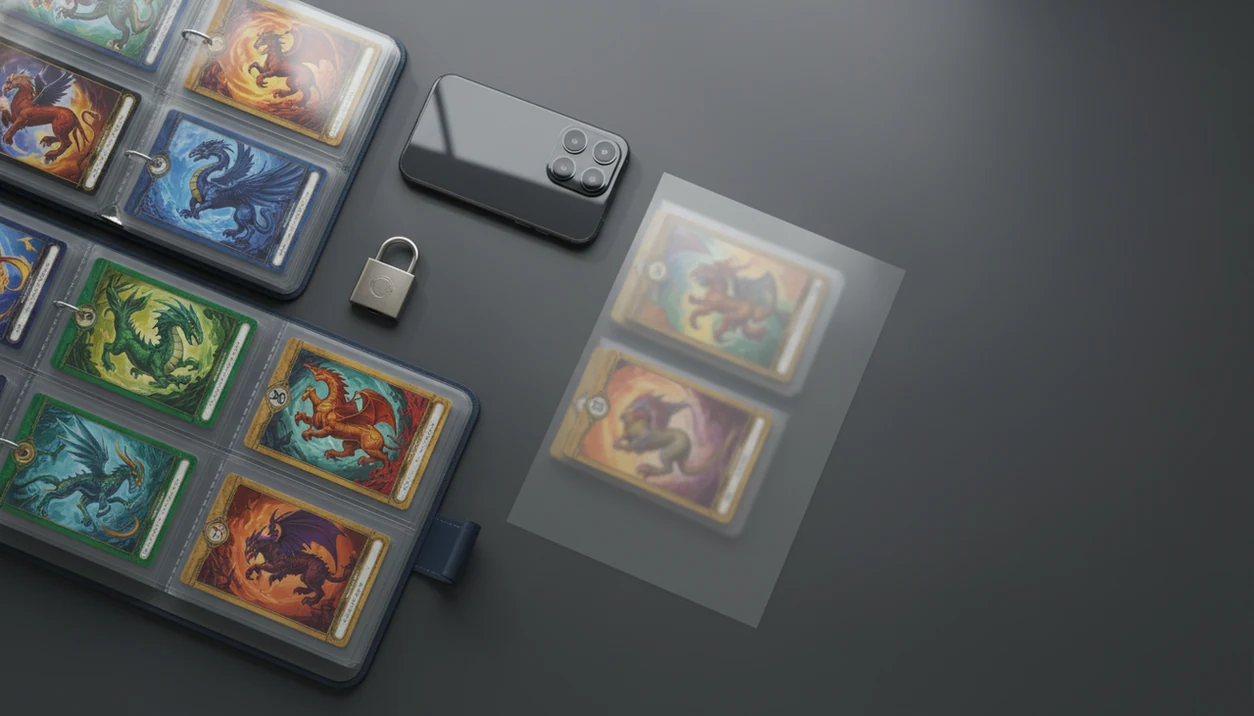
Quick answer: pokemon card scanner privacy matters because card photos, collection inventories, live values, exports, and account details can reveal what you own and how much it may be worth. A safer scanner app should explain photo handling, collection data storage, third-party processors, export controls, and deletion options in plain language.
> Scope: This guide explains privacy and data-safety questions to ask before using any Pokémon card scanner. It is not legal advice, security consulting, or a substitute for reading the app’s own privacy policy.
- Treat your Pokémon card inventory like sensitive asset data, not just a hobby list.
- Check whether scanner photos are stored, deleted, used for AI improvement, or processed by third-party services.
- Be careful with CSV exports, screenshots, and public trade lists because they can reveal card values and ownership.
Pokemon Card Scanner Privacy Definition For Photos And Collection Data
Pokemon card scanner privacy means controlling how card images, collection records, market values, account details, device identifiers, exports, and backups are collected, stored, shared, and deleted. The risk is not only identity theft. A scanned binder can show valuable property, collecting habits, duplicate counts, and possible sale intent.
A privacy review should cover the photo, the matched card record, the saved inventory row, and the account behind it. If a scan confuses two similar Pikachu prints, the set number check matters for price accuracy, but the stored attempt may still create data. For any scanner app, the privacy question is whether those steps are disclosed, limited, and reversible.
Treat the app result as a starting point, not the final word.
At-A-Glance Pokemon Collection Data Safety Checklist
A safer scanner app should be clear about photo retention, cloud processing, encryption, third-party sharing, export safety, account deletion, and support contact options. Use this checklist before scanning a high-value binder or bulk lot.
- Photo retention: Does the app delete images after recognition, or keep them?
- Cloud processing: Are scans processed on-device, in the cloud, or both?
- Encryption: Is data protected in transit?
- Third parties: Are analytics, crash tools, cloud vendors, payments, or support tools disclosed?
- Exports: Can you control CSV fields before sharing?
- Deletion: Can you delete scans, collections, and accounts?
- Support: Is there a real privacy contact?
No ads does not mean no data collection. A no-ad app can still use analytics, crash reporting, payment processors, and cloud storage. When live values are attached, collection data can start to resemble a small financial portfolio.
Privacy Scope And Disclaimer For Scanner Apps
This guide is privacy education for collectors, not legal advice, security advice, or a guarantee about any scanner app. It helps you ask better questions about data handling before you point a camera at a binder, slab, or bulk box.
Use the page as a practical review lens, then verify the current terms for the exact app you plan to use. Privacy practices can shift after an app update, a new analytics tool, a cloud vendor change, a company sale, or a rewritten policy. A scanner that handled images one way last season may describe retention, model improvement, or support access differently now.
Before scanning valuable cards:
- Open the app’s current privacy policy and look for photo, collection, account, and deletion language.
- Check recent update notes for changes to cloud sync, AI recognition, pricing partners, or account features.
- Compare the policy to the permissions requested on your phone.
- Decide whether to scan only lower-value cards first, especially if retention terms are unclear.
- Save a copy or screenshot of key privacy language if you rely on it.
This page covers data handling. It does not evaluate theft prevention, insurance, grading, authentication, or card valuation.
Five Pokemon Card Scanner Privacy Facts Collectors Should Know
- Camera or photo access is usually required. Collectors should check whether card images are retained after recognition.
- Collection contents are sensitive asset data. Card names, quantities, variants, and live prices can reveal what valuable property someone owns.
- Account records may live on servers. Email, username, device IDs, purchase history, support messages, and backups can be stored beyond the scan itself.
- Exports can leak ownership. CSV files, screenshots, Discord images, and public trade lists may expose value totals or rare cards.
- Third parties shape real privacy outcomes. Recognition vendors, analytics tools, cloud hosts, and crash-reporting providers may receive images, metadata, or event logs.
A phone propped against a card tin feels casual. The saved inventory behind it is not casual.
How Pokemon Card Scanner Privacy Works Behind The Scenes
A typical scanner flow starts with camera capture, image preprocessing, recognition, card matching, price lookup, collection saving, and optional cloud sync. The technical terms are image embeddings and metadata. In plain English, the app turns a card photo into a searchable fingerprint, then attaches context such as time, device, and collection action.
AI-powered recognition may run on-device, in the cloud, or through a hybrid model. On-device recognition can reduce upload exposure, but cloud recognition may improve matching for obscure variants or damaged cards. Ring-light glare bouncing off a reverse holo through a nine-pocket binder page can still force a second scan.
Research on mobile apps has found that 67% of popular apps shared user data with at least one third party in a study of Android apps (Oxford Internet Institute: https://academic.oup.com/pnasnexus/article/1/1/pgac022/6548530). Good ai-powered pokémon tcg card scanner, live market prices, and pocket-sized collection management app features deliver faster identification and logging, not automatic privacy protection.
Scanner App Photo Privacy For Card Images And Camera Rolls
Can a scanner app see my card photos or camera roll? It depends on the permission you grant and what the app does after capture. Camera-only access lets the app use the camera for scanning. Selected-photo access limits the app to chosen images. Full photo library access is broader and should be granted only when needed.
Look for retention language in the privacy policy: temporary processing, permanent storage, deletion windows, AI improvement, and marketing use. Not every AI scanner trains on user photos, but you should not assume it avoids training unless the policy says so.
Operating system permissions reduce some risk. They do not explain every server-side step after upload. When a thumb flattens a wrinkled plastic sleeve for a binder-friendly scan, the visible card is only one part of the privacy question.
Pokemon Collection Data Safety For Prices, Quantities, And Exports
Collection data is a list of valuable property, especially when live market prices are attached. A CSV export can show card names, quantities, variants, condition notes, estimated totals, and ownership patterns. That is useful for tracking. It is also sensitive.
Be careful with screenshots, public trade lists, marketplace posts, Discord images, and cloud drive links. Remove totals, addresses, emails, account names, certificate numbers, and unusually high-value cards before public sharing. If you are asking whether are pokemon card scanner prices accurate, separate that price question from what you reveal publicly.
User behavior can create leaks even when the app itself is careful. A green sold-price filter on eBay is different from an active asking price, and both can expose value if pasted into a public image.
Account Data Guarantees A Pokemon Card Scanner App Should Make
A scanner app should make practical account-data guarantees in plain language, because collectors cannot judge risk from vague policy phrases. Pew reported in 2021 that 59% of U.S. adults understood very little or nothing about what companies do with collected data (https://www.pewresearch.org/internet/2021/11/15/americans-and-privacy-concerned-confused-and-feeling-lack-of-control-over-their-personal-information/).
- Clear privacy policy: It should name data categories, retention, and deletion paths.
- Least-necessary collection: It should avoid collecting data unrelated to scanning, pricing, accounts, or support.
- Encryption in transit: Login, collection sync, and support requests should be protected during transfer.
- Controlled staff access: Internal access should be limited and logged where practical.
- Deletion and export control: Users should be able to request account, scan, and collection deletion.
- Processor disclosure: Cloud, analytics, payment, and support providers should be named by category.
Judge scanner apps by these concrete controls, not by marketing wording alone.
Third-Party Data Sharing In Pokemon Scanner Apps
Third parties in scanner apps can include cloud hosting, image recognition, analytics, crash reporting, payments, app stores, customer support, and price data providers. Depending on the implementation, they may receive images, timestamps, device identifiers, event logs, purchase events, or support messages.
This matters because the privacy outcome depends on the whole data chain, not only the app icon on your phone. A price sticker curling on a top loader at a card show is visible to one vendor table. A shared event log can travel through several systems.
Research on mobile apps has found that 67% of popular apps shared user data with at least one third party in a study of Android apps (Oxford Internet Institute: https://academic.oup.com/pnasnexus/article/1/1/pgac022/6548530). Look for a processor list, data locations, opt-out steps, and deletion instructions. If price feeds are involved, ask whether card identifiers are shared with pricing partners or only used locally.
Sources And Review Standards For Pokemon Card Scanner Privacy
This privacy review uses authoritative public sources first, then separates what is known about a specific app from broader mobile privacy research. The goal is to avoid treating a scanner’s marketing page, app-store label, or old policy as the whole record.
Preferred source types include regulator guidance, Apple and Google platform documentation, privacy surveys, academic work, and security-research reports. App-specific claims, such as photo retention, processor categories, account deletion, or AI training language, should come from the app’s current privacy policy, support documentation, permission prompts, and written support replies. General statements about mobile tracking, third-party SDKs, or user understanding should be kept separate so they do not imply that every scanner behaves the same way.
A practical check looks like this:
- Review the current policy, app-store disclosures, and in-app permission screens.
- Compare processor, analytics, payment, cloud, and support language across those sources.
- Test deletion and export controls where available, or ask support in writing.
- Label uncertain points as unclear instead of filling gaps with assumptions.
- Recheck the page after major app updates, policy rewrites, ownership changes, or at least every six months.
This section was reviewed in May 2026.
What Pokemon Card Scanner Privacy Does Not Cover
Privacy policies cannot stop users from posting screenshots, exporting files insecurely, or publishing high-value trade lists. They also do not control every phone backup, operating system telemetry stream, app store record, email attachment, marketplace message, or compromised personal account.
Privacy is not the same as price accuracy, fake-card detection, insurance coverage, or physical theft protection. A scanner can help log a collection, but it cannot prove a card is genuine or replace a locked storage plan. For those separate questions, the limits are closer to scanner accuracy limitations and whether can pokemon card scanner detect fakes.
No ads equals no ads. It does not automatically mean no analytics, no cloud services, no payment records, or no support tooling.
How To Contact A Pokemon Card Scanner App About Privacy
What should I ask a scanner app about privacy? Ask specific questions that can be answered in writing, then save the reply for your records. This is a trust practice for any scanner app, including TCG Pocket–style tools.
Use prompts like these:
- Please delete my stored card photos from approximate scan dates.
- Are my scans used to train or improve AI recognition models?
- Please delete my account, collection records, backups, and support history where legally allowed.
- Can you confirm whether my collection has been exported or shared?
- Which third-party processors handle images, analytics, payments, crash reports, or support tickets?
Include the account email, device type, approximate scan dates, and the specific request. Do not include unnecessary personal details, home address, or photos of unrelated cards. The shorter request often gets the cleaner answer.
Limitations
Privacy claims have limits, even when an app is designed with care.
- Strong app-side protections cannot stop users from leaking screenshots, CSV exports, or public trade lists.
- End-to-end encryption is uncommon in this niche, so provider or processor access may be possible.
- Small app privacy policies may be vague, outdated, incomplete, or hard to compare.
- Cloud-based AI recognition can make fully offline, zero-retention scanning difficult.
- Operating systems, app stores, analytics SDKs, and device telemetry may still collect usage data.
- Security vulnerabilities can exist even when privacy intentions are good. Mobile app analyses have found high-severity vulnerabilities in some apps.
- Privacy controls do not answer grading or condition questions. A whitened edge under a desk lamp still needs human review, and condition affects pokemon card price.
For collectors, safer sharing usually means removing value totals and identifiers before posting exports publicly.
When To Get Professional Help With Collection Data Exposure
Get professional help when a collection leak moves beyond an awkward screenshot and starts to involve account access, public high-value inventory, payment details, or real-world safety risk. A rare-card list with values attached can be more than hobby data if it points to assets someone may target.
If you suspect unauthorized access or a public exposure, act before cleaning up every trace:
- Document screenshots, export URLs, shared-drive links, dates, account emails, and any support replies while they are still available.
- Contact the app, platform, cloud provider, or marketplace where the exposure happened and ask for access logs, takedown options, and account protection steps.
- Use account-recovery support if email, passwords, payment records, or app-store purchases may have been compromised.
- Consider legal advice if a high-value collection list, buyer list, or insurance-style inventory was made public or copied.
- Notify local authorities, an insurer, or a relevant safety contact if the exposure creates a theft, stalking, or home-security concern.
Do not delete the only evidence before you know what support, insurance, or legal review may need.
FAQ
Are card scanner photos private?
Card scanner photos are private only if the app limits access, handles images safely, and follows a clear retention policy. Check camera permissions, cloud processing, and deletion terms.
Do scanner apps store photos?
Some scanner apps may temporarily process images, while others may store them for account history, debugging, recognition improvement, or support. Read the app’s photo retention language before scanning valuable cards.
Can apps see my camera roll?
An app with camera-only access should not receive your full camera roll. Selected-photo access is narrower than full photo library permission.
Is collection value data sensitive?
Yes. Live values, quantities, rare-card ownership, and graded-card records can reveal valuable property and ownership patterns.
Are CSV exports safe?
CSV exports are safe only when stored and shared carefully. They can expose card names, quantities, values, notes, and account details.
Do no-ad apps share data?
Yes, they can. No-ad apps may still use analytics, cloud hosting, payment processors, crash tools, and support platforms.
Can scans train AI models?
Scans can train AI models only if the app’s system and policy allow that use. Look for explicit language about AI improvement, model training, and opt-out rights.
How do I delete scan data?
Use in-app deletion controls first, then contact support for photo, account, collection, backup, and export deletion requests. Save the reply for your records.
What permissions should I allow?
Allow the least access needed for scanning. Camera-only or selected-photo access is usually safer than full photo library permission when those options are available.
Get started with Pokemon Card Scanner Privacy Guide on iOS.