
Scanner Accuracy Limitations For Pokémon Cards
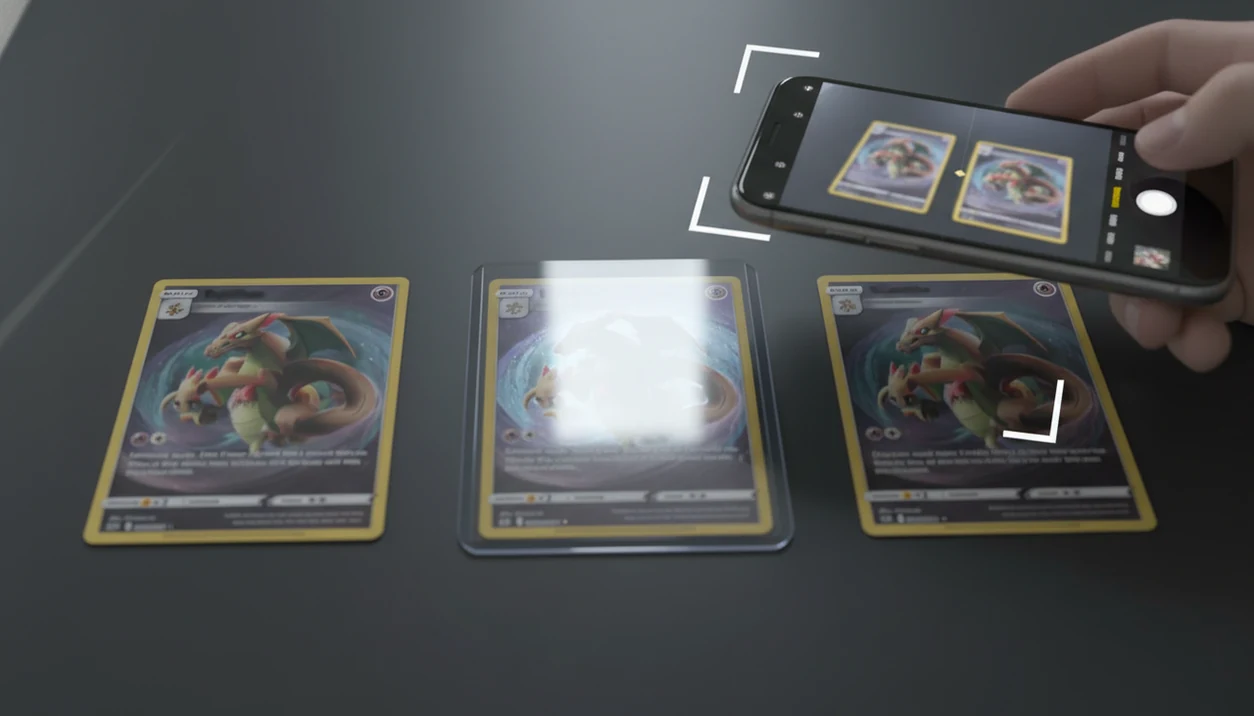
Scanner accuracy limitations for pokemon cards usually come from glare, lighting, sleeves, damage, language gaps, database coverage, and near-identical card artwork. Even a strong Pokémon card scanner can read the right character or name while choosing the wrong set, edition, foil treatment, or market-price variant.
Definition: Scanner accuracy limitations are the real-world conditions and card-database gaps that can make a camera-based Pokémon card scanner return an incorrect card, set, language, edition, foil type, or price mapping.
TL;DR
- The most common Pokémon scanner errors happen when artwork is reused across sets and only tiny symbols, edition marks, borders, or foil patterns separate one variant from another.
- Glare, shadows, low light, motion blur, sleeves, top loaders, curling, and patterned backgrounds can change what the camera sees before the AI model ever makes a decision.
- TCG Pocket App is a pokemon card scanner app that identifies cards, checks market prices, and tracks collections for Pokémon TCG collectors, but collectors should still verify set, edition, language, and foil type before relying on a scan.
Scanner Accuracy Limitations For Pokémon Cards: Five Facts Collectors Should Know
- Pokémon card scanner apps can confuse set, print run, and foil variant when two cards share the same artwork, name, HP box, and general layout.
- Lighting, glare, shadows, and busy backgrounds can cause edge-detection and OCR errors before the scanner even reaches the card-matching step.
- Sleeves, top loaders, curling, whitening, dents, and surface wear can hide small identifiers or make a card look different from clean database images.
- Foreign-language cards, new releases, regional promos, prize cards, and obscure variants are more likely to fail when the database is incomplete or delayed.
- Collectors should visually confirm the set symbol, collector number, edition stamp, language, and foil type before trusting a scan result.
A scanner is fastest when it gets you close. It is riskiest when you treat “close” as finished. We still check the lower-left set number before logging anything valuable, especially when two Pikachu prints look nearly identical on a phone screen.
How Pokémon Card Scanner Accuracy Works Behind The Camera
A Pokémon card scanner works by turning a phone photo into a structured card match through camera capture, card-edge detection, image cleanup, OCR, artwork recognition, database matching, and variant selection. The technical pieces include image embeddings and optical character recognition; in plain English, the app compares what the camera sees against known card images and text records.
Large artwork and readable names often dominate the match. Tiny set symbols, foil texture, copyright lines, and edition stamps may carry less signal, especially under glare. That is why live market pricing depends on the scanner choosing the correct database entry, not just the correct Pokémon name.
Card-scanning tools can speed up identification, pricing checks, and collection logging, but they still depend on image quality and variant confirmation.
Why Scanner Misidentifies Cards With Shared Pokémon Artwork
Why scanner misidentifies cards: it can recognize the Pokémon and artwork correctly while selecting the wrong version from a group of lookalike prints. Reused art appears across reprints, promos, Base Set-style variants, theme decks, special products, and later set reissues.
The risky markers are small. Collectors should compare the set symbol, collector number, rarity icon, 1st Edition stamp, copyright line, border, language, holo pattern, and reverse-holo treatment. Artwork-level confidence can be high while variant-level confidence remains lower.
That gap matters for price. A name match may point to Charizard, Pikachu, or Lugia correctly, but the wrong print can move the value from bulk to serious money, or the other way around. For shared-artwork cards, manual set-number checking is often safer than trusting the first scan result because the visual difference may be only a few millimeters wide.
Lighting, Glare, And Background Causes Of Pokémon Scanner Errors
Bad capture conditions create Pokémon scanner errors before the app evaluates the card. Low light, hard shadows, ring-light glare, reflections, low contrast, hand shake, and motion blur can all distort the card border, text, and artwork.
Use this scan check:
- Place one card on a plain, non-patterned background.
- Use indirect light from the side, not a bright reflection straight above.
- Hold the phone steady and square to the card.
- Avoid scanning several cards in one frame.
- Retake the photo if the set symbol or collector number looks washed out.
Reverse holo cards are especially awkward. Ring-light glare can bounce off a reverse holo through a nine-pocket binder page and erase the rarity icon for a moment. For OCR specifically, Google ML Kit notes that image quality, focus, lighting, and text size affect text-recognition results: https://developers.google.com/ml-kit/vision/text-recognition/v2
Plain helps. So does patience.
Sleeves, Top Loaders, Damage, And Foil Variant Scanner Limits
Protective storage can preserve a card and still make scanning harder. Penny sleeves, matte sleeves, inner sleeves, top loaders, binder pages, dust, scratches, and plastic reflections can blur borders or hide the exact foil treatment.
The plastic crinkle of a binder page is familiar when scanning sleeved cards without removing them. It is also a warning sign. Warped cards, curled foils, whitening, creases, dents, and off-centering can alter the shape and surface signals that the scanner uses to separate one variant from another.
Apps may confuse regular holo, reverse holo, non-holo, promo, and special foil treatments when reflections cover the pattern. Scanners are not professional grading tools and should not be the only condition authority for high-value sales. For condition-sensitive pricing, the broader issue is covered in condition affects pokemon card price.
Language, New Set, Promo, And Database Coverage Scanner Gaps
Database coverage can matter as much as the camera model. English, Japanese, Korean, Chinese, German, French, Spanish, Italian, and Portuguese cards may use different layouts, fonts, set codes, promo marks, and numbering systems.
New releases can also outrun app databases. Regional promos, prize cards, stamped variants, misprints, staff cards, league cards, and obscure product inserts may be missing or mapped late. When that happens, an app may return the closest matching card instead of an exact match.
Close is not exact.
App update frequency, language support, and card-database mapping affect price accuracy and collection tracking. A phone propped against a card tin can make bulk logging faster, but a new Japanese promo still needs a manual lookup when the scan result feels too generic.
Regular, Reverse Holo, Promo, And Edition Scanner Accuracy Comparison
Name recognition is often easier than exact variant mapping. The price risk begins when the scanner finds the right Pokémon but attaches the wrong set, edition, language, foil, or condition bucket.
| Variant detail | Why it is hard for scanners | What collectors should verify manually |
|---|---|---|
| Pokémon name | Large text and artwork are usually easy to match | Confirm the name is not hiding a different form or regional print |
| Set symbol | Small, low-contrast, or partly reflective | Compare the symbol to a set list |
| Collector number | Tiny text near the card edge | Read the lower-left or lower-right number directly |
| 1st Edition vs Unlimited | Stamp can be small, faded, or confused with marks | Check stamp placement, set, and copyright line |
| Regular holo vs reverse holo | Reflections can hide the actual foil area | Tilt the card and inspect the foil pattern |
| Promo stamp | Stamps vary by product, event, and region | Match the stamp to the exact promo release |
| Language | OCR and layout support vary | Confirm language-specific numbering and set code |
| Condition | Photos flatten wear and dents | Inspect corners, edges, surface, and centering |
Wrong variant means wrong market value; confirm the exact print before checking sold prices.
Evidence And Sources For Scanner Accuracy Limits
Scanner results are useful starting points, not proof of authenticity, condition, or final value. The safest evidence chain separates card identity, sale history, and grading standards instead of letting one scan answer all three.
Use this verification flow when a scan matters:
- Check the card name, set symbol, and collector number against Pokémon’s official card database for set and numbering confirmation: source.
- Compare the exact variant to sold listings, not active asking prices; eBay explains how completed and sold items can be used for price research: source.
- Inspect condition separately using grading concepts published by PSA, BGS, or CGC, because corners, edges, surface, centering, dents, and alterations are not authenticated by a normal app scan.
- Treat image recognition as one limit and database coverage as another. A clear photo can still fail if the promo, language, or new set is missing.
- Treat pricing feeds as a third limit. Even a correct identification can show a stale, mismatched, or condition-blind price.
Common Myths About Pokémon Scanner Errors And Card Prices
Myth 1: A scanner that reads one rare variant correctly should always be 100% accurate. Rare cards can scan well, then a similar common reprint can fail because the distinguishing mark is smaller or more reflective.
Myth 2: Scanner errors mean the app is broken. Many errors come from glare, angle, sleeves, shadows, or database gaps. Adjusting the lamp beside a binder can change the result.
Myth 3: English-card accuracy guarantees Japanese-card accuracy. Foreign-language layouts, set codes, and promo systems need separate database support.
Myth 4: If the name is right, the scanned price and variant must be right. A correct name can still map to the wrong edition, foil treatment, or market listing.
The safest workflow is scan, review, correct if needed, then save to a collection. For active buying or selling, compare raw versus graded results and use the green sold-price filter on eBay instead of active asking prices.
When To Seek Professional Grading Or Authentication
Use professional grading or authentication when the card is expensive, rare, disputed, or being used for a serious buying or selling decision. A scanner can help identify a likely match, but it cannot prove authenticity, detect every alteration, or replace a condition review under good light.
For expensive raw cards, slow down before money changes hands. Misprints, trimmed cards, recolored edges, fake stamps, counterfeit stock, and altered foils are exactly where phone scans are weakest.
- Compare the scanner result against the set number, language, foil treatment, rarity mark, and copyright line.
- Check sold listings for the exact same variant, not just the same Pokémon name or artwork.
- Ask for authentication help before buying a costly raw card, especially from an unfamiliar seller.
- Use grading when condition, resale value, insurance, or authenticity will affect the price.
- Protect the card if handling risk is high; do not remove a fragile card from a sleeve or holder just to get a cleaner scan.
If the result feels close but not certain, treat the scan as a clue, not a verdict.
Limitations
No current Pokémon card scanner can identify every card, language, promo, misprint, and variant perfectly. Real-world photos underperform clean product images, especially when the card is sleeved, curled, shadowed, or photographed on a cluttered surface.
Key limitations:
For value-sensitive decisions, verify the card against an official card database such as Pokémon’s TCG Card Database (https://www.pokemon.com/us/pokemon-tcg/pokemon-cards/) and compare market value against completed-sale data, not active asking prices.
- A single scan should not decide buying, selling, insuring, or grading for high-value cards.
- Scanners cannot replace expert grading or authentication for expensive cards.
- Live prices can be wrong when the app chooses the wrong set, edition, foil, or language.
- External price feeds may be incomplete, delayed, or mismatched to the scanned variant.
- Sleeves, top loaders, glare, scratches, and binder plastic may require manual lookup.
- New sets, promos, stamped releases, and misprints may appear late in databases.
- Condition calls from photos are rough and should not replace close inspection.
A seller pointing at a gem mint label is giving you grading information from the slab, not from the scan. For authentication questions, separate identification from whether a tool can pokemon card scanner detect fakes.
FAQ
Why does my Pokémon card scanner misidentify cards?
A scanner may misidentify cards because similar artwork, poor lighting, sleeve glare, tiny variant markers, or database gaps lead it to the closest match. The Pokémon name can be correct while the set, edition, or foil type is wrong.
Can Pokémon card scanners detect 1st Edition stamps?
Pokémon card scanners may detect 1st Edition stamps when the image is sharp and the database supports that variant. Collectors should still verify stamp placement, set symbol, and collector number manually.
Do sleeves affect Pokémon card scanner accuracy?
Yes, sleeves can affect accuracy by adding glare, texture, dust, scratches, or plastic reflections. These issues can hide symbols, distort edges, or make foil patterns harder to classify.
Can scanners read Japanese Pokémon cards?
Some scanners can read Japanese Pokémon cards, but accuracy depends on language support, layout recognition, and database coverage. Japanese promos and older cards often need manual confirmation.
Why are scanned Pokémon card prices wrong?
Scanned prices are often wrong because the scanner mapped the card to the wrong set, edition, foil type, language, condition, or external price feed. TCG Pocket App and similar tools should be treated as starting points, not final appraisals.
Do holo Pokémon cards scan worse than non-holo cards?
Holo and reverse-holo cards can scan worse because reflective patterns create glare and hide small identifiers. Tilting the card or changing light angle can improve the result.
Can a Pokémon card scanner grade card condition?
A Pokémon card scanner can help organize cards, but it cannot replace professional grading or expert condition review. For grading context, compare the PSA vs BGS vs CGC for pokemon cards standards.
Should I remove a Pokémon card from its sleeve before scanning?
Removing a sleeve can improve accuracy when plastic glare or dust blocks the set symbol. Do not remove valuable or fragile cards if handling risk is higher than the benefit of a cleaner scan.
Will Pokémon card scanner accuracy improve over time?
Scanner accuracy can improve as camera guidance, AI models, and card databases get better. Edge cases such as misprints, obscure promos, and confusing foil variants will still require manual confirmation.