
What Happens When You Scan the Wrong Variant of a Pokémon Card
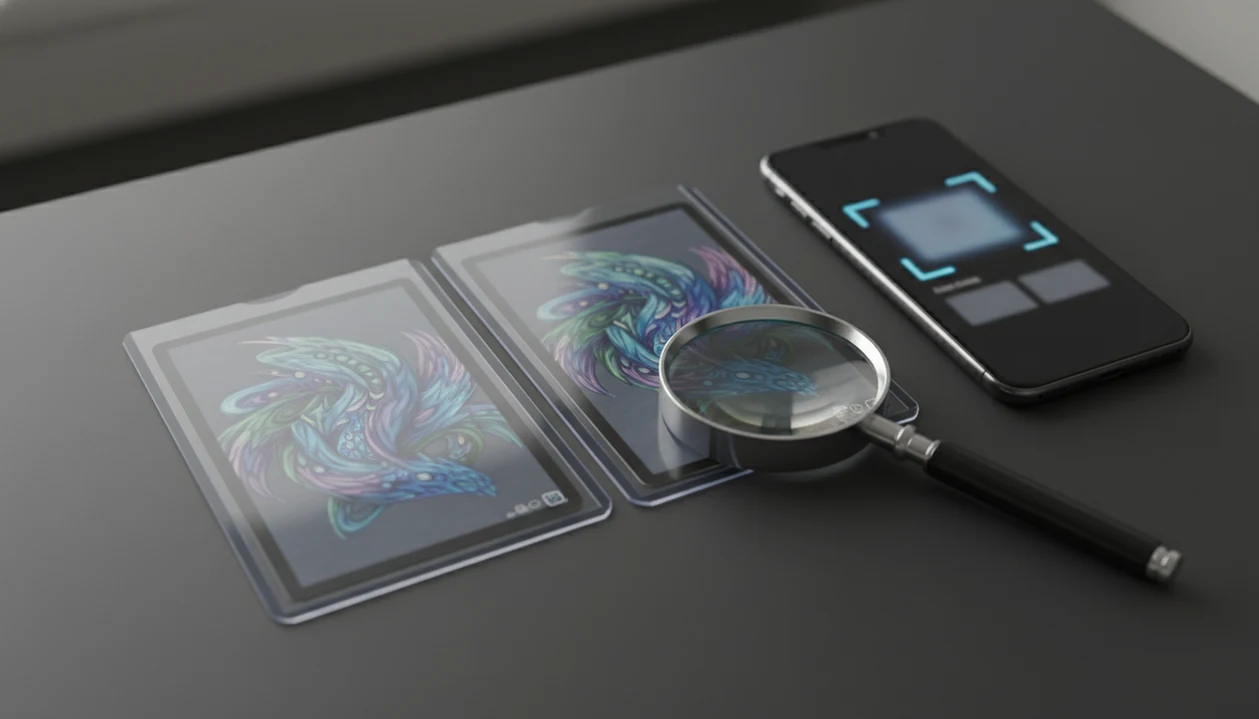
What happens when you scan the wrong variant is that the app may identify the right card name but save the wrong version, which can throw off price, rarity, set progress, duplicates, and trade decisions. The safest scanner mismatch fix is to verify the set icon, card number, rarity mark, foil status, language, and promo stamp before saving the card.
TL;DR
- A wrong variant scan is usually a valid-looking match with the wrong edition, foil type, promo status, or set.
- The biggest risks are inaccurate market value, duplicate counts, set completion, and trade decisions.
- Fix scanner mismatches by checking the printed card details and manually selecting the correct variant before saving.
Wrong Pokémon Card Variant Scans: The Exact Problem
A wrong Pokémon card variant scan happens when the scanner recognizes the card name or artwork but assigns the wrong version. The scan is not a total failure; it is a believable match with the wrong variant attached.
Common examples include regular versus holo, holo versus reverse holo, first edition versus unlimited, promo versus set card, and similar artwork printed across different expansions. A wrong pokemon card variant can be especially hard to notice when the card name, attack text, and main illustration all look right.
The trouble usually shows up in the small printed details. We often check the lower-left set number before trusting a price match, because two similar Pikachu prints can look identical until the set symbol says otherwise. If you need the basics first, our guide to how to identify pokemon card set number covers that exact check.
Scope: What a Card Scanner Can and Cannot Confirm
A card scanner can help identify a likely card and variant, but it cannot confirm the card’s final value, condition, or authenticity by itself. Treat the scan result as an identification aid, not an appraisal.
The app may match the artwork, name, set, and visible identifiers, then pull a market reference. That does not mean the physical card is clean, genuine, or worth the number shown on screen. Prices can move after the scan, and the same variant can sell differently depending on surface wear, centering, corners, language, stamp placement, and buyer demand.
Before saving or using the result for a trade, run a quick manual check:
- Verify the card name, language, artwork, and expansion symbol against the physical card.
- Check the printed card number, rarity mark, foil or reverse-holo treatment, promo stamp, and first edition or special marking.
- Inspect condition by hand, including edges, corners, centering, scratches, dents, creases, and whitening.
- Question authenticity if texture, print quality, card stock, holo pattern, or stamp placement feels off.
- Refresh market context before selling or trading, because live prices may change after the original scan.
Wrong Variant Scan Consequences for Collection Value
What happens when you scan the wrong variant is that your collection data can become wrong even though the card looks “found.” Price, rarity, total collection value, set progress, duplicate count, and trade assumptions can all shift.
That matters because Pokémon cards are not just catalog entries. The global trading card game and collectible card game market was estimated at about $4.5 billion in 2022, according to Grand View Research source. In a market that large, a holo saved as non-holo is not a harmless typo.
Small errors stack. A binder of 360 cards can absorb a few wrong entries without looking broken, but bulk scans make quiet mistakes harder to spot. High-value foils, promos, older cards, and alternate arts deserve a second pass before trades or sales.
The green sold-price filter on eBay tells a different story than active asking prices.
Five Variant Scan Facts Collectors Should Know
- Wrong variant scans usually produce a valid card match with the incorrect price, rarity, foil status, or edition.
- Repeated variant errors can distort total collection value, duplicate counts, trade logic, and set completion across a large binder.
- Manual override or variant refinement is the main scanner mismatch fix when the app chooses a close but wrong version.
- Lighting, glare, wear, language, and similar artwork increase error risk, especially when the set symbol or foil pattern is hard to see.
- Scan-and-verify is the safest workflow before saving, particularly for foils, promos, older cards, and expensive entries.
A 2021 survey of Pokémon TCG players found that 44% used card-scanning or price-tracking apps for collections or trades, according to an academic study source. Experimental trading-card image recognition has reported high top-1 accuracy under controlled lighting in small datasets, but published results vary by dataset, lighting, and card condition.
Scan, then verify. That is the workflow.
Pokémon Card Variant Recognition in a Scanner App
Card scanner apps usually work by capturing a camera image, detecting the card layout, matching the artwork, reading visible printed identifiers, and ranking candidate matches. In technical terms, the app compares image features and metadata clues; in plain language, it asks, “Which known card does this photo most resemble?”
How Pokémon card variant recognition works: the artwork may get the scanner close, but set symbols, card numbers, rarity marks, foil patterns, language, and promo stamps decide the exact variant. Ring-light glare bouncing off a reverse holo through a nine-pocket binder page can hide the evidence the model needs.
Research on mobile image recognition robustness has shown that illumination changes can reduce accuracy by more than 10 percentage points. That is why a clean photo matters. A good ai-powered pokémon tcg card scanner, live market prices, and pocket-sized collection management app deliver faster lookup and better records, not a guarantee that every foil, stamp, or edition will be chosen correctly.
For foil-specific checks, the holo vs reverse holo pokemon cards guide explains what to inspect.
Scanner Mismatch Fix: The Safe Verification Workflow
A scanner mismatch fix starts when the result looks close but not exact. Treat the app result as a starting point, not the final word, especially when the card is foil, old, promotional, alternate art, or expensive.
- Scan the card in steady light, reducing glare across the name, artwork, set icon, and lower border.
- Compare the app result against the printed card name, artwork, language, and expansion symbol.
- Check the card number, rarity symbol, foil status, promo stamp, and any first edition or special marking.
- Select the correct variant manually if the app offers multiple versions or candidate matches.
- Save only after the set, variant, and price source match the physical card.
- Review high-value cards again before trading, selling, grading, or exporting collection data.
The plastic crinkle of a binder page is fine if the scan is readable. If glare covers the rarity mark, remove the card or change the angle.
Wrong Variant Myths That Create Bad Pokémon Card Data
Myth 1: If the scanner finds the card, the variant and price must be correct. The practical truth is that name recognition can succeed while variant selection fails. Similar prints often share artwork and text.
Myth 2: AI can always tell holo, reverse holo, and non-holo apart. Foil pattern visibility depends on light, angle, sleeve texture, and camera focus. A reverse holo near a window can fool the scan if the background shine washes out.
Myth 3: A variant mismatch is only cosmetic. Wrong variants can change price, rarity, duplicates, and set completion. The effect is larger when the mistake repeats across a bulk scan.
Myth 4: Saved wrong variants cannot be fixed. Many collection tools allow edits, replacement matches, or manual variant selection. For rarity markings, the pokemon card rarity symbols guide gives a useful cross-check.
App Checks for Wrong Pokémon Card Variant Errors
A collection scanner can speed up binder-friendly Pokémon card scanning, but collectors should still confirm printed variant details before saving important cards. Live market prices and collection management only help if the saved entry matches the physical card.
The ideal scanner flow is simple: show likely matches, surface the set and variant clearly, allow manual correction, and keep saved collection records editable. That matters when a scan confuses two similar prints until the collector verifies the set symbol.
A scanner can speed up the first pass through a binder, especially when cards are already sleeved. Still, price-source transparency matters. If a card is being used for a trade, compare raw versus graded context and recent sold listings before treating the app number as a deal value.
When to Get a Human Appraisal or Grading Review
Get a human appraisal or grading review before you make a high-stakes sale, trade, insurance decision, or grading submission. Scanner prices are useful reference points, but they are not formal appraisals and should not replace condition and authenticity checks.
Use a slower review process when the card could be valuable, when the scan result seems uncertain, or when a buyer is treating the number as firm value.
- Inspect the card outside the sleeve when safe, checking corners, edges, centering, surface scratches, dents, whitening, and any crease that a camera may miss.
- Verify authenticity clues such as print quality, texture, holo pattern, stamp placement, card stock feel, and whether the set details match the claimed version.
- Compare recent sold listings for the same variant and similar condition before accepting a trade value or sale offer.
- Estimate grading upside only after weighing fees, shipping, turnaround time, insurance, and the risk that the card grades lower than expected.
- Ask a reputable card shop, experienced collector, or professional grader when condition, authenticity, or value meaningfully changes the decision.
A clean scan can identify the card. A trained human can judge the tiny flaws that move real money.
Limitations
- No public official benchmark exists specifically for Pokémon TCG variant recognition, so app-level wrong-variant rates are not transparent.
- Bad lighting, foil glare, heavy wear, obscured set symbols, and sleeve reflections can reduce scan reliability.
- Language differences can cause mismatches when Japanese, Korean, or European-language cards share similar artwork with English prints.
- Similar artwork across sets can create believable but wrong matches, especially for popular Pokémon reprinted many times.
- Live market prices can change even when the variant is correct, so today’s value may not hold tomorrow.
- Bulk scanning is faster, but speed can create review trade-offs when hundreds of cards are saved in one session.
- Scanner mismatch fixes depend on the app’s design. If manual variant selection is buried, correction takes more effort.
- A scanner is not an appraisal. Condition, centering, surface damage, and grading risk still need human review.
A creased back under a fingertip changes the real-world value even when the variant match is correct.
FAQ
Can scans show wrong prices?
Yes. A scan can identify the right Pokémon but attach the wrong market price if it saves the wrong variant, foil type, edition, or set.
Why did my holo scan normal?
A holo may scan as normal when glare, poor lighting, sleeve texture, or camera angle hides the foil pattern. Recheck the foil status manually before saving.
Can reverse holos scan wrong?
Yes. Reverse holos are common mismatch candidates because the artwork, name, and card text may match the non-holo or holo version.
How do I fix scanner mismatch?
Compare the printed set icon, card number, rarity symbol, foil status, language, and promo stamp. Then manually select the correct set and variant before saving.
Does variant affect collection value?
Yes. Variant choice can change price, rarity, duplicate counts, set progress, and total portfolio value.
Should I rescan valuable cards?
Yes. Recheck high-value, foil, promo, alt-art, first edition, shadowless, and older cards before trades or sales.
Are card scanners always accurate?
No. Card scanners can be highly useful, but similar variants, poor images, glare, wear, and hidden symbols can still cause mistakes.
Can saved variants be changed?
Many collection apps, including TCG Pocket App, allow saved cards to be edited or replaced with a corrected variant. Check the card detail screen before rebuilding a collection from scratch.
Get started with What Happens When You Scan The Wrong Variant app on iOS.