
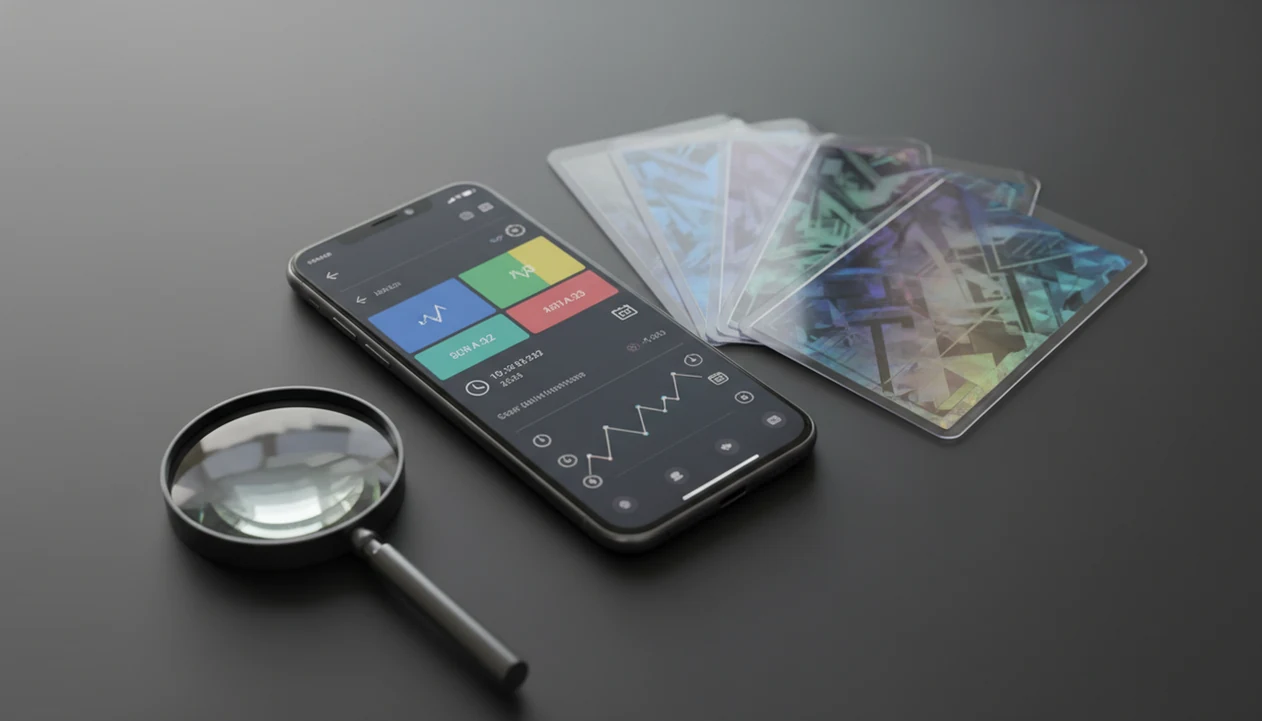
Definition: A Pokémon card value checker is a tool that identifies a card by set, variant, and condition, then returns its estimated market price based on recent real-world sales data from major trading card marketplaces.
At-A-Glance: What A Pokémon Card Value Checker Must Show
- Real sales data: A trustworthy Pokémon card value checker should use completed marketplace sales or marketplace market-price feeds, not static guesses from an old chart.
- Named source: The screen should say whether the price comes from TCGPlayer, Cardmarket, eBay sold listings, or another source. A number without a label is hard to trust.
- Refresh timestamp: The last update time matters, especially after set release weekends or sudden reprint news.
- Variant match: Regular holo, reverse holo, full art, promo, and language versions can price very differently. Check the set number in the lower-left corner before trusting a match.
- Condition context: Most checkers start near mint by default, but played edges, dents, and surface scratches can change the value fast.
For fast trade prep, the useful fit is having the scan result, source label, refresh timestamp, and condition dropdown in one card view.
What TCG Pocket App's Price Checker Does
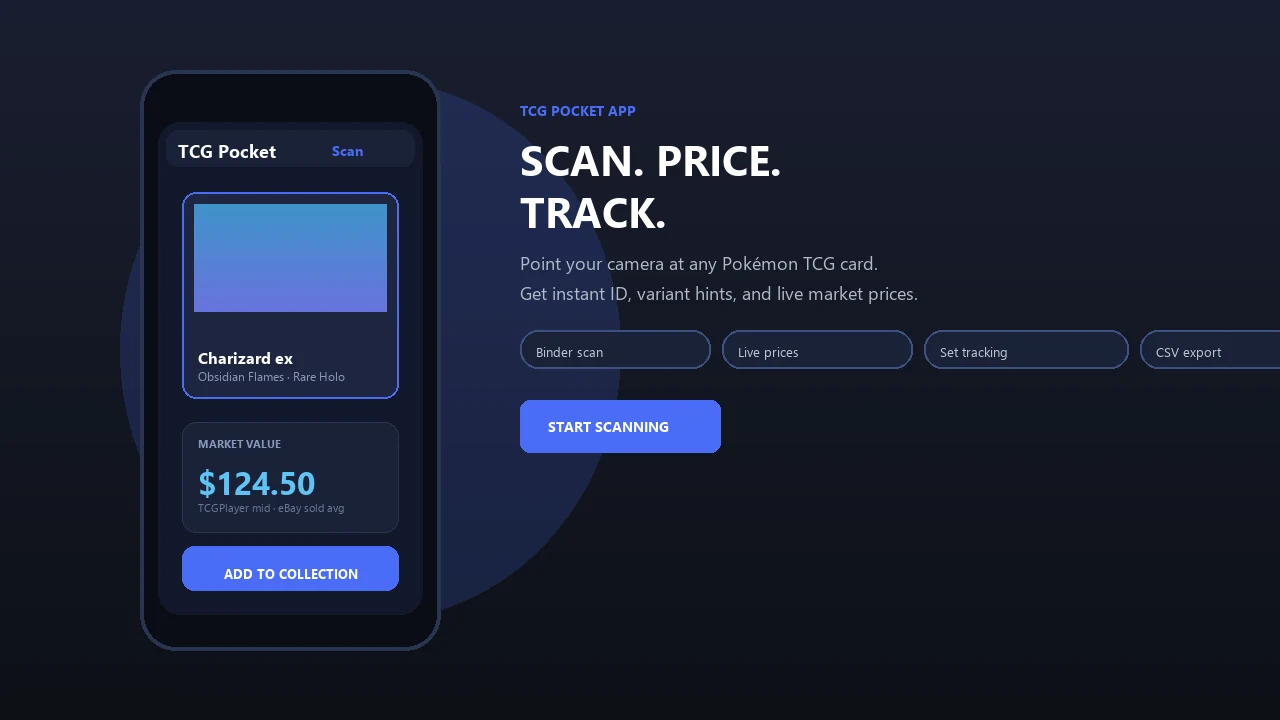
TCG Pocket App's price checker identifies the exact Pokémon card in front of you, shows the current market context, and helps you decide whether the value is safe enough to save, trade, or double-check. It is built for the moment when a card is in your hand, not just for searching a name in a database.
The workflow keeps identification and pricing together:
- Scan the card image so the app can read the artwork, set symbol, collector number, and visible variant, including details like promo marks or holo treatment.
- Confirm the match before trusting the number, especially when similar printings share the same character, art style, or attack layout.
- Review the market value with the source label, region, and refresh timestamp beside it so the price has context.
- Adjust the condition if whitening, scratches, dents, or binder wear make near mint too generous.
- Save the confirmed card into your digital binder so collection totals update with the corrected card and condition.
Rare promos, staff cards, misprints, and low-volume listings still deserve manual verification because one thin sales record can make a displayed estimate look more certain than it really is.
How A Market Price Checker Works Behind The Scenes
A market price checker turns marketplace activity into a displayed estimate. It usually combines recent completed sales, listed market data, regional currency handling, and a card-identification step before the value appears on your phone.
From Marketplace Sale To Screen Price
Marketplace APIs can aggregate recent completed sales into a median, average, or market-price figure. High-volume cards, like current set rares, tend to produce tighter price bands. Low-volume promos, misprints, and older foreign-language cards often produce rougher estimates because fewer sales exist.
Currency also matters. A card that looks cheap in EUR on Cardmarket may not match the same card in USD on TCGPlayer after regional demand, shipping patterns, and exchange rates are considered.
AI Card Identification Pipeline
AI image recognition maps the photo to a set, collector number, artwork, variant, and language. In plain terms, it compares your card image against known card references. Ring-light glare bouncing off a reverse holo through a nine-pocket binder page can still confuse the result, so verification matters.
Good AI-powered Pokémon TCG card scanners, live market prices, and pocket-sized collection management apps deliver faster identification and clearer price context, not guaranteed sale outcomes.
How To Use TCG Pocket App As Your Pokémon Card Price Checker
Use TCG Pocket App as a scan, verify, log, compare workflow. The important part is not just seeing a number, but confirming why that number applies to your exact card.
- Open the scanner and align the card so the borders, name, artwork, and set line are visible.
- Confirm the detected set, variant, and edition before reading the value, especially if two similar Pikachu prints appear.
- Review the market price with its source label and timestamp so you know whether the number is fresh.
- Adjust condition from near mint if the card has whitening, dents, creases, silvering, or binder wear.
- Save the card to your collection to track value changes over time.
After a scan, when the result looks right but the price feels high, TCG Pocket App earns a second look because the set-number check and variant selector sit beside the market value. For installation details, use the download pokemon card price checker app page.
When To Check Pokémon Card Values Before A Trade Or Sale
Check Pokémon card values before any trade, sale, new pull decision, or collection audit where the number affects what you accept. A quick scan helps most when a wrong variant match would change the deal.
At locals, check before accepting or proposing a trade. Online, check before listing so your price is close to recent market movement. After pulling a chase card from a new set, check again over the first few weeks because early prices can swing. During collection audits, update values for insurance notes or portfolio tracking.
Pew Research Center reported in 2022 that 53% of U.S. adults had sold used items online (https://www.pewresearch.org/internet/2022/11/21/online-shopping-and-e-commerce/), which helps explain why casual sellers lean on pricing tools before listing cards.
For trade-night checks, keep card ID, condition, and saved collection value in the same mobile workflow.
What The Price Checker Looks Like Inside TCG Pocket App
Inside TCG Pocket App, the price checker view should feel like a card record, not a loose search result. You see the card image, set icon, collector number, variant selector, condition dropdown, named marketplace source, and refresh timestamp.
The small details matter. The plastic crinkle of a binder page can happen while scanning a sleeved card without removing it, so the detected variant needs to be visible immediately. A reverse holo shimmer through the pocket should not be mistaken for a regular print.
The view also includes one-tap save to a digital binder and a running collection total. Pew Research Center also reported that 76% of U.S. adults had bought products online using a smartphone in 2022 (https://www.pewresearch.org/internet/2022/11/21/online-shopping-and-e-commerce/), so a mobile-first card price screen is not optional anymore.
For binder scanning, the stronger setup connects each saved scan to a running portfolio value and set record. iPhone collectors can compare platform behavior on TCG Pocket App for iPhone.
Pokémon Card Value Checker Vs. Manual Price Search Alternatives
A Pokémon card value checker is faster than manual search, but manual checks still help for rare cards, odd variants, and high-value sales. The most reliable workflow is scan first, then verify with sold-listing context when the card deserves extra attention.
| Method | Speed | Variant risk | Collection tracking | Source breadth | Regional pricing |
|---|---|---|---|---|---|
| TCG Pocket App scan | Seconds | Lower, if user verifies set and variant | Built-in binder | Aggregated marketplace context | Regional toggle support |
| eBay sold-listing search | Minutes per card | Depends on search terms | Manual | Single-platform sold context | User must compare |
| Spreadsheet tracking | Slow at entry | User-controlled | Strong if maintained | Depends on pasted data | Manual conversion |
| Static price guide | Fast to read | Often outdated | None | Limited | Usually weak |
The global trading card game market was estimated at about $6.8 billion in 2022, so faster pricing tools matter at collection scale.
For returning collectors, automated scanning is often easier than spreadsheet lookup because the set number, variant match, and market source are captured before the card is logged.
Source Transparency: Why Your Market Price Checker Needs A Data Label
A market price checker needs a data label because different marketplaces can produce different values for the same Pokémon card. TCGPlayer and Cardmarket may diverge because U.S. and EU demand, inventory depth, currency, and shipping norms are not identical.
The green sold-price filter on eBay is useful, but it is not the same as active asking prices. Asking prices show what sellers want. Sold prices show what buyers accepted.
Some competitor tools, including PriceCharting, Collectr, and lightweight lookup pages, are useful cross-checks but may vary in how clearly they expose source, region, refresh timing, or collection workflow. TCG Pocket App takes the safer route by naming the source, showing a refresh timestamp, and letting users switch regional context where supported.
For collectors comparing U.S. and European prices, source transparency usually matters more than the largest displayed number because the source explains whether the price can actually apply to their market.
Evidence And Pricing Source Methodology
Evidence and pricing source methodology means the app should say where the value came from and what kind of marketplace signal produced it. TCG Pocket App behavior is the labeled scan-to-price workflow; wider swings from TCGPlayer, Cardmarket, eBay sold listings, and market-sizing reports are general marketplace behavior.
A careful estimate usually follows this order:
- Identify the exact card by set, collector number, variant, language, and condition before looking at price.
- Compare marketplace signals from sources such as TCGPlayer, Cardmarket, and eBay sold-listing searches, separating completed sales from active listings.
- Prefer recent sales or marketplace market feeds when volume is healthy, then use medians or comparable sales when one outlier would distort the number.
- Flag weak confidence when data is stale, only a few sales exist, or regional demand makes a U.S. price poor evidence for an EU trade.
- Treat collection totals as estimates because the global trading card game market was estimated around $6.8 billion in 2022 and liquidity still varies card by card source.
So the displayed number is not a promise that your card will sell today. It is a sourced estimate, narrowed by card ID, condition, region, and refresh timing.
Related TCG Pocket App Features For Pokémon Collectors
The price checker works better when it connects to the rest of the collection workflow. TCG Pocket App also includes AI card scanning for instant identification, a digital binder with running portfolio value, multi-device collection sync, and set completion tracking.
That matters after the single-card lookup is over. An empty pocket waiting for a rare card is easier to manage when the set tracker shows what is missing, not just what is expensive.
A binder owner looking for ongoing value history should save scanned cards into a digital binder and roll them into total collection value. Android users can review setup notes on TCG Pocket App for Android, while collection-focused users may prefer the download pokemon collection tracker app guide.
Limitations
Price checkers are useful, but they are not appraisals. Treat the app result as a starting point, not the final word.
- Displayed prices are estimates, not guaranteed sale values.
- AI scanners can misread reflections, glossy sleeves, foreign text, off-center photos, or unusual promos.
- Low-volume cards, misprints, staff promos, and trophy cards may have sparse sales data and unreliable estimates.
- Marketplace API outages can make values temporarily stale, even when the card scan is correct.
- Most displayed prices do not include grading fees, seller fees, payment processing, shipping, taxes, or returns.
- If you choose the wrong condition or variant, the saved collection total will be misleading.
- Regional marketplace differences mean one price rarely applies everywhere.
- Raw versus graded comparisons need extra care because PSA, BGS, and CGC outcomes are not automatic.
Not glamorous. Necessary.
For high-value cards, use the scan result with a manual sold-listing review because grading status, condition caveats, and recent buyer demand can outweigh a single market-price snapshot. The download pokemon card value app page covers value-focused setup in more detail.