
Pokemon Card Scanner For Card Shows And LGS Trades
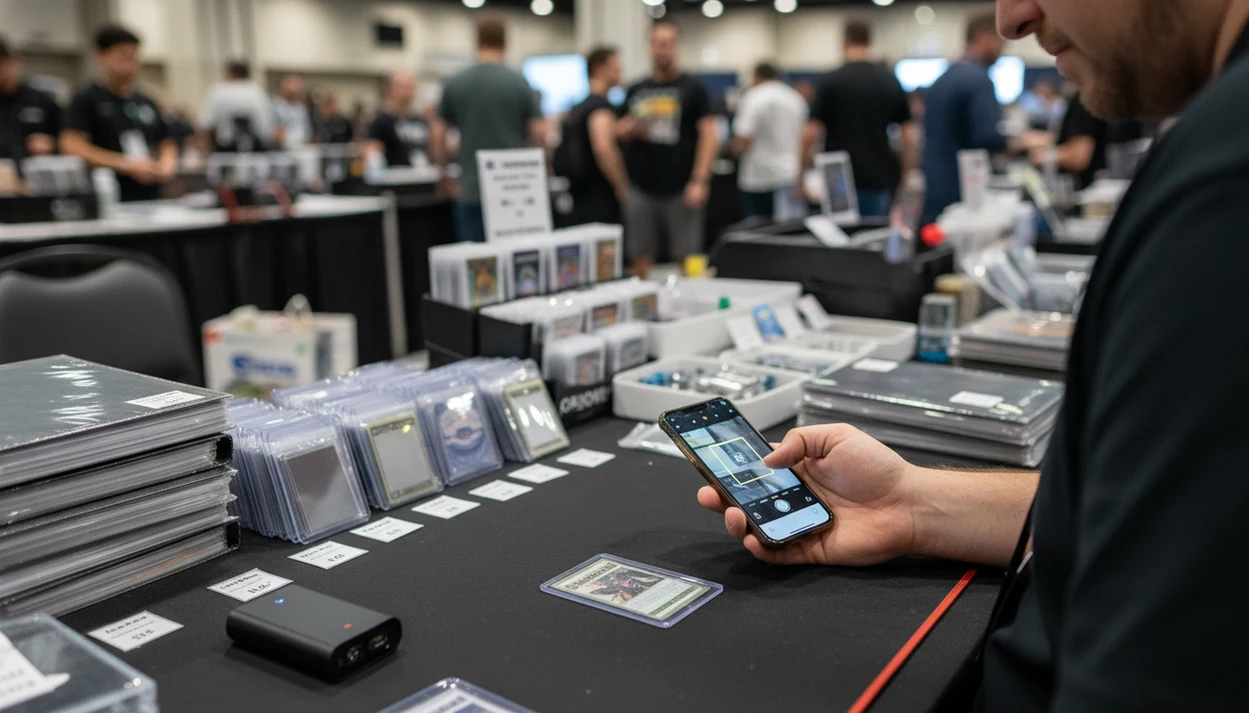
A strong pokemon card scanner for card shows identifies the exact card, checks current raw-market value, and lets both sides confirm variants before a trade. TCG Pocket App is built for show-floor scanning, quick comps, and pocket-sized collection updates while you are standing at a booth or LGS table.
Definition: TCG Pocket App is a pokemon card scanner app that identifies cards, checks market prices, and tracks collections for Pokémon TCG collectors.
TL;DR
- Use a scanner to identify the card, set, variant, and current raw-market value before agreeing to a trade.
- Confirm condition, language, holo pattern, and set details manually because scanners can misread glare, sleeves, or uncommon variants.
- Set price rules with the other trader or LGS first, such as using market median, last sold, or a specific marketplace reference.
Why Card Show Traders Need A Pokemon Card Scanner
A card show scanner matters because booth decisions happen faster than manual lookup. Typing “Charizard,” then filtering set, print, language, foil type, and condition can slow a trade line while the cash box clacks behind the table.
Both sides can start from the same card identity, current raw value, and collection impact before anyone agrees. That does not make the number final. It gives the conversation a shared screen instead of two people arguing from memory.
Most U.S. adults own smartphones, according to Pew Research Center’s mobile fact sheet (https://www.pewresearch.org/internet/fact-sheet/mobile/), which makes camera-based price checking practical for many show attendees. The scanner becomes a card show price checker when it saves the exact scan, then lets you compare the pickup against the binder or trade stack you already brought.
Good ai-powered pokémon tcg card scanner, live market prices, and pocket-sized collection management app workflows deliver faster identity and value checks, not guaranteed appraisals.
How A Pokemon Card Scanner For Card Shows Works
TCG Pocket App is a pokemon card scanner app that identifies cards first, then connects that result to market prices and collection records. The basic mechanism is camera capture, image recognition, set matching, variant detection, and price retrieval.
A scan usually starts with visual features: artwork, borders, text blocks, collector number, set symbol, and sometimes foil cues. The system compares those signals against card data, then tries to map the result to the correct print. In plain terms, it looks for the card before it looks for the value.
Lighting changes everything. Ring-light glare can bounce off a reverse holo through a nine-pocket binder page and hide the texture a human would notice. Sleeves, camera blur, dark halls, and partial shadows can all lower confidence. Computer-vision recognition can be highly accurate in controlled settings, but show floors are not controlled settings.
For high-value cards, the set number check matters more than scan speed.
Top Card Show Price Checker Features To Use First
Use the fastest features first: scan, verify, compare, then log. A card show price checker is most useful when it reduces typing without hiding the condition caveat.
- Fast camera scanning: TCG Pocket App reduces manual search time when a vendor hands over ten cards in a row.
- Raw market prices: Near-real-time raw values help frame a deal before checking TCGplayer’s Pokémon price guide (https://www.tcgplayer.com/categories/trading-and-collectible-card-games/pokemon/price-guides), Cardmarket’s Pokémon marketplace (https://www.cardmarket.com/en/Pokemon), or another agreed source., or another agreed source.
- Variant confirmation: Set, rarity, language, holo, reverse holo, promo stamp, and variant match should be checked before pricing.
- Collection updates: Accepted trades and pickups can be added so binder value changes are visible before leaving the venue.
- Low-tap notes: Weak show-floor Wi-Fi makes saved notes, quick flags, and fewer screens more useful.
For show-floor speed, the strongest workflow combines scan identity, market value, and collection logging in one place.
For deeper organizing outside an event, our pokemon card scanner for collectors guide covers set completion and longer-term tracking.
Who Should Use A Pokemon Card Scanner At Card Shows
A pokemon card scanner at a card show is useful for anyone making fast value decisions in person. It helps casual traders, sellers, shop staff, and newer buyers slow the conversation just enough to verify the card before money or cardboard changes hands.
Casual collectors can use it before accepting binder-trade values, especially when two similar prints sit a few dollars apart. Resellers use the same scan differently: they compare raw pickups against recent sold comps, then decide whether there is enough margin after fees, time, and condition risk. LGS staff can also keep counter trades, store credit offers, and event-night swaps more consistent by starting from a visible reference instead of memory.
A simple show-floor routine works for most people:
- Scan the card to identify the set, collector number, and likely variant.
- Check the raw value against the pricing rule both sides agreed to use.
- Inspect condition, language, holo pattern, stamps, and damage by hand.
- Pause on expensive cards if grading, authenticity, or provenance matters.
Parents and beginners get protection from buying the wrong variant. High-end collectors still need manual grading judgment and authentication checks; the scanner speeds lookup, not expertise.
How To Use A Pokemon Card Scanner At A Card Show
Use a scanner at a card show by agreeing on the price rule first, then scanning only to support that rule. The most avoidable disputes start when one person uses market price and the other person argues from a single high active listing.
- Set a price rule before scanning, such as market median, last sold, low, or a named marketplace reference.
- Scan the card outside glare and remove an obstructive sleeve or top loader when the owner is comfortable with that.
- Confirm set symbol, collector number, language, rarity, and holo pattern before trusting the variant match.
- Compare the scan value against condition and any LGS preference for buylist, store credit, or trade value.
- Log accepted trades or purchases in the collection manager before leaving the table.
A plastic binder page crinkles differently when a sleeved card is scanned in place. That tiny movement can shift glare across the art, so pause before accepting the first match.
Collectors trying to move from casual piles to event-ready lists may also want an app to help sort pokemon cards.
TCG Pocket App As An LGS Pokemon Price App
Does TCG Pocket App work as an LGS Pokemon price app? Yes, it supports the in-store workflow by combining scanning, market values, and collection tracking while you are at a binder table, counter, or event-night trade circle.
At an LGS, the goal is not to force one price. The goal is to make the basis visible. TCG Pocket App can scan a card, show a raw-market reference, and help log what leaves or enters the collection. That helps during binder trades, buylist conversations, store credit discussions, and swaps between rounds.
LGS regulars looking for a quick reference should set house rules first: “market median,” “recent sold,” or “store buylist plus trade adjustment.” Otherwise, different apps can turn one Pikachu into three arguments.
If a scan confuses two similar Pikachu prints, verify the set symbol and collector number before logging the trade.
Card Show Price Checker Rules For Fair Trades
Fair trades depend more on shared rules than on the scanner brand. Decide the pricing method, condition adjustment, and raw versus graded comparison before negotiating.
| Rule | Use It For | What To Watch |
|---|---|---|
| Market or median | Normal raw-card trades | May miss sudden spikes or local demand |
| Last sold | Higher-value cards | One sale can be an outlier |
| Low pricing | Quick binder swaps | Can undervalue clean copies |
| Vendor sticker | Booth purchases | May include margin, rent, and negotiation room |
| Graded comps | PSA, BGS, or CGC slabs | Do not compare directly to raw scans |
The most reliable card show price rule is to agree on the source before the scan because condition, liquidity, and cash-versus-trade value can change the final number. For expensive cards, double-check more than one source, especially if pricecharting.com or sold-listing context differs from the scanner result.
A slabbed card weighed in palm is a different conversation than a raw card in a penny sleeve.
Resale-focused users can compare show-floor workflows with our pokemon card scanner for resellers page.
Pre-Show App Setup For Pokemon Card Scanning
The best app setup for card show scanning is done before you walk into the hall. Signal drops, low battery, and untested glare are easier to fix at home than at a crowded vendor table.
- Power plan: Charge your phone fully and bring a power bank with a short cable.
- Data sync: Open TCG Pocket App before the show, update card data, and sync your collection while Wi-Fi is stable.
- Trade lists: Create want lists, trade lists, and price thresholds so you know when to pause.
- Glare test: Scan sleeves, top loaders, and reverse holos under bright light before the event.
- Dead-zone notes: Save manual notes for weak Wi-Fi spots, especially for cards needing later sold-listing review.
On days when the hall lighting turns every foil into a mirror, scanning works better when you already know which cards need manual verification. Checking a set number in the lower-left corner before trusting a price match is still the habit that prevents bad trades.
Newer collectors can start with our pokemon card scanner for beginners guide before building a show checklist.
Limitations
A scanner is a starting point, not the final word. TCG Pocket App can speed up card identification and raw-price checks, but fair trades still need human verification.
- Scanners usually estimate raw card prices, not PSA, BGS, or CGC graded values.
- Market feeds may lag during tournament spikes, reprints, hype cycles, or buyouts.
- Foil glare, dark halls, sleeves, top loaders, and camera blur can cause misreads.
- Misprints, foreign-language promos, damaged cards, and rare variants may need manual lookup.
- A single marketplace feed may not match LGS buy prices, vendor sticker prices, or regional demand.
- Heavy scanning can drain phone battery and mobile data during a long event.
- Condition remains a human judgment, especially for dents, whitening, scratches, and centering.
- Fair trades still require both parties to agree on the valuation method.
For selling after a show, an app to help sell pokemon cards can support listing prep, but it should still be checked against real sold comps.
FAQ
What is a card show scanner?
A card show scanner is a mobile tool that uses your phone camera to identify Pokémon cards and check values in person. Collectors use it at booths, binder tables, and LGS counters to speed up price checks.
Are Pokemon card scanners accurate?
Pokemon card scanners can be accurate in good lighting with clear card images. You should still confirm the set, variant, language, holo pattern, and condition before trading.
Do Pokemon card scanners price graded cards?
Most Pokemon card scanners show raw card values unless they specifically support graded-card comps. PSA, BGS, and CGC values should be checked separately.
Can a Pokemon card scanner work without Wi-Fi?
Some saved collection notes or previously synced records may work without Wi-Fi. Live market pricing usually needs mobile data or an internet connection.
Which card price should traders use at a show?
Traders should agree upfront on market, median, low, last sold, or a specific marketplace source. The agreed rule matters more than the app display alone.
Do sleeves affect Pokemon card scanning?
Yes, sleeves, top loaders, scratches, and foil glare can reduce scan accuracy. Removing glare or scanning outside the sleeve, when safe, can improve recognition.
Can I scan a whole Pokemon card binder?
Many apps support rapid scanning, but binder glare and page layout can require one-card-at-a-time confirmation. Reverse holos and similar variants need extra checking.
Is this an official Pokemon app?
No. TCG Pocket App is an independent Pokémon TCG collector tool, not an official Pokémon app or official Pokémon brand property.