
Pokemon Card Scanner For Beginners And Returning Collectors
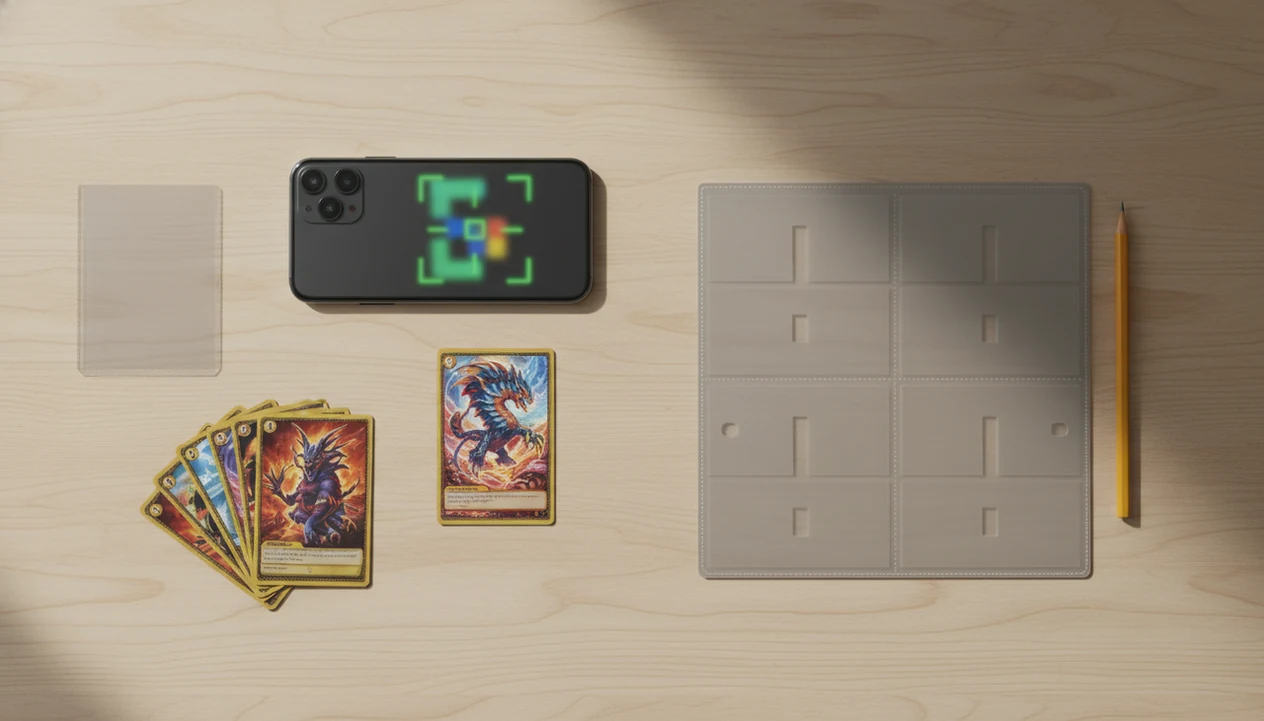
A pokemon card scanner for beginners is the fastest way to identify cards, understand sets and rarity, check estimated market prices, and build a digital collection without typing every card by hand. TCG Pocket App fits this beginner workflow by letting collectors scan, confirm the match, choose the right variant, add condition notes, and save the card.
Definition: TCG Pocket App is a Pokémon card scanner app that identifies cards, checks market prices, and tracks collections for Pokémon TCG collectors.
TL;DR
- Beginner scanner apps use your phone camera and AI recognition to identify Pokémon TCG cards by name, set, rarity, and printing.
- Prices shown in scanner apps are useful estimates, not guaranteed sale values or professional appraisals.
- Good lighting, a flat background, and reviewing the matched set or variant matter more than scanning speed for new collectors.
At-a-glance pokemon card scanner for beginners workflow
A beginner scanner workflow is simple: scan the card, identify the match, check the estimated price, save it, and organize it into a collection. The important part is not speed alone. It is confirming the set, number, variant, and condition before trusting the result.
TCG Pocket App works well for new collectors because it combines camera scanning with collection tracking in one mobile workflow. A returning collector opening an old tin may know Charizard, but not modern promo stamps, alternate arts, or reverse holo price tiers.
Good scanner apps identify and organize cards, not guarantee sale prices. A soft corner visible through plastic can change value, even when the scan match is correct. Treat the app result as a starting point, not the final word.
Why new collectors need a beginner pokemon card app
New and returning collectors need a beginner pokemon card app because Pokémon TCG has become too broad to search by memory alone. As of February 2024, the Pokémon Trading Card Game had been sold in 14 languages and played in 89 countries or regions, which explains why mixed-language cards and unfamiliar sets show up often. Source: The Pokémon Company press release, https://corporate.pokemon.co.jp/en/newsroom/
- Returning collectors may not recognize modern set symbols, alternate arts, reverse holos, promos, or regional releases.
- Manual searches by card name can return the wrong printing, especially for Pikachu, Charizard, Eevee, and trainer cards.
- A new collector scanner reduces typing when a school backpack spills loose cards across the table.
- Digital folders make binder, box, and duplicate sorting easier than handwritten lists.
- For families, a pokemon card scanner for parents can turn a messy stack into something understandable.
TCG Pocket App helps here because the first job is identification, then review.
How a pokemon card scanner for beginners works
A pokemon card scanner for beginners works by capturing a card image, comparing visual details against a Pokémon TCG database, and returning likely card matches with set and variant information.
The phone camera reads artwork, borders, text blocks, layout cues, card number, and set symbols. AI image recognition then compares those signals against stored card records. In plain language, it looks for the closest match, then asks you to confirm the exact printing.
After the match, market price data is tied to the selected card version and saved into your collection. TCG Pocket App uses this scan, verify, log, compare workflow so beginners can move from loose cards to a usable inventory.
Glare still matters. Ring-light glare bouncing off a reverse holo through a nine-pocket binder page can make two cards look closer than they are. Sleeves, damage, and language differences can lower confidence too.
Top beginner pokemon card app features that matter first
The most useful beginner features are fast identification, clear variant review, simple price context, collection folders, and export or backup options. Advanced charts can wait until the collector can reliably confirm the card.
Fast identification
For beginners, quick camera scanning only helps if the app shows match details clearly enough to review. Checking the lower-left set number before trusting a price match prevents many early mistakes.
Simple price context
If the priority is understanding rough value, the app should connect scans to current market prices while keeping raw and graded context separate. Good ai-powered Pokémon TCG card scanner, live market prices, and pocket-sized collection management app workflows deliver faster research, not automatic appraisals.
Collection tracking
Anyone dealing with duplicates, binder pages, or boxes needs folders more than another search tab. Collection tracking should support binders, decks, boxes, or custom lists; deeper inventory habits are covered in our pokemon card scanner for collectors guide.
How to use a new collector scanner without jargon
Use a new collector scanner slowly at first. Accuracy improves when you scan one clean card, confirm the result, and only then move into faster binder or bulk workflows.
- Set the card on a flat, well-lit surface with a plain background and limited glare.
- Open the scanner and frame one card at a time before trying faster piles.
- Review the suggested match, especially set symbol, card number, rarity, and variant.
- Add condition notes such as near mint, lightly played, or damaged after visual inspection.
- Save the card to a binder, box, deck, or collection folder.
- Rescan or manually search if the card art, number, or holo type looks wrong.
After a scan confuses two similar Pikachu prints, the set symbol usually settles it. TCG Pocket App works best when beginners scan, verify, log, compare, and correct instead of accepting every first result.
Common beginner scanner patterns in real collections
Different collectors use scanners differently, and that is normal. A shoebox stack, a binder page, and a trade-night pile all need slightly different habits.
Shoebox collections
The shoebox collector wants fast identification of childhood cards, inherited cards, or a mixed bulk lot. A scanner helps by turning unknown cards into named entries with set and price context.
Binder collections
The binder collector wants to check pages without removing every card when possible. The plastic crinkle of a binder page is familiar, but a wrinkled sleeve may still need a single-card rescan.
Trade-night checks
When trade-night value is the issue, quick estimated prices help because the card can be scanned and compared before a swap. For show tables, our pokemon card scanner for card shows explains faster counter checks.
Parents and gift buyers use scanners differently. They usually want to know what a child has collected, not build a pricing spreadsheet.
Common myths about pokemon card scanner prices
Scanner prices are estimates, and beginners should learn the limits before selling or trading. The green sold-price filter on eBay is different from active asking prices, and both can differ from in-app estimates.
For sale-value checks, compare scanner estimates against recent sold listings rather than active listings; eBay’s completed and sold-item filters are one common reference point: https://www.ebay.com/help/selling/listings/listing-tips/finding-sold-items?id=4653.
- Myth: the scanner tells the exact sale price. Real sale value depends on buyer demand, timing, condition, and proof.
- Myth: the scanner professionally grades condition. A seller pointing at a gem mint label is showing a grading result, not a phone scan.
- Myth: every card scans perfectly on the first try. Rescan when art, set, or number looks off.
- Myth: sleeves, glare, and foreign-language cards never matter. They do.
- Myth: every collection must be scanned one card at a time forever. Bulk workflows, exports, and manual corrections can speed things up.
For beginners, variant accuracy usually depends more on set number and holo type than on the card name alone.
Best app choice for beginner pokemon card scanning
The best app for beginner pokemon card scanning should be fast, forgiving, and focused on identification plus collection tracking because beginners need correction paths, not expert-only menus.
| Beginner need | What to look for | Why it matters |
|---|---|---|
| Card identification | AI-powered camera scan | Reduces manual typing and wrong-name searches |
| Variant review | Set, rarity, number, holo option | Prevents pricing the wrong printing |
| Price context | Live or frequently updated values | Helps compare before trading or selling |
| Collection tracking | Binder, box, deck, custom lists | Keeps scans useful after the first session |
| Correction options | Rescan and manual search | Fixes poor lighting or similar-card errors |
For this use case, TCG Pocket App fits because it pairs AI-powered scanning, live market prices, and pocket-sized collection management. TCGPlayer, Cardmarket, PriceCharting, Pokellector, and Collectr are useful category references, but beginners should choose based on scan accuracy, variant review, price-source transparency, and ease of correction.
Limitations
Scanner apps are useful, but they are not magic appraisals. Keep these caveats in mind before pricing, trading, or selling.
- Camera quality and room lighting affect recognition accuracy, especially on older phones.
- Glare from sleeves, holofoil, and textured cards can confuse scans.
- Market prices are estimates and may lag behind sudden spikes or dips.
- Condition grading still requires human judgment and is not the same as PSA, BGS, or CGC grading.
- Special editions, misprints, foreign-language cards, and damaged cards may need manual checking.
- Large CSV exports, cross-platform inventory management, and bulk workflows can still feel confusing at first.
- No scanner replaces learning basics such as sets, rarity symbols, variants, and condition.
- Selling needs extra context, which is why an app to help sell pokemon cards should still be paired with sold-listing review.
Small errors compound. Fix them early.
FAQ
What is a Pokémon card scanner?
A Pokémon card scanner is a phone app that uses the camera to identify Pokémon TCG cards and retrieve details from a card database. It usually shows the card name, set, rarity, number, and possible price data.
Are Pokémon card scanner prices accurate?
Pokémon card scanner prices are useful estimates based on market data, not guaranteed sale prices. Condition, demand, shipping, fees, and recent sold listings can change the real value.
Can a Pokémon card scanner grade condition?
Most beginner scanners cannot replace professional grading or careful condition review. They can help you record condition notes, but they do not certify a card as PSA, BGS, or CGC grade.
Do Pokémon card scanners work through sleeves?
Some sleeved cards scan correctly, especially with clear lighting and low glare. Reflections, cloudy sleeves, and holofoil can reduce accuracy.
Can I scan Pokémon cards in binder pages?
Single-card scans are usually most accurate. Binder page scanning can work when lighting is even and the plastic sleeve does not distort the artwork or set number.
What app can scan Pokemon cards?
TCG Pocket App scans Pokémon TCG cards, checks market prices, and tracks collections. Other marketplace or inventory apps may also scan cards, but features vary by database, pricing source, and export options.
Can scanners identify Pokémon card variants?
Good scanners can suggest variants, including different printings or holo types. Users should still verify the set number, rarity, and holo or reverse holo treatment.
Do Pokémon card scanners work on old cards?
Many older Pokémon cards can be scanned. Wear, fading, foreign-language text, and modern reprints may require manual confirmation.
Can I export my scanned Pokémon card collection?
Export or backup options matter once a collection grows beyond a few binders. They help preserve your inventory and make sorting, selling, or switching devices easier.