
Pokemon Card Scanner for Parents Sorting Kids’ Cards
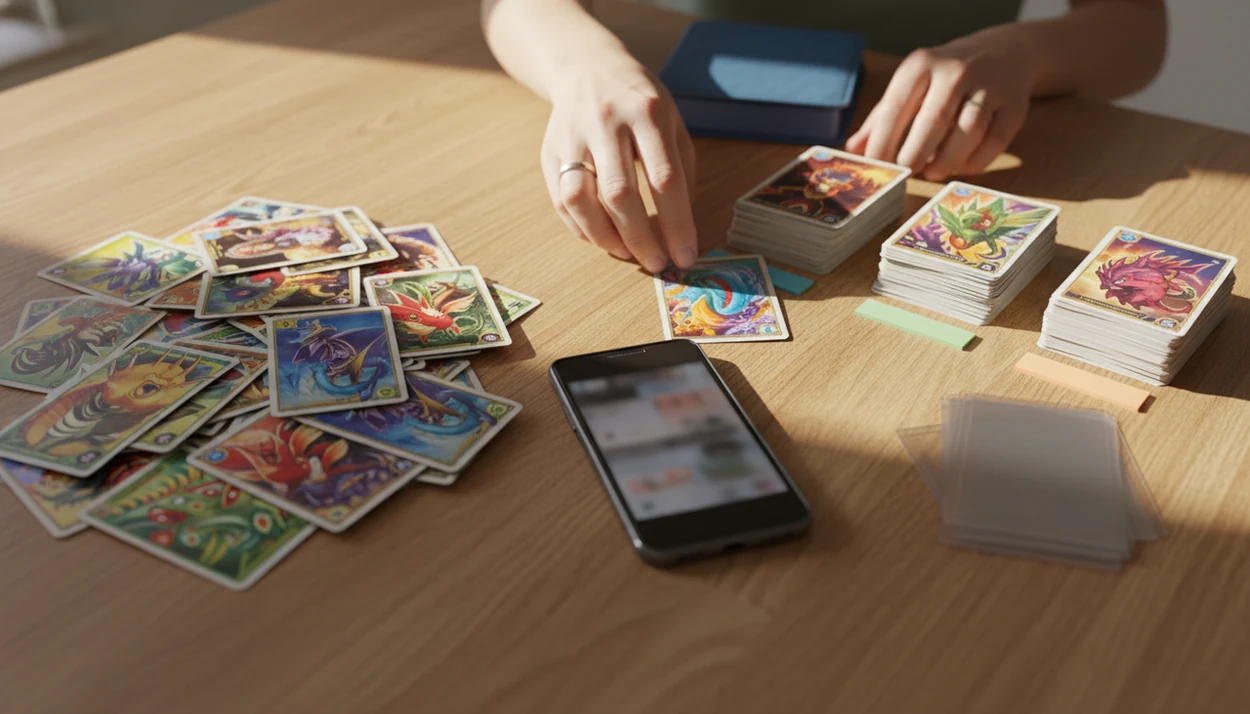
A pokemon card scanner for parents is the easiest way to identify unknown cards, check estimated values, and turn a messy pile into keep, trade, sell, or donate groups without learning collector jargon. TCG Pocket App helps parents scan cards with a phone camera, see market price signals, and save cards into a simple collection list.
> TCG Pocket App is a pokemon card scanner app that identifies cards, checks market prices, and tracks collections for Pokémon TCG collectors.
- Scan cards in small batches, then review the app’s card name, set, version, and market price estimate.
- Sleeve or separate anything above your family’s value threshold before letting kids trade or sell.
- Use scanner prices as estimates, not guarantees, because condition, variants, grading, and demand change the final value.
At-a-Glance Pokemon Card App for Parents Checklist
A pokemon card app for parents should help you identify, value, sort, and save cards before a school trade or weekend cleanup turns stressful. The goal is not to become a collector overnight. It is to stop guessing.
Families are asking because Pokémon cards are common again in backpacks, birthday gifts, and mixed shoebox piles. For parents, the safest workflow starts with camera scanning, then has you review card details before saving them.
Quick checklist:
- Camera scan for fast card identification
- Set identification, including set number check
- Live prices or recent market signals
- Collection folders for keep, trade, sell, and donate
- Export or backup options for later review
A good ai-powered pokémon tcg card scanner, live market prices, and pocket-sized collection management app should deliver faster sorting and clearer checks, not a promise that every card is valuable.
Why Parents Need a Pokemon Card Scanner for Kids’ Collections
Does a parent really need a scanner for kids’ Pokémon cards? Often, yes, because the hard part is not reading the card name. It is knowing which version, set, condition, and price signal to trust.
Pokémon cards are common enough that parents routinely inherit mixed piles: The Pokémon Company reports more than 64.8 billion Pokémon cards produced worldwide as of March 2024 (https://corporate.pokemon.co.jp/en/aboutus/figures/). The $5.275 million Pikachu Illustrator sale is a useful warning label, not a pricing baseline; Guinness World Records lists it as the most expensive Pokémon trading card sold at private sale (https://www.guinnessworldrecords.com/news/2022/7/logan-paul-buys-most-expensive-pokemon-card-ever-for-%245-275-000-708873). Most cards are not jackpots.
On days a child wants to trade before school, a scan can slow the moment down because it shows the card name, set, and value estimate before the card leaves the house.
How a Pokemon Card Scanner for Parents Works
A Pokémon card scanner for parents works by using a phone camera to capture the card image, match it against known card data, then return the card name, set, version, and price estimate. The technical layer is image recognition, which means the app compares visual features like artwork, borders, text, and set markings.
A parent-friendly scanner should follow that scan, verify, log, compare workflow. You scan the card, check the set symbol or lower-left set number, review the variant match, then save the result if it looks right. The plastic crinkle of a binder page is normal when scanning sleeved cards without removing them.
Market prices usually come from marketplace data and can update often. But lighting, glare, foreign-language cards, card damage, and similar variants can reduce accuracy. Ring-light glare bouncing off a reverse holo through a nine-pocket binder page can make a normal scan look uncertain.
Top 3 Pokemon Card App Features for Parents
Parents should evaluate three features first: fast identification, live market estimates, and simple collection folders. The strongest parent-friendly tools connect the scan result to set details, price context, and saved groups.
Fast card identification
Fast AI card identification should return the card name, set, and version without typing. A scanner can still confuse two similar Pikachu prints, so verify the set symbol before trusting the match.
Live market price estimates
Live market price estimates are more useful than old printed guides because Pokémon card demand changes. For deeper seller checks, compare scanner output with an app to help sell pokemon cards.
Simple collection folders
Simple folders help families sort cards into keep, trade, sell, and donate groups. Parents looking for low-jargon organization should look for saved cards that create a running pile value and duplicate list.
How to Use a Pokemon Card Scanner to Sort Kids Pokemon Cards
The easiest way to sort kids pokemon cards is to scan small batches, verify anything valuable, then group cards by family decision. Do not scan the whole floor pile at once. It gets messy fast.
- Set a value threshold, such as sleeve anything over $5 and require parent approval over $10.
- Scan 10 to 20 cards at a time, keeping the phone flat and the card well lit.
- Review the card name, set number, foil type, promo mark, and condition caveat before saving.
- Sleeve higher-value cards and separate them from playground trade cards.
- Group the rest into keep, trade, sell, and donate piles.
- Save or export the list so the collection can be checked later.
For parents who need a calmer first pass, the scan, verify, log workflow turns one pile into labeled decisions. A fuller sorting workflow is covered in our app to help sort pokemon cards.
Common Parent Patterns When Sorting Kids Pokemon Cards
Most families see the same sorting patterns after the first scan session. These are normal, and none require deep Pokémon game knowledge.
- Birthday shoebox pile: Mixed sets, bent corners, and loose promos need scan-by-scan review because one box can hold several eras.
- School trade pile: Fairness matters more than maximum profit, so compare values before kids swap cards at lunch.
- Binder cleanup: A binder tab labeled by expansion helps, but high-value cards still need sleeves and safer storage.
- Donation box: Low-value duplicates may not sell for much, but they can still have play value for younger kids.
- Mystery “rare” claim: A shiny card may look special, yet the final value depends on condition, variant, buyer demand, and raw versus graded context.
When fairness is the issue, scanning both cards helps parents compare two proposed trades before anyone agrees.
Common Myths About Pokemon Card Scanner Value Results
Scanner prices are not guaranteed sale prices. They are estimates based on available market signals, and the final result can move with condition, variant, demand, and grading.
Not every shiny or holographic card is expensive. Many modern holo and reverse holo cards are common, even when they look impressive under a lamp. Foil glare near a window can make the card feel more important than the market says.
Scanner apps also do not catch every misprint or error. Rare error cards often need manual research, expert verification, or comparison with known examples on sites like pricecharting.com or pokellector.com.
Parents do not need to understand Pokémon game rules to use a scanner. The practical job is simpler: scan the card, check the set, compare the value, and decide where it belongs.
For new families, the best scanner keeps the workflow about identification and sorting, not battle strategy.
Family Rules for a Pokemon Card App for Parents
Family rules make scanner data useful without turning every card into a money argument. A simple rule set works better than debating each trade from scratch.
Try this: sleeve anything over $5, require parent approval for trades over $10, and pause any trade where one child cannot explain why it is fair. For parents, scanner value is often better as a fairness check than a selling plan because kids still collect for characters, artwork, and fun.
If your child brings cards to school, save a photo backup or collection list first. That can help if a binder gets lost, especially when a near-mint copy is sitting in a top loader at home and the play copy goes in the backpack.
Parents who want more detail can start with a pokemon card scanner for beginners before moving into resale or grading decisions.
Limitations
A scanner is a starting point, not the final word. Scanning can speed up sorting, but parents should double-check important cards before trades or sales.
- Scanner accuracy drops with poor lighting, ring-light glare, damaged corners, foreign-language cards, and unusual variants.
- Live market prices are estimates, not guaranteed sale prices.
- Apps may show raw-card context, while professional grading from PSA, BGS, or CGC can change value.
- Rare misprints and error cards often require expert verification.
- Bulk scanning, exports, or price history may require paid features in some apps.
- Active asking prices on marketplaces can differ from completed sales; the green sold-price filter on eBay tells a different story.
- Kids can become too focused on money, so parents may need firm guardrails.
- Cross-check estimates against completed-sale and marketplace views, such as eBay sold-listing research (https://www.ebay.com/help/selling/listings/selling-products/using-terapeak-research?id=4853), TCGplayer (https://www.tcgplayer.com/), Cardmarket (https://www.cardmarket.com/), PriceCharting (https://www.pricecharting.com/), and Collectr (https://www.getcollectr.com/), because each source can show a different price lens.
For card shows or larger lots, parents may want the stricter checks in a pokemon card scanner for card shows.
FAQ
What app scans Pokémon cards?
A Pokémon card scanner app uses a phone camera to identify Pokémon cards and show value estimates. Look for one built around scanning, price checks, and collection tracking.
Are Pokémon card scanners accurate?
Pokémon card scanners are useful but not perfect. Accuracy can drop with glare, damage, foreign-language cards, similar variants, and rare errors.
Can I scan Pokémon cards free?
Many scanner apps offer free scanning or limited free features. Bulk scanning, exports, price history, or advanced collection tools may require payment.
How do parents value Pokémon cards?
Parents can scan the card, check the set and condition, review marketplace price signals, and double-check expensive cards manually. Scanner results should be treated as estimates.
Are shiny Pokémon cards valuable?
Some shiny, holo, or reverse holo Pokémon cards are valuable. Many modern holo cards are common and may only have modest value.
How do I sort kids Pokémon cards?
Sort kids Pokémon cards into keep, trade, sell, and donate groups. Sleeve higher-value cards and use parent approval for trades above your chosen threshold.
Can scanners find fake Pokémon cards?
Some scanner results may reveal clues that a card needs review. Real authentication still depends on physical checks and sometimes expert opinion.
Should kids trade scanned cards?
Kids can trade scanned cards if family rules are clear. Parents should review trades above a chosen value and check whether both sides are fair.
Do graded cards scan correctly?
Scanners usually identify the raw card inside the holder. Graded value depends on the grading company, grade, population, and recent comparable sales.