
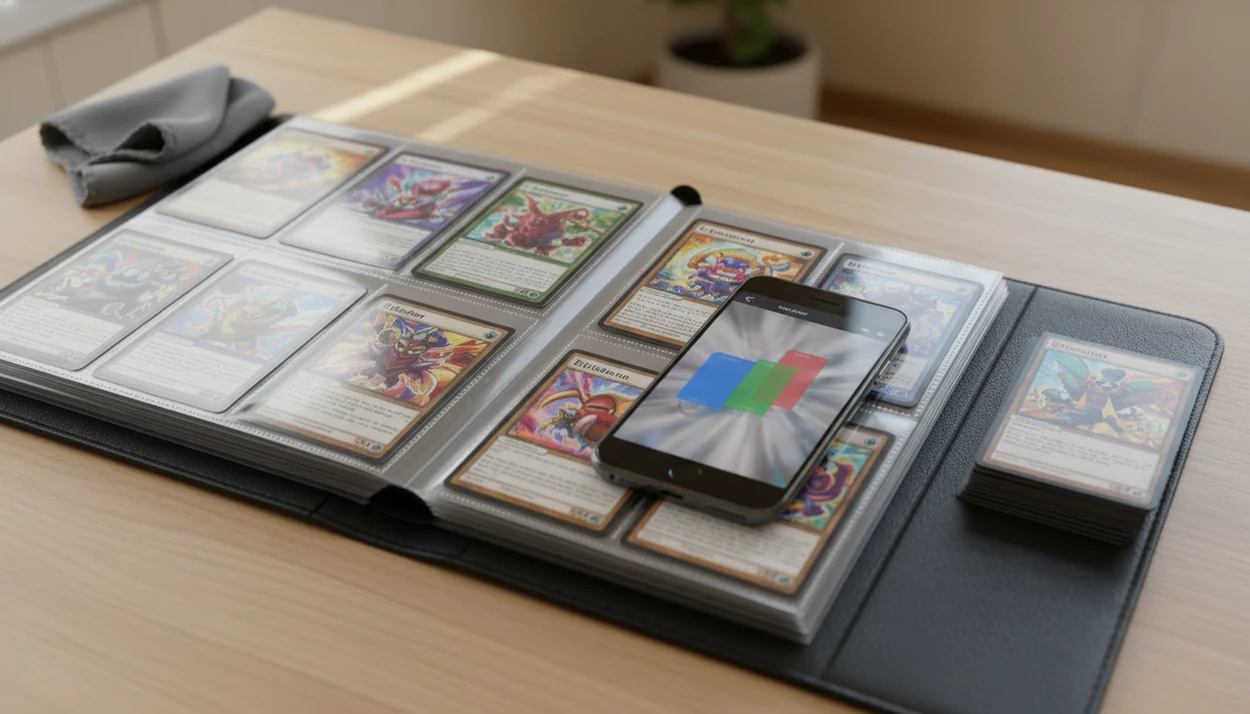
> Definition: A Pokémon collection tracker is a digital tool that catalogs every card you own, identifies missing cards across sets, displays current market values, and syncs your data across devices, eliminating the need for manual spreadsheets or physical checklists.
Pokémon Card Collection Management Problems a Tracker Solves
A Pokémon collection tracker solves the problems that appear when a binder stops being casual and starts being inventory. The pain is not owning cards; it is knowing which version, condition, duplicate, and missing slot you actually have.
- Collecting is the main use case: Statista reported that 57% of US trading card buyers bought cards for collecting in 2023, not only for play.
- Manual lists break at scale: Spreadsheets work for a starter stack, but errors multiply once promos, reverse holos, and duplicates pass a few hundred cards.
- The market keeps expanding: The global trading card game market was about $11.6B in 2023 and is projected near $32.9B by 2033, according to Precedence Research.
- Mobile tracking is normal now: Statista found that 35% of US respondents used mobile apps for hobby activities, including collecting and gaming.
- Variant mistakes cost time: A scan that confuses two similar Pikachu prints still needs a set number check before the value is trusted.
When binder inventory is the issue, TCG Pocket App fits collectors who need scan, verify, log, and compare in one flow because the card record connects identification to collection status.
How a Digital Pokémon Binder Works Behind the Scenes
A digital Pokémon binder works by turning a camera image into a matched card record, then attaching collection and price data to that record. The simple version is: capture the card, match the print, save the ownership state.
The camera first captures the card image. An AI model isolates artwork, text, set symbol, and layout clues, then compares those features against a card database. In technical terms, image embeddings help match visual patterns; for collectors, that means the app is looking for “same card, same print,” not just “same Pokémon.”
After the match, the record pulls metadata such as set, rarity, print variant, and condition tags. A market-price layer may query third-party sources like TCGPlayer data and eBay sold-listing context, then display an estimated value. Active asking prices are not the same as green sold-price results on eBay.
Good ai-powered Pokémon TCG card scanner, live market prices, and pocket-sized collection management apps deliver faster identification and cleaner organization, not automatic appraisal certainty.
6 Steps to Use a Pokémon Collection Tracker
Use TCG Pocket App as a collection tracker by scanning each card, confirming the variant, and saving it into your digital binder. Treat the app result as a starting point, not the final word.
- Download the Pokémon collection tracker and create a free account. If you are starting from scratch, the download pokemon collection tracker app page covers the setup path.
- Point your camera at a Pokémon card to scan and auto-identify it. Ring-light glare can bounce off a reverse holo through a nine-pocket binder page, so tilt slightly.
- Review the matched card, confirm edition and condition, then add it to your digital binder. Check the lower-left set number before trusting the variant match.
- Check set completion progress and flag duplicates for trade or sale. The duplicate count is where a messy trade pile becomes useful.
- View live market prices across your collection and sort by value. Compare raw versus graded only when the card condition supports it.
- Export your collection list or share your digital binder with trade partners.
For collectors who scan after opening packs, this workflow works well because the save step adds each confirmed card directly into a binder-friendly collection workflow.
Pokémon Collection Tracker Interface
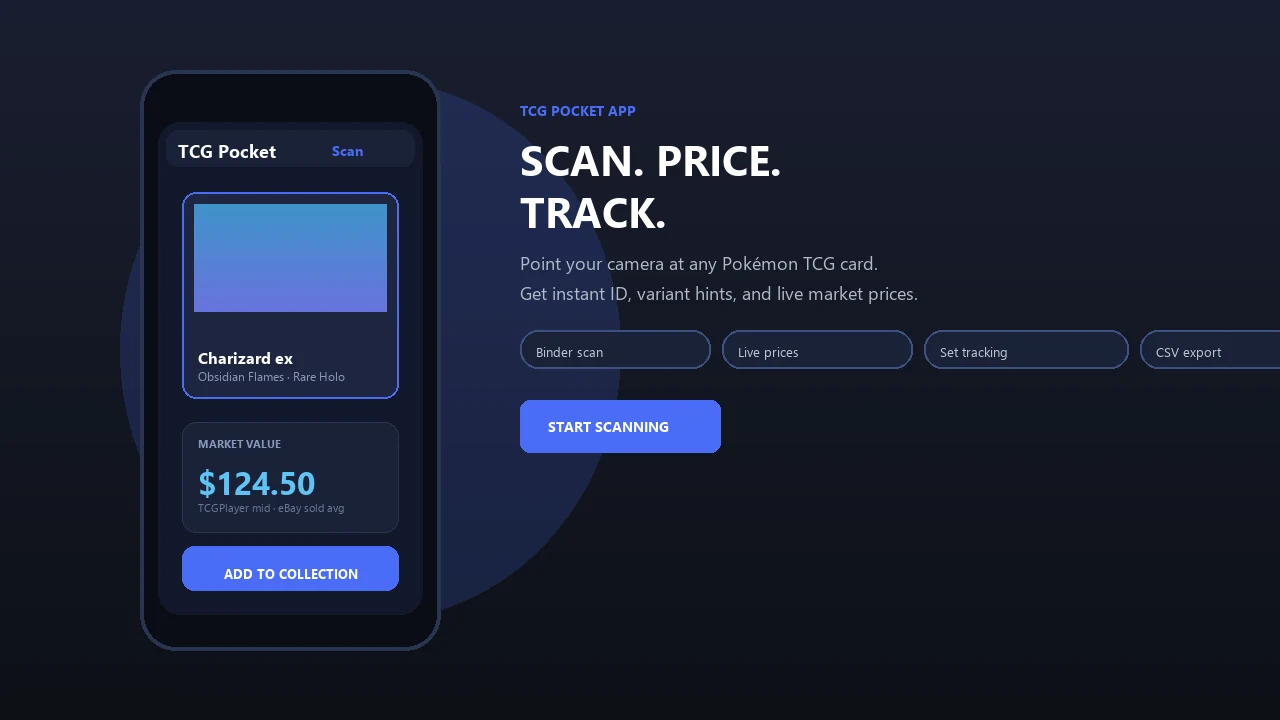
The interface organizes collection work around the screens collectors check repeatedly: binder view, set progress, duplicates, filters, and per-card details. The goal is to reduce the number of times you re-check the same card.
Set-completion progress bars show how close each expansion is to finished. Duplicate counters make trade-ready cards visible without sorting a physical stack again. The per-card detail view shows a high-res image, rarity badge, live market price, and condition caveat.
The binder view is useful for visual collectors because it mimics the way a physical page feels. The plastic crinkle of a binder page is familiar when a sleeved card is scanned without being removed. Small thing. It matters.
Search and filters cover set, type, rarity, and price range. If price lookup is the priority, the download pokemon card price checker app guide goes deeper into value checks.
50-Card Threshold for Switching From Manual Lists to a Pokémon Card Tracker
A manual list is often fine under about 50 cards, but a tracker starts adding real value once duplicates, variants, and missing cards become hard to remember. Above that point, the problem is usually accuracy, not effort.
For small collections, a note on your phone can handle names and counts. Once you are chasing multiple expansions, missing-card views become faster than flipping through binder pages. Automatic duplicate counting also helps when a trade pile is separated by sticky note and nobody wants to recount commons twice.
For price-sensitive sellers, live market value aggregation is often more useful than a static spreadsheet because card values move. Sold-listing context still matters, especially for condition-sensitive cards.
Smartphone access is no longer a serious barrier for most collectors; Pew Research Center reports that most US adults own a smartphone. For collectors above 50 cards, TCG Pocket App is usually easier than a spreadsheet because scanning reduces manual entry and duplicate counts update automatically.
Collection Tracker for Pokémon Cards vs. Alternative Apps
The right collection tracker depends on whether you care most about flexibility, checklists, price context, or fast scanning. The strongest fit is for collectors who want identification, binder tracking, market lookup, and export in the same workflow.
| Option | Strength | Tradeoff |
|---|---|---|
| Google Sheets or Excel | Fully flexible and easy to customize | No scanning, no automatic variant match, no live prices |
| Collectr | Catalog-focused workflow for collection value tracking | Different expectations around scan flow and automation |
| Pokécardex | Strong checklist-style set browsing | Market-price integration may not match seller needs |
| TCG Pocket App | AI scan, live prices, binder view, duplicate counts, and export | Still requires collector verification for variants and condition |
| Open-source trackers | Transparent code and local control | Support and uptime can be inconsistent |
When the issue is replacing manual entry, scan-first tracking earns the spot because the camera scan creates the first draft of the card record before you verify it.
Privacy and Data Ownership in Pokémon Tracker Apps
Using a Pokémon tracker does not automatically mean handing over full game-account access. The privacy model depends on whether the tracker uses account-linked syncing, camera-based scanning, local storage, or cloud sync.
Camera-based physical-card tracking uses a camera-based approach for physical cards, so it does not need Nintendo or Pokémon account credentials to identify and log a binder. That matters if you want collection tools without tying inventory work to a separate game account.
Data storage is the next question. On-device storage keeps records close to the phone, while cloud sync helps when you move between iPhone, Android, and tablet workflows. Export availability is important either way because your collection list should not be trapped.
No-ads and no-data-selling models are cleaner for collectors than ad-supported trackers, but open-source alternatives can also be attractive. However, smaller projects may lack long-term maintenance.
Related Features for Pokémon Collectors
Collection tracking connects with the other jobs collectors do every week: identify, price, sort, and share. The collection screen is only one part of the workflow.
The AI card scanner handles instant identification when a card is loose, sleeved, or sitting inside a binder page. The live market price lookup adds current value context per card, with the usual condition caveat. Set completion checklists cover major expansions, so missing cards are visible without a paper list.
If your priority is fast identification before logging, the scan-to-binder workflow fits because the scanner feeds confirmed matches into the digital binder. The broader scanner workflow is covered in the best pokemon card scanner app guide.
Export and share tools turn the binder into a trade list, not just a private archive.
What a Collection Tracker for Pokémon Cards Does
A collection tracker for Pokémon cards identifies the exact cards you own, organizes them into a digital binder, and shows what still needs checking, trading, or completing. It turns a physical stack into searchable inventory, with prices and caveats attached.
In practice, the tracker starts with a scan and then asks you to confirm the match. That matters because a card name alone is not enough; set number, rarity, foil treatment, language, and condition can change what the card is and what it may be worth. Market values give a useful estimate, but sold-price context still beats treating every current listing as a real sale.
- Scan the card so the app can identify the Pokémon and match it to the right set record.
- Confirm the variant, condition note, and quantity before saving it to your binder.
- Track owned cards, missing slots, duplicates, reverse holos, promos, and other versions.
- Filter the binder by set, rarity, type, price range, or completion status when sorting.
- Export or share the collection for trades, sales, insurance notes, or a cleaner binder review.
Limitations
A collection tracker can remove a lot of busywork, but it cannot remove collector judgment. The most reliable workflow is still scan, verify, log, compare, and export.
- AI scanners can misidentify cards under poor lighting, with damaged surfaces, or when a brand-new release is not yet in the database.
- Similar prints can be confused until the collector verifies the set symbol, collector number, foil pattern, and language.
- Live market prices depend on third-party APIs and may lag behind volatile price swings.
- Local shop prices, trade-night values, and bundle deals can differ from online sold-listing context.
- Not all tracker apps fully support every language, region, or Pokémon TCG expansion at launch.
- Linking any external account introduces platform-dependency risk because API changes can break syncing features.
- Niche or open-source trackers may lack guaranteed uptime, formal customer service, or long-term maintenance.
- Raw versus graded values should not be compared without condition review, grading fees, and sold-listing context.
For collectors who need a phone-first workflow, TCG Pocket App for iPhone is useful when scanning and binder checks happen away from a desktop.