
How To Check Pokemon Card Value With Phone Camera
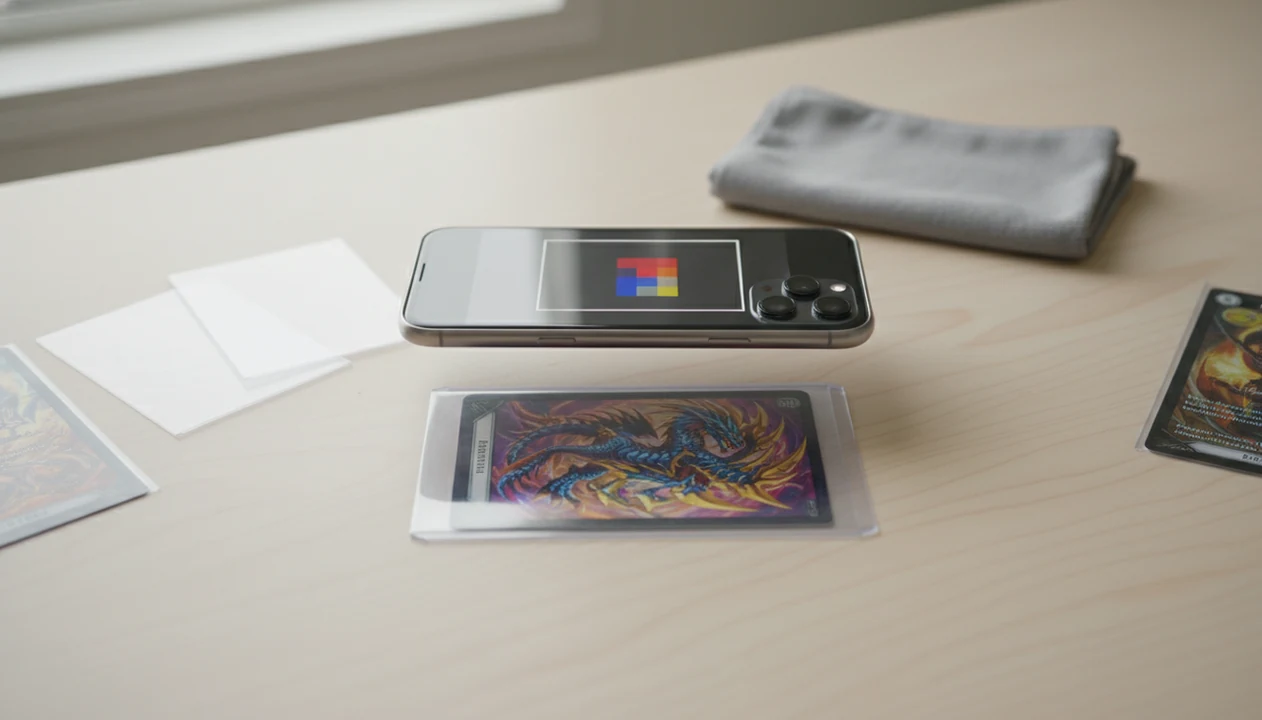
The fastest way to learn how to check pokemon card value with phone is to scan the card with a Pokémon TCG card scanner app, confirm the exact print, then compare the app’s market estimate against the card’s condition. A phone scan is a starting point, not a guaranteed sale price.
> A phone Pokémon card value checker can identify a card, surface market estimates, and save confirmed scans, but you still need to verify variant, condition, and market source before quoting a value.
- Use a dedicated phone Pokémon card value checker, not an official Pokémon game app, to scan card for price data.
- Accurate value depends on exact card match, set symbol, card number, language, holo pattern, and condition.
- Treat scanner prices as market estimates and verify them before selling, trading, or grading a card.
At-A-Glance Phone Pokemon Card Value Checker Workflow
- Open a Pokémon TCG scanner app, then place the card on a plain surface with steady light.
- Scan the full card, not just the artwork, because the border, text, set symbol, and collector number all matter.
- Review the suggested match before trusting the price, especially if the card has a holo, reverse holo, promo stamp, or alternate art.
- Check market price by condition, since near mint and damaged copies can sit in different value ranges.
- Phone-first pricing fits how collectors already research cards; Pew reported that 95% of U.S. teens had smartphone access in 2023, and Statista reported that mobile made up 60% of global web traffic in 2022 source.
The quick routine is simple: scan, verify, condition-check, then compare. At a card show table, that matters when a handwritten price tag on a sleeve does not match the market estimate on your screen.
How Phone Pokemon Card Value Scanning Works
Phone Pokémon card value scanning works by using visual recognition to match a card image against a Pokémon TCG database, then linking that match to marketplace or recent-sale pricing data.
The app reads image features such as artwork, border shape, text zones, set symbols, and card numbers. In technical terms, it may use image embeddings, which are compact visual fingerprints. In plain English, the app is comparing what your camera sees against known card records. After that, it maps the likely card to a price source.
The failure points are predictable. Similar Pikachu prints can look close until you check the tiny set symbol. Full-art cards, alternate arts, reprints, and glare can also push the app toward the wrong variant match. Tools like TCG Pocket App fit here as all-in-one scanners, price checkers, and collection trackers, but the result still needs collector review.
An AI scanner can speed up identification and inventory, but its useful output is the candidate card record plus price source, not a professional appraisal.
Requirements Before You Scan Card For Price Data
Use a dedicated Pokémon TCG card scanner app for pricing; Pokémon TCG Live and official Pokémon apps are not built to value physical cards from camera scans.
- Camera and focus: Your phone needs a working rear camera that can focus on small text. Older phones often need a tap on the lower card number area.
- Internet access: Live pricing usually needs connectivity, since market feeds and sold-listing context are not always stored offline.
- Clean card view: Dust, fingerprints, scratched sleeves, and cropped edges can weaken the match.
- Neutral background: A plain desk, dark mat, or white paper makes the border easier to separate from the table.
- Feature access: Some apps offer free scans, but saved collections, exports, or advanced price views may require a paid tier.
Sleeves are useful for protection, but they can fight the camera. We have heard the plastic crinkle of a binder page while trying to scan a sleeved card without removing it. Sometimes it works. Sometimes the glare wins.
For a broader tool comparison, our pokemon card price checker app guide covers common scanner and pricing features.
How To Use A Phone To Check Pokemon Card Value
To check Pokémon card value with a phone, scan the card, confirm the exact version, then compare the estimate against condition and current market context. This repeatable workflow is safer than accepting the first number on-screen.
- Set the card on a flat, plain background with even lighting and no clutter around the edges.
- Open a scanner app and frame the entire card in the camera view, including borders and bottom text.
- Scan the card and wait for the app to identify the likely card, set, and print.
- Review the set symbol, card number, language, rarity, and holo pattern before accepting the match.
- Compare the app’s market estimate with the card’s condition, then check another source for higher-value cards.
For most collectors, scanning is often faster than manual search because the phone can capture the name, art, and set markers in one pass.
Do not skip the lower-left corner. That small set number check is often what separates a fair estimate from the wrong card entirely.
Camera Setup For Better Pokemon Card Price Scans
Better scans usually come from better contrast, steadier framing, and less glare. The phone camera needs to see the card as a flat object, not a shiny rectangle at an angle.
Use a matte white background for dark-bordered cards and a dark solid background for pale borders. Keep the phone parallel to the card, with the lens centered over the artwork and text. If a sleeve creates reflection, remove it only when safe, or shift the light instead of tilting the card. Ring-light glare bouncing off a reverse holo through a nine-pocket binder page can make the app see the shine before it sees the print.
For binders, scan row by row. Correct mismatches immediately and save confirmed cards before moving on. A blue playmat beneath an open binder gives enough contrast for many scans. On older phones, clean the lens, use manual focus if available, and tap near the collector number.
If your main goal is inventory, the best pokemon collection tracker app guide explains collection-saving workflows in more detail.
Verification Checks After A Phone Pokemon Card Value Scan
Did the phone scan identify the exact Pokémon card version? Verify the name, set symbol, collector number, language, rarity, and holo or reverse holo version before trusting the value.
Wrong versions can have very different prices even when the artwork looks almost identical. Promos, reprints, alternate arts, and regional releases are common trouble spots. The moment a scan confuses two similar Pikachu prints, the collector has to step in and verify the set symbol manually.
Next, inspect condition. Common categories include near mint, lightly played, moderately played, heavily played, and damaged. Centering, surface scratches, whitening, dents, and creases can change value significantly. A raw card beside a plastic slab is not the same comparison either; graded pricing follows a different market.
For expensive cards, manual search by collector number is worth the extra minute. The raw vs graded pokemon card value comparison explains why graded labels and raw condition estimates should not be mixed casually.
Common Mistakes When Scanning Pokemon Cards With A Phone
The most common phone-scanning mistakes come from incomplete images, glare, and accepting the first price too quickly. A clean scan still needs a collector’s second pass before it becomes a value you can use.
- Frame the whole card, including the bottom border where set numbers, collector numbers, and small print details sit. Cropping that strip can turn a precise match into a guess.
- Check the suggested match against holo type, promo stamps, language, and set symbol before saving it. Two cards can share artwork and still price very differently.
- Remove visual noise when safe by avoiding scratched sleeves, binder-page reflections, and curved top-loader plastic. If the card should stay protected, change the light angle instead of forcing a bad scan.
- Compare raw cards only with raw-card estimates unless you are deliberately researching graded copies. A slabbed PSA or CGC sale is not the same market as a loose binder card.
- Use recent sold listings for expensive cards, not active asking prices alone. A high listing can show seller optimism; a completed sale shows what a buyer actually paid.
Common Myths About Scanning Pokemon Cards For Value
- Myth: Official Pokémon apps scan physical cards for market value. They generally handle gameplay, accounts, or code-card functions, not physical card pricing.
- Myth: The scanner price is the exact amount a buyer will pay. Real sale value depends on condition, platform fees, demand, timing, shipping, and negotiation.
- Myth: Any photo angle works. Tilted shots, glare, sleeves, and cropped borders can cause a wrong match or no result.
- Myth: Every app uses the same data. Apps may use different marketplaces, regions, update schedules, or internal pricing models.
- Myth: A scanner replaces verification. A scanner works best as a baseline plus a verification workflow.
The most reliable phone workflow is scan first, then verify the variant and condition before using the price in a trade or listing.
One rough habit helps. Pause before quoting the number out loud. At a trade night, that pause can save an awkward correction.
Market Price Sources For Phone Pokemon Card Value Estimates
Phone Pokémon card value estimates usually come from marketplace listings, recent sales, regional price feeds, and app-specific card databases. Different sources answer different pricing questions. For manual verification, compare scanner output against eBay sold-item results (source) and a Pokémon price guide such as TCGplayer’s Pokémon price guide (source).
| Price source | What it shows | Main caution |
|---|---|---|
| Asking price | What sellers currently want | Often higher than actual sale prices |
| Market price | A blended marketplace estimate | Can hide condition and variant differences |
| Recent sold price | What buyers recently paid | Needs enough comparable sales |
| Trade value | A practical swap estimate | Depends on local demand and negotiation |
| Regional feed | Prices from a specific market | May not fit your country or platform |
McKinsey estimated the global trading card game market at about $24.17 billion in 2021, which helps explain why digital pricing tools became important for collectors and sellers source.
Still, price feeds can lag after tournament results, product news, influencer attention, or sudden demand changes. For expensive cards, compare more than one market source. The green sold-price filter on eBay tells a different story than active asking prices, which is why the tcgplayer vs ebay sold prices debate matters.
Limitations
Phone scanners are useful speed tools, but they cannot replace card expertise, condition grading, or buyer behavior in the market. Treat the app result as a starting point, not the final word.
- Damaged, miscut, heavily worn, foreign-language, or obscure cards may scan poorly.
- AI recognition can confuse full-art, alternate-art, promo, and reprinted cards with similar artwork.
- No phone Pokémon card value checker can professionally grade condition.
- Live market data can lag behind fast price changes.
- Some apps require internet access, account creation, subscriptions, or paid features.
- A scan cannot guarantee what a buyer will pay after platform fees, shipping, negotiation, or local demand.
- Counterfeit detection is limited and should not rely only on a phone value scan.
- Bulk scans can save time, but unchecked mismatches can quietly poison a collection list.
Apps such as TCG Pocket App, TCGplayer, Collectr, and others can help organize the work. They do not remove the condition caveat.
FAQ
Can my phone value Pokemon cards?
Yes, your phone can estimate Pokémon card value through a compatible scanner app. You still need to verify the exact card version, condition, and market source.
What app scans Pokemon card prices?
You need a dedicated Pokémon TCG scanner or pricing app, not a gameplay app. Options include TCGplayer, Collectr, and other Pokémon card scanner apps; compare features, price sources, and export options before relying on one.
Can iPhone scan Pokemon cards?
Yes, an iPhone can scan Pokémon cards when you use a compatible Pokémon card scanner app. Results depend on lighting, camera focus, and card verification.
Can Android scan Pokemon cards?
Yes, Android phones can scan Pokémon cards with compatible scanner apps. A clean lens, full-card framing, and stable lighting improve recognition.
Are Pokemon card scanners accurate?
Pokémon card scanners can be accurate for identification, especially on common prints. They still need verification of set number, version, holo pattern, language, and condition.
Can I scan cards for free?
Some apps offer free scanning or limited price checks. Advanced pricing history, collection storage, exports, or bulk features may require payment.
Why did my Pokemon card scan fail?
Common causes include glare, sleeves, poor lighting, cropped framing, camera blur, or unusual card versions. Manual search by card number can solve many failed scans.
Does condition change Pokemon card value?
Yes, condition is one of the biggest reasons a scanned estimate may differ from a real sale price. Creases, whitening, scratches, dents, and grading status can all change value.
Do official Pokemon apps show card prices?
Official Pokémon apps generally do not scan physical cards to show market prices. Use a dedicated Pokémon TCG value checker if you want camera-based pricing.