
Binder Scanning Timeline For Pokémon Card Collections
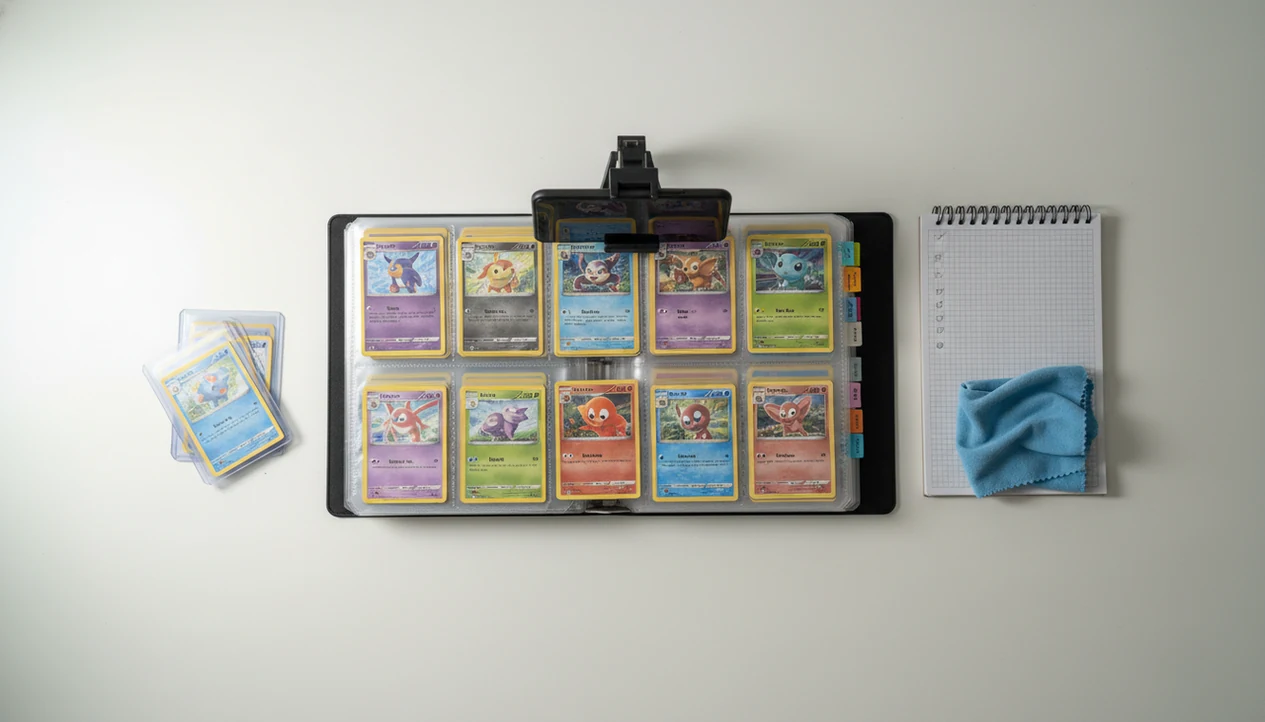
A binder scanning timeline should break your Pokémon card collection into setup, page-by-page scanning, manual review, price checking, and export so the final inventory is usable instead of just photographed. For most collectors, a phased schedule by binder page, set, or section is safer than one long scan session.
Definition: A binder scanning timeline is the step-by-step schedule for converting a physical Pokémon card binder into a reviewed digital collection with identified cards, checked variants, live prices, and exportable inventory data.
TL;DR
- Start with lighting, camera position, and binder organization before scanning the first page.
- Scan in small page or set batches so duplicates, reprints, and wrong variants are easier to catch.
- Finish with manual review, price checks, and export because the scan itself is only the middle of the workflow.
Binder Scanning Timeline At A Glance
A binder scanning timeline runs from the first flat binder page to a reviewed export, not just the camera scan. The simple sequence is prep, scan, fix, price, and export.
Start by setting the binder on a stable surface, then scan by page or section. After each batch, check uncertain matches, duplicates, quantities, and missing cards before moving on. A raw scan can look complete, but one wrong set symbol can throw off the price and checklist.
A scanner app can fit into this workflow by identifying cards, checking market prices, and tracking collection records. Still, treat the app result as a starting point, not the final word.
The binder zipper brushing the table is usually when rushed scans start. Slow down there.
Pokémon Binder Scan Plan Requirements Before Page One
A reliable pokemon binder scan plan starts before the first photo. These five requirements reduce avoidable rescans and make later review faster.
- Flat surface: Use a clean table, steady lighting, and low glare. Ring-light glare bouncing off a reverse holo through a nine-pocket binder page can hide the card name or set symbol.
- Camera position: Keep the phone square to the page, with stable hands or a stand. One TCGplayer scanning tutorial demonstrates holding a phone camera about 5 to 6 inches above cards while scanning source.
- Binder order: Sort by set, era, rarity, page order, or your own collection logic.
- Notes: Keep a scratch sheet or note field for promos, reprints, foreign cards, and damaged cards.
- First-page test: Scan one page, then verify the results before continuing.
For phone setup details, the broader how to scan pokemon cards with phone guide is useful before you plan a full binder session.
How A Binder Scanning Timeline Works Behind The Scenes
A binder scanning timeline works by turning image capture into structured inventory data through recognition, matching, review, pricing, and saving.
Behind the scenes, the scanner captures an image, creates a card-recognition match, suggests candidate cards, and asks the collector to confirm the variant. Then the workflow adds condition notes, quantity counts, price lookup, and collection save. The light technical term is candidate matching, which simply means the app is choosing between similar possible cards.
Similar Pokémon cards can be misread because artwork, set symbols, reverse holos, promos, and reprints may look almost identical. We have seen a scan confuse two similar Pikachu prints until the collector checked the set symbol in the lower-left corner.
Batching pages improves accuracy because the physical binder page is still open during review. Apps such as TCG Pocket App support binder-friendly scanning and collection tracking, but this workflow is about physical card inventory, not Pokémon TCG Pocket game strategy.
How To Use A Binder Scanning Timeline For A Collection Scanning Schedule
Use a binder scanning timeline as a collection scanning schedule with small batches you can verify before moving on. The goal is not speed alone; the goal is a cleaner inventory.
- Set one scanning goal, such as one binder, one set, or ten pages.
- Prepare lighting, camera angle, binder order, and notes before scanning the first page.
- Scan cards page by page and label each batch as you go.
- Review uncertain matches, variants, duplicates, quantities, and missing cards while the binder section is still open.
- Check prices, save the collection, and export or back up the final inventory after review is complete.
For most collectors, scanning five reviewed pages is better than scanning twenty unchecked pages because errors stay close to the cards that caused them.
Small batches win.
A good ai-powered pokémon tcg card scanner, live market prices, and pocket-sized collection management app deliver faster identification and cleaner records, not guaranteed appraisal certainty or automatic condition grading.
Step 1: Setup Window For Faster Binder Scanning
Plan a 10 to 20 minute setup window before scanning a binder. That time usually saves more than it costs, especially if the binder has glossy pages or many foil cards.
Lay each page flat and reduce sleeve glare before opening the camera. Keep the phone at a consistent distance, avoid casting a shadow across the card names, and make sure every card edge is fully visible. The plastic crinkle of a binder page can shift a sleeved card just enough to crop a set number.
Test the first page before committing to the full binder. If three cards need manual fixes right away, adjust the light, angle, or spacing. A faster scan is not better if bad lighting creates more manual corrections.
For sleeve-specific setup, use the how to scan pokemon cards through binder sleeve workflow before a large session.
Step 2: Page Batch Schedule For Pokémon Binder Scans
What is the best order for Pokémon binder scans? Scan by page, section, set, or binder tab rather than random order, because the review step depends on knowing where each card came from.
A practical batch is 5 to 10 pages, followed by a pause to review. Label batches with simple names like “Binder 2, Neo pages 1-8” or “Trade binder, holos, front half.” Those labels prevent missed cards and duplicate confusion when the same Charmander appears in three places.
Pokémon TCG Pocket gameplay binders have a 30-card limit under current support rules source, but physical binder scanning for collection management should follow your real binder structure. Do not mix unrelated sets if variant review will be difficult.
For binder-focused tool selection, compare options in the best pokemon card scanner for binders guide.
Step 3: Review Window For Missed Cards And Variants
Scanner recognition is helpful, but it is not perfect. The review window is where a binder scan becomes a trustworthy collection record.
- Misreads: Check cards that matched the wrong Pokémon, set, or artwork.
- Missing cards: Look for empty scan results where a page glare, crop, or sleeve reflection blocked recognition.
- Variant errors: Confirm holo, reverse holo, promo, reprint, language, and stamped versions.
- Duplicate quantities: Count extras during the batch, not days later.
- Problem cards: Inspect damaged cards, foreign cards, and similar artworks while the physical page is still open.
We usually check the lower-left set number before trusting a price match. A print line crossing a shiny border can also affect condition notes, even when the identity is correct.
The collection is not trustworthy until this review step is complete. For returning collectors, manual review is often easier page by page because old reprints and modern variants sit too close visually.
Step 4: Price Check And Export Handoff For Scanned Binders
Price checking belongs after identity and variant review. Live prices are useful, but they are not fixed appraisals because condition, version, demand, and raw versus graded context can change the number.
- Check identity first: Confirm set, number, language, and foil status before comparing prices.
- Use sold-listing context: The green sold-price filter on eBay tells a different story than active asking prices. eBay’s help documentation explains that completed and sold listings can be filtered separately from active listings, which is why sold data is a better market check than asking prices alone source.
- Separate raw versus graded: A raw card beside a plastic slab should not be treated as the same market.
- Export the inventory: CSV export is a common handoff after scanning, and the TCGplayer tutorial workflow ends with CSV export for inventory upload.
- Back up the file: Keep a spreadsheet or cloud copy if the collection matters.
TCG Pocket App helps collectors identify cards, check market prices, and track a collection in a portable inventory. For deeper price workflows, the best app for pokemon card prices guide explains price-source transparency and sold-listing context.
Collection Scanning Schedule Mistakes That Slow Binder Reviews
Most collection scanning schedule mistakes happen when scanning gets separated from review. These are the errors that make a binder inventory harder to trust later.
Marathon scanning: Scanning too many pages without review creates a pile of mystery corrections.
Glare blindness: Ignoring lighting and sleeve reflections leads to missed names, set symbols, and foil details.
Unlabeled mixing: Mixing sets, eras, and variants in one unlabelled batch makes wrong matches harder to detect.
Overtrusting recognition: Assuming every card was recognized correctly is risky, especially with promos and similar artworks.
Duplicate drift: Skipping quantity checks for duplicates creates inventory totals that look precise but are not.
No export handoff: Treating export as optional defeats the purpose if the goal is a usable inventory.
For collectors who want a scanner-first workflow, an app that scans pokemon card binders should still leave room for manual fixes and export.
Limitations
A binder scanning timeline improves the workflow, but it cannot guarantee a fully accurate digital collection. It is a structure for better review, not a substitute for collector judgment.
- Binder scanning does not guarantee reliable recognition for reprints, similar artworks, promos, foreign cards, or unclear images.
- Manual review is still required before the collection record can be trusted.
- Shadows, glare, sleeve reflections, and uneven spacing can slow the process.
- Live market prices are directional and can change with condition, version, demand, and recent sales.
- App-specific binder limits, privacy settings, or sharing rules may affect how a finished collection is displayed.
- Physical condition grading cannot be fully solved by a timeline alone.
- Large collections may need multiple sessions because fatigue leads to missed variants and duplicate errors.
- Damaged cards, curled foils, and cards behind cloudy sleeves may need individual photos.
Not every page will cooperate.
Treat the timeline as a repeatable checklist. If a batch produces too many fixes, stop and rescan that section before adding more cards.
FAQ
How long does binder scanning take?
Binder scanning time depends on page count, lighting, organization, and review depth. A small binder may take one session, while a large collection often needs several short batches.
What order should I scan my Pokémon binder in?
Scan by page, set, section, or binder tab instead of random order. This makes missed cards, duplicates, and wrong variants easier to find.
Do scanners miss Pokémon cards?
Yes, scanners can miss or misread Pokémon cards. Manual correction is needed for glare, cropped images, similar artwork, promos, reprints, and damaged cards.
Should I review every scanned binder page?
Yes, each scanned batch should be reviewed before moving to the next binder section. Immediate review keeps the physical card page available for set number and variant checks.
Can I export scanned cards?
Many scanning workflows support export or backup options such as CSV, spreadsheets, or inventory handoff. Export after review so the saved file reflects corrected identities and quantities.
When should I check prices?
Check prices after card identity, variant, and quantity review are complete. Price comparisons are less useful if the scan matched the wrong set or foil version.
How do I handle duplicate Pokémon cards?
Track duplicate Pokémon cards during each batch review by confirming the quantity for each matched card. Clean up totals again before the final export or backup.