
Benefits Of Scanning Pokémon Cards In Binders
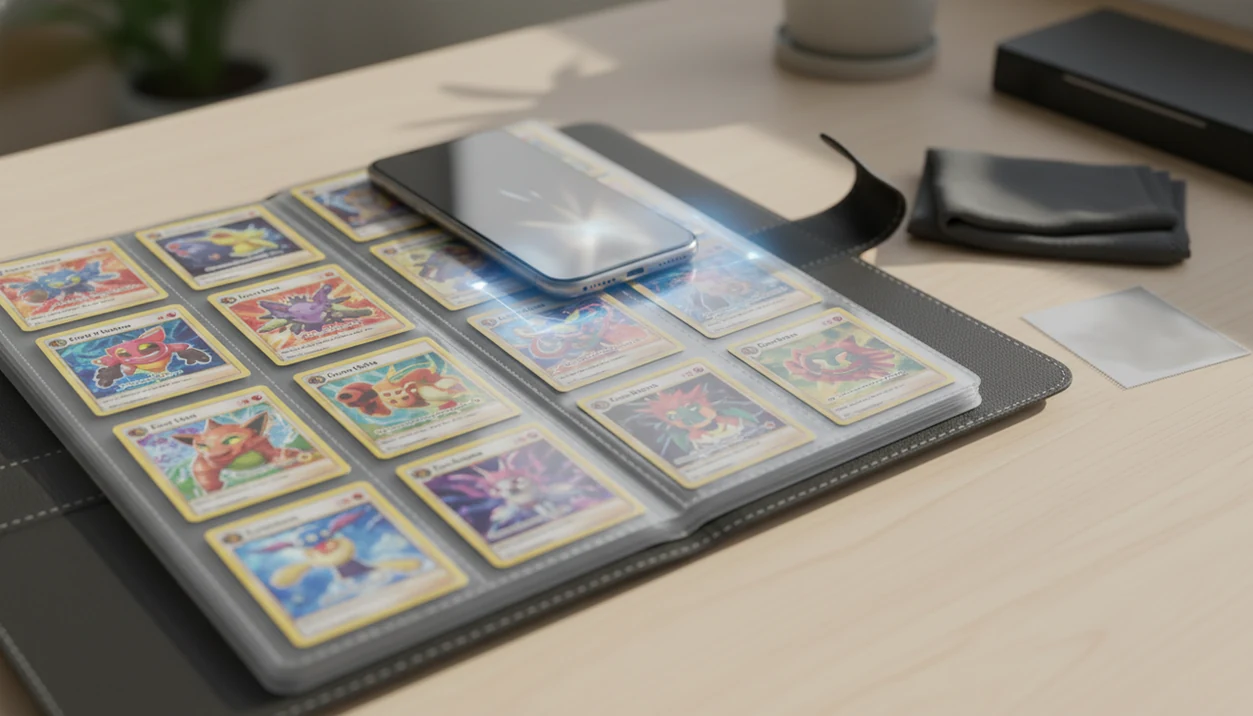
The biggest benefits of scanning pokemon cards in binders are less handling, faster inventory, easier duplicate checks, and safer organization for cards you want to preserve. Binder-first scanning lets collectors move page by page with a phone camera instead of repeatedly removing cards from pockets.
Definition: Binder scanning is a Pokémon card scanning workflow that captures cards through clear binder sleeves, then logs each confirmed match into a searchable digital collection.
TL;DR
- Binder scanning reduces edge wear, fingerprints, and accidental bends because cards stay in sleeves.
- A phone-based scanner can turn a binder into a searchable digital inventory with live value checks.
- High-value, unusual, or misread cards still need manual verification outside the binder.
Binder Scanning Benefits For Pokémon Card Handling Safety
Binder-first scanning means capturing Pokémon cards through binder pages instead of removing each card for a separate photo. The main safety benefit is simple: fewer removals mean fewer chances for edge wear, fingerprints, surface scratches, and accidental creases.
That matters most with older holos, reverse holos, and cards stored in snug pockets. The plastic crinkle of a binder page is much better than the soft corner you notice after one careless reinsertion. Digital cataloging also follows the preservation logic used by archives: identify, record, and search items without handling the original every time.
Physical collectibles are not dangerous in themselves, but handling still creates risk. The U.S. Consumer Product Safety Commission tracks emergency-department injuries involving toys each year, which is a reminder that even ordinary hobby objects should be handled deliberately rather than repeatedly and casually (https://www.cpsc.gov/safety-education/safety-guides/toys).
Small friction adds up.
Five Binder Scanning Benefits Pokémon Collectors Should Know
- Less handling protects condition over time. Every card left in its sleeve avoids one pull, one grip, and one return into the pocket.
- Page-by-page scanning is faster for medium and large binders. A nine-pocket page under kitchen light can be logged quicker than nine loose-card photos.
- AI scanning can create useful records from a phone. A good ai-powered pokémon tcg card scanner, live market prices, and pocket-sized collection management app deliver faster identification and organization, not a guaranteed appraisal.
- Clear sleeves, flat pages, and soft lighting improve accuracy. Ring-light glare bouncing off a reverse holo through a nine-pocket binder page can hide the exact variant.
- High-value cards still need spot-checks. For expensive cards, check the set number, language, foil type, and condition outside the binder when the scan result looks uncertain.
How Binder-First Pokémon Card Scanning Works
Binder-first Pokémon card scanning works by turning a phone camera image into a card match, then saving that match as a collection record. The app reads visible signals such as artwork, card name, set symbol, layout, language, and sometimes foil clues.
The technical layer is image recognition. In plain terms, the scanner compares what your camera sees with known card patterns. Lighting matters because glare, sleeve scratches, and warped pages can block the features the app needs. Pew Research Center reports that 90% of U.S. adults own a smartphone, which explains why phone-based cataloging is practical for many collectors (https://www.pewresearch.org/internet/fact-sheet/mobile/). A binder-capable Pokémon card scanner should still ask you to verify set number, language, variant, foil type, and condition before saving.
Check the lower-left set number first.
Before You Start Scanning Pokémon Cards In Binders
Before scanning Pokémon cards in binders, prepare the page, light, and review pile so the app sees clean card details with minimal handling. A few minutes of setup prevents glare-heavy scans, warped pockets, and rushed value decisions later.
- Inspect the sleeves and binder pages for cloudy plastic, scratches, dust, or fingerprints before opening the scanner app. If a pocket looks hazy, clean the page gently or mark that card for a closer check.
- Choose indirect side lighting instead of a bright overhead beam. Soft light from an angle usually reveals names, artwork, and set numbers without throwing a white stripe across holo foil.
- Support the full binder page on a flat table or backing surface so every pocket stays level. Letting a page hang over the edge can bow the cards toward the camera.
- Keep a microfiber cloth nearby for page dust and surface glare, using light passes rather than pressure.
- Set high-value, unusual, or questionable cards aside for manual verification after scanning, especially when variant, language, foil type, or condition affects value.
How To Use Binder Scanning For Faster Pokémon Card Inventory
Use binder scanning as a page workflow, not a card-by-card wrestling match. The goal is to scan, verify, log, compare, then review duplicates after the binder is recorded.
- Set the binder on a flat table with the full page supported, so pockets do not bow toward the camera.
- Use indirect light from the side instead of direct overhead glare across sleeve plastic.
- Scan page by page, keeping cards in their binder sleeves unless the app cannot read one clearly.
- Review each AI match for set, language, variant, foil type, and condition notes before saving.
- Save the cards into a digital collection, then check duplicates, missing set numbers, and total value afterward.
For collectors with several binders, binder-first scanning is often easier than loose-card scanning because the page order stays intact while the inventory builds. If sleeves are especially reflective, the how to scan pokemon cards through binder sleeve workflow is the safer starting point.
Binder Scanning Benefits Versus Removing Pokémon Cards
Binder scanning is usually better for broad inventory and duplicate review, while loose-card scanning is better for close condition review. Neither method wins every situation.
| Method | Speed | Handling risk | Accuracy | Condition review | Best use case |
|---|---|---|---|---|---|
| Binder-first scanning | Faster for full binders | Lower, if pages are supported | Strong with clear sleeves and good light | Limited by sleeve and page plastic | Inventory, duplicate checks, set tracking |
| Removing cards | Slower for large batches | Higher during removal and reinsertion | Often clearer for difficult cards | Better for corners, edges, and surface review | Grading photos, expensive cards, damaged sleeves |
| Mixed workflow | Moderate | Controlled | Best when uncertain cards get rechecked | Good for selected cards | Collection audits and trade prep |
A raw holo compared to a slab price needs more than a quick binder scan. Removing a card can help when pockets are cloudy, top-loaded, or too reflective. Treat binder scanning as the default for organization, not as a replacement for careful inspection.
Best Binder Setup For Pokémon Card Scanner Accuracy
What is the best binder setup for Pokémon card scanner accuracy? Use clear sleeves, clean binder pages, flat support, and angled soft light so the camera can read the card art, name, set symbol, and layout without fighting reflections.
Cloudy sleeves make similar cards harder to separate. Scratched plastic across holo foil can look like card damage or confuse the image match. Flat pages also help because curved pockets distort borders and text. Modern smartphone cameras can perform well on defined image-recognition tasks under good lighting with minimal reflection, so expensive camera gear usually is not necessary.
A small lamp off to the side often beats a bright ceiling light. The phone should hover square to the page, then tilt slightly if glare appears. Collectors using iOS can compare device-specific steps in the how to scan pokemon cards on iphone guide.
Digital Binder Inventory Benefits For Prices And Duplicates
A scanned binder becomes a searchable digital inventory that is easier to sort than a stack of pages. Once logged, cards can be filtered by set, rarity, language, duplicate count, and estimated market value.
- Duplicate review: You can find extra copies before trade night instead of flipping through every page again.
- Set completion tracking: Missing numbers stand out when the app compares your scans against a checklist.
- Trade preparation: A digital list helps separate keepers, extras, and cards needing condition review.
- Total binder value estimates: Live market prices can guide protection, grading, selling, or trading decisions.
- Reduced handling: Digital cataloging improves discoverability and cuts down on unnecessary page flipping.
Price-source transparency matters. The green sold-price filter on eBay is not the same as active asking prices, and raw versus graded numbers should not be mixed. A scanner can help organize these checks, but sold-listing context still belongs in the collector’s review; compare active listings against sold-results pages from eBay and marketplace data from TCGplayer before treating an estimate as trade value (https://www.ebay.com/help/selling/listings/selling-history?id=4107, https://help.tcgplayer.com/hc/en-us/articles/201357836-Market-Price). For pricing workflows, compare options in the best app for pokemon card prices guide.
Common Pokémon Binder Scanning Mistakes
The most common binder scanning mistakes are glare, pressure, skipped verification, and overtrusting price estimates. They are easy to fix, but they can distort both inventory and value.
Glare-heavy sleeves should be rescanned at a different angle, not accepted as “close enough.” Pressing hard on binder pages to flatten pockets can bend cards or stress the rings. Promos, reverse holos, stamped variants, and non-English cards deserve extra attention because similar artwork can produce a false match.
One scan may confuse two similar Pikachu prints until the collector verifies the set symbol. That moment is normal. It is also why raw market value should be checked against condition, not treated as a sale price. During long cataloging sessions, take breaks. Research on repetitive manual tasks notes that repeated gripping and fine finger movements can contribute to strain risk, which matters when your phone is held over a binder for an hour.
The thumb gets tired first.
Limitations
Binder-first scanning is useful, but it has limits. Treat the app result as a starting point, not the final word.
- Reflective sleeves, glossy pages, and top-loaded pockets can cause misreads or missed cards.
- No scanner replaces in-person condition grading for expensive cards.
- AI tools can confuse variants, promos, languages, and cards with similar artwork.
- Initial setup takes time, so speed gains are strongest for ongoing collection management.
- Binder scanning does not fix humidity, heat, poor storage, warped pages, or existing damage.
- Market price data can lag, vary by marketplace, and change with condition.
- A scan may identify the card correctly but still miss a surface scratch across holo foil.
- Slab prices should not be used as raw-card values without a raw versus graded comparison.
For high-value pages, remove only the cards that need closer review and leave the rest protected. Collectors comparing scanner options can use a best pokemon card scanner for binders guide to judge sleeve performance, variant checks, and export tools.
FAQ
Can you scan Pokémon cards while they are in a binder?
Yes, you can scan Pokémon cards while they are in a binder if the sleeves are clear, the pages are flat, and glare is controlled. Results are better when the card name, artwork, and set number are visible.
Is it safe to scan Pokémon cards without removing them from binder sleeves?
Scanning cards in sleeves usually reduces handling risk compared with removing and reinserting each card. It helps limit edge wear, fingerprints, and accidental bends.
How accurate is a Pokémon card scanner through binder pages?
Accuracy can be high with good lighting, clean sleeves, and flat pages. Variants, promos, non-English cards, and valuable cards still need manual verification.
Does glare from binder pages affect Pokémon card scans?
Yes, reflective binder plastic can block artwork, text, foil patterns, or set symbols. Angled lighting and a slight phone tilt usually reduce glare.
Can scanning Pokémon cards in a binder show card value?
Yes, scanner apps can connect identified cards to market price data and show estimated value. Condition, variant, language, and recent sold prices can change the real sale price.
Should expensive Pokémon cards be removed before scanning?
Expensive cards may need to be inspected or photographed outside the binder when condition, foil type, or variant details are unclear. Remove them carefully and only when the added detail is worth the handling risk.
What kind of app can scan Pokémon cards in binders?
A Pokémon card scanner app identifies cards from phone photos, checks price data, and saves cards into a digital collection. Tools like TCG Pocket App can support binder scanning, value lookup, duplicate review, and collection tracking.